Download page The Agent Workspace Premium (Desk) Interface: Elements, Properties, and Functions.
The Agent Workspace Premium (Desk) Interface: Elements, Properties, and Functions
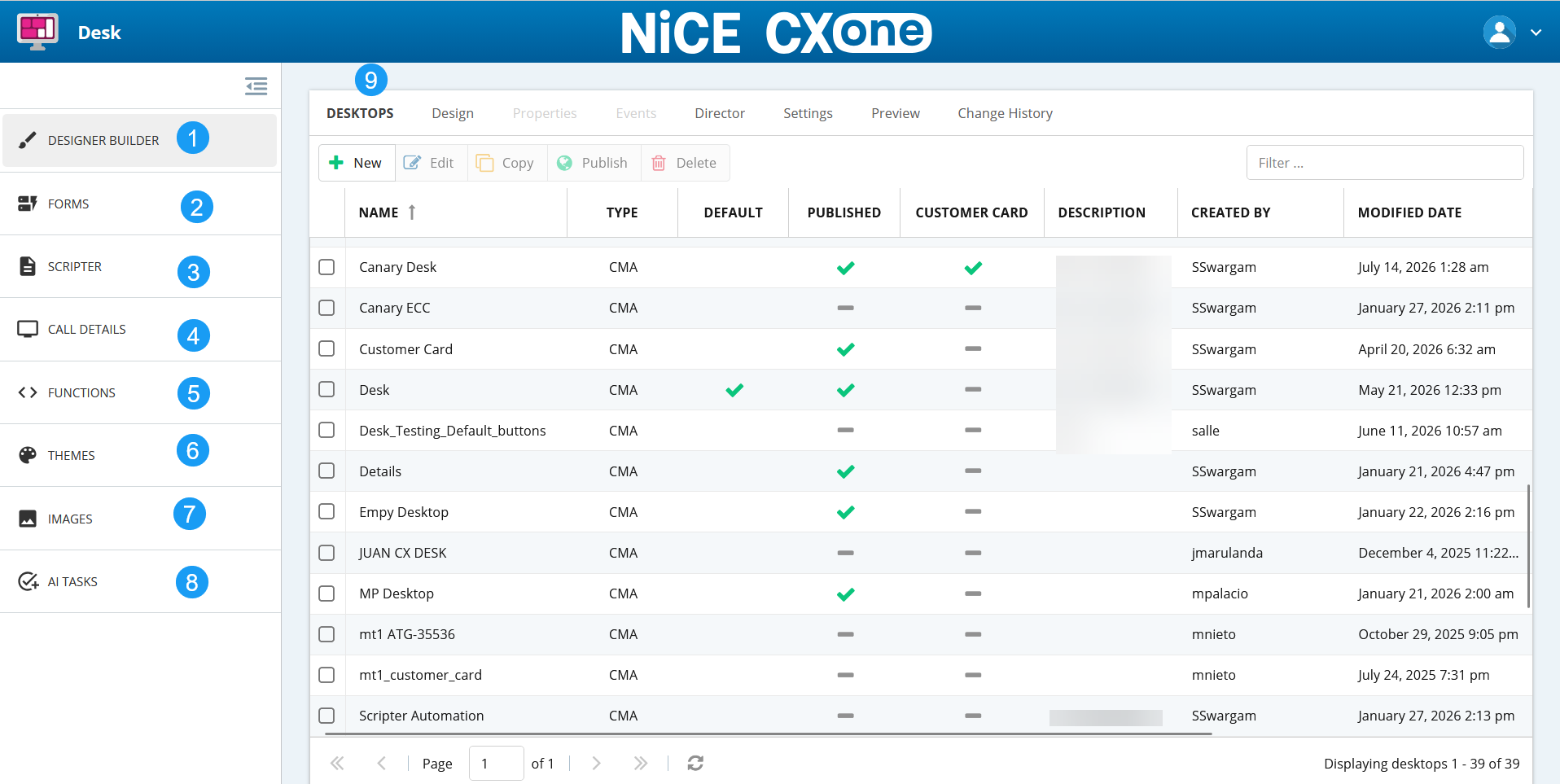
This topic provides information about the different options that you see on Agent Workspace Premium. When you accessAgent Workspace Premium, the following window appears:
TheAgent Workspace Premium window displays the following tabs:
Designer Builder:Lists all the available desktops. Also, enablesyou to customize and publish desktops.
Theme:A theme is a preconfigured design thatenhances the presentation of a page. It is a consistent and unified set of visual elements and styles applied to backgrounds, text, and buttons.Implementing a theme feature in your Script application can enhance the agent's experience and streamline the design process.
AI Tasks: Generates resolutions and ticket summaries for all tickets. By using this feature, agents have a complete picture of the reason for the ticket, information involved in closing the ticket, and the ticket resolution.
DESKTOPS: Enablesyou to view, manage, and publish desktops.