Adherence
The Adherence window provides details about how effectively you followed a designated schedule. The following two key indicators are used to calculate your adherence percentage:
- Scheduled Time: Time scheduled activities, such as answering calls, responding to emails, and other tasks are expected to be carried out.
- Actual Time: Time spent carrying out designated tasks.
A higher percentage indicates better adherence to the schedule and proper utilization of the designated time.
Accessing Adherence Tab
To access the Adherence tab, on the Agent Desktop and click Adherence.
The Adherence screen displays the scheduling adherence and conformance data for a single day and multiple days in different tabs. Single-day data is further divided into hourly information.

Click  to search using specific filter criteria. You can specify the Date Range, Time Range, Areas, and Schedules to display the required information.
Multi-Day Tab
By default, the Multi-Day tab is displayed when you click Adherence.
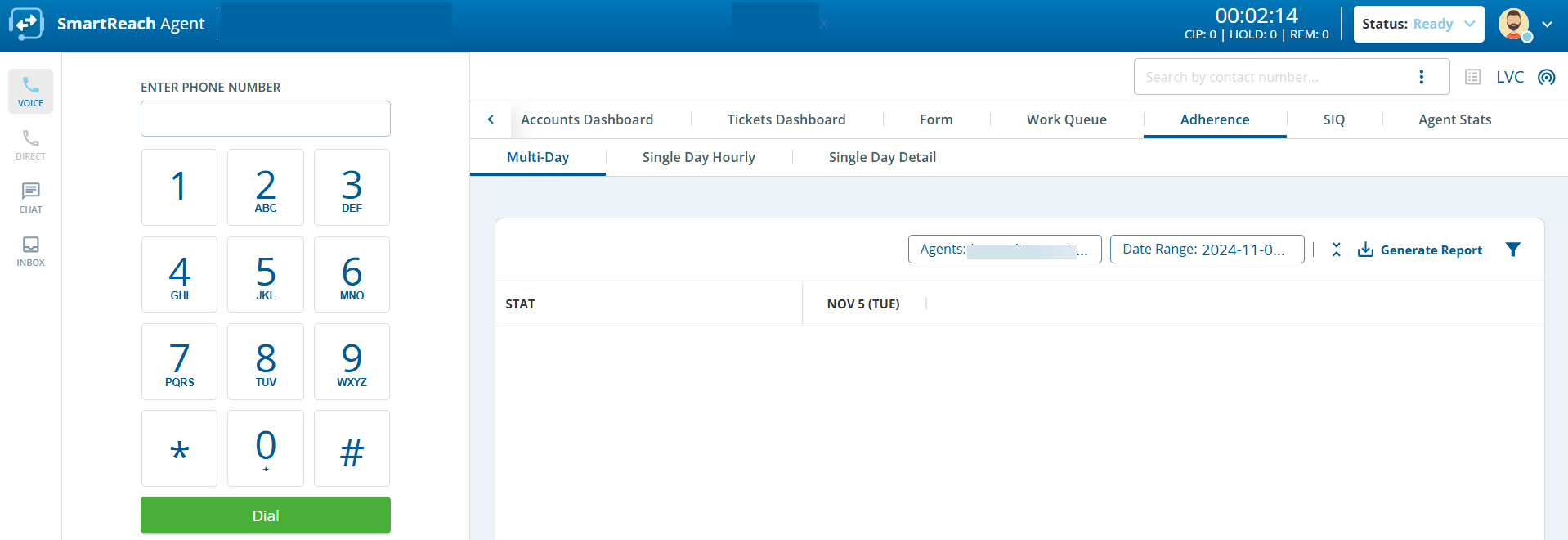
The following information for the days specified in the filter criteria is displayed:
- Scheduled Time: Total time for which an agent is logged in and working.
- Actual Time: Total time an agent logs into a desktop and performs work.
- Active Time: Total time for which an agent is on call including waiting time, Incall time, and Wrap up time expressed as HH:MM:SS (Hours:Minutes: Seconds).
Time in Adherence: Total time that the agent followed the scheduled time.
- Adherence %: Schedule adherence of the agent.
- Occupancy %: Occupancy percentage of the agent.
- Utilization %: Utilization percentage of the agent.
- Conformance %: Conformance percentage of the agent.
- Click
 to view more or fewer statistics.
- Click Generate Report to download the report in .csv format.
Single Day Hourly Tab
The Single Day Hourly tab provides a graphical representation of the detailed statistics for the selected date and time range.
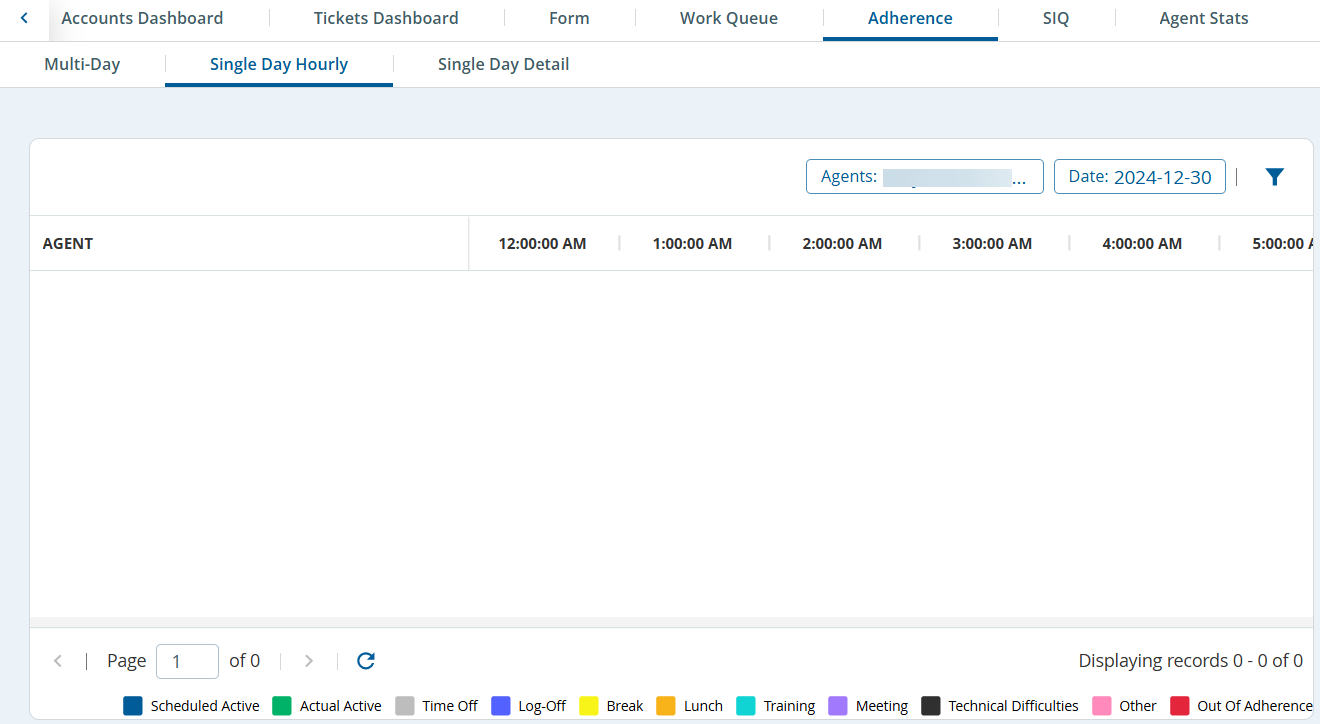
The following statistics are displayed in different colors:
- Scheduled Active
- Actual Active
- Time-Off
- Log-Off
- Break
- Lunch
- Training
- Meeting
- Technical Difficulties
- Other
- Out of Adherence
Single Day Detail Tab
The Single Day Detail tab displays the scheduled and actual activity times for a specified day. The screen displays Scheduled time/duration, Actual time/duration, Scheduled Activity, Actual Activity, and Description.
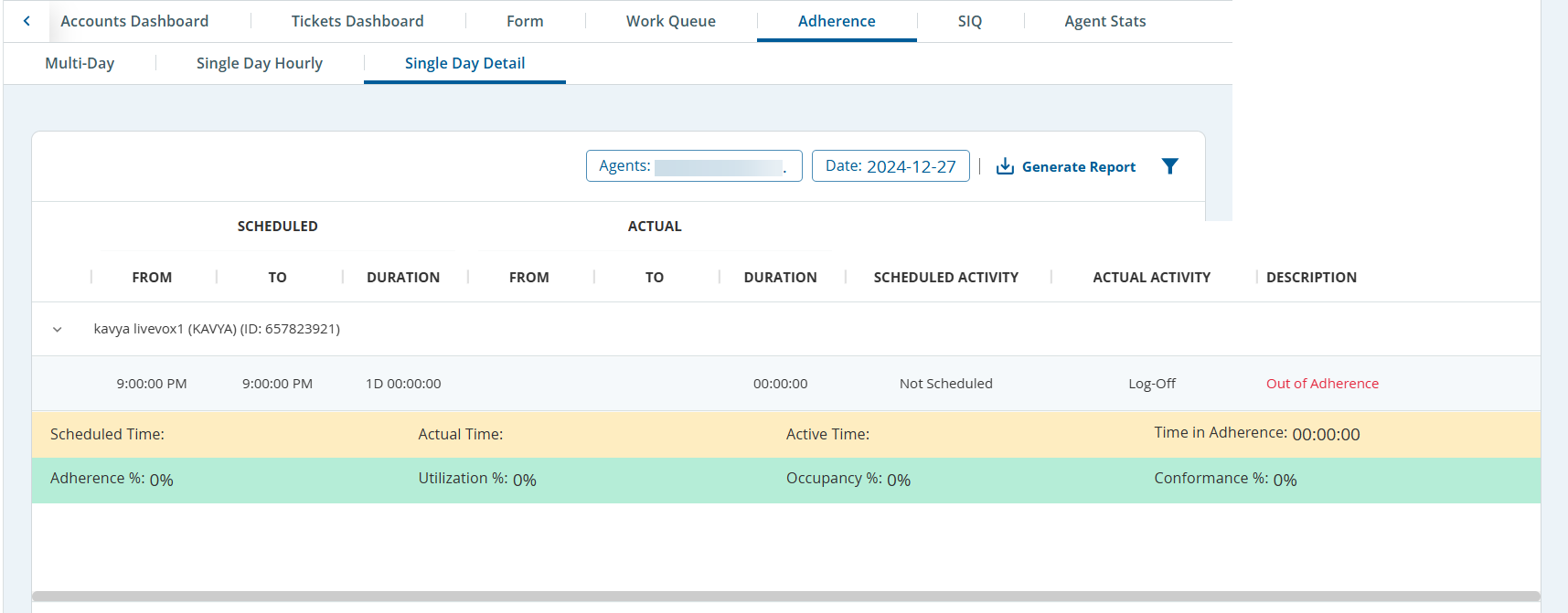
Information, such as Scheduled time, Actual time, Active time, Time in adherence, Adherence %, Occupancy %, Utilization %, and Conformance % are also displayed.
Click Generate Report to download the report in .csv format.