A property is a piece of information about a customer (for example, their full name or email address), obtained from the information provided by the customer during a bot conversation.
You can manage properties on the Properties tab of the Users window.
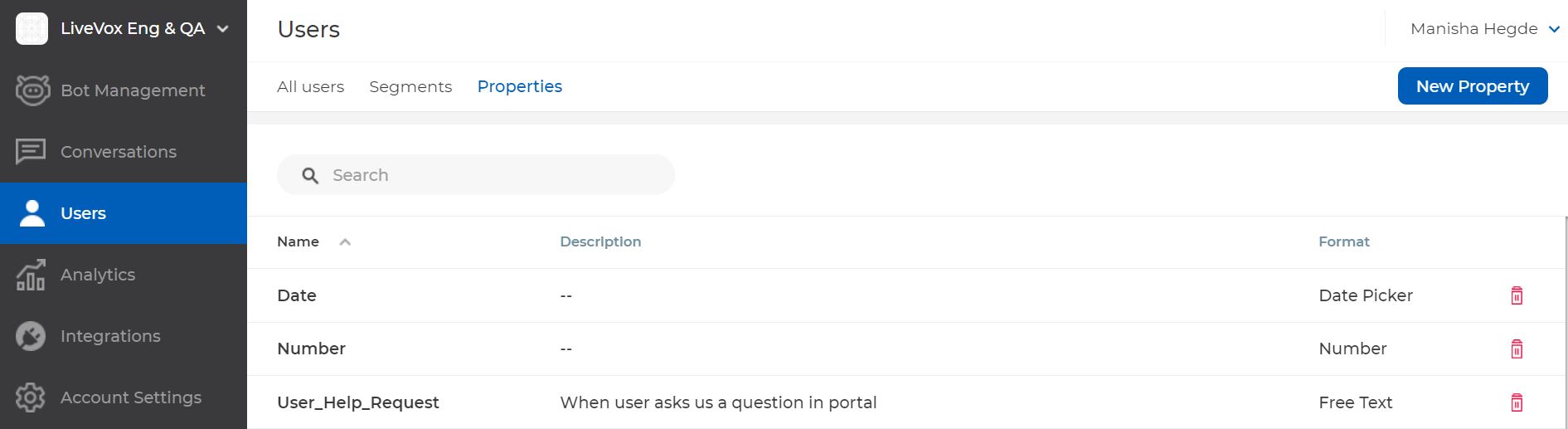
To create a property:
- In the left pane, hover over Users, and then click Properties.
The Users window displaying the Properties tab appears. - Click New Property.
The Create a new property window appears. Specify values in the following fields.
| Field | Description |
|---|
| NAME | Name to identify the property. |
| DESCRIPTION | Description of the property. |
| FORMAT | Format of the property (for example, Free Text or Number). |
Click Create.
The property is created, and it appears in the table on the Properties tab.
- You can sort the values in a column in ascending or descending order by clicking the name of the column.
- You can search for a property by using the Search box.
- You can modify a property by clicking its name in the Name column.
- You can delete a property by clicking the delete icon
 next to the property in the table.