To access the Export Format configuration window, on the Configure tab of the LiveVox Portal, click Input / Output > Export Format.
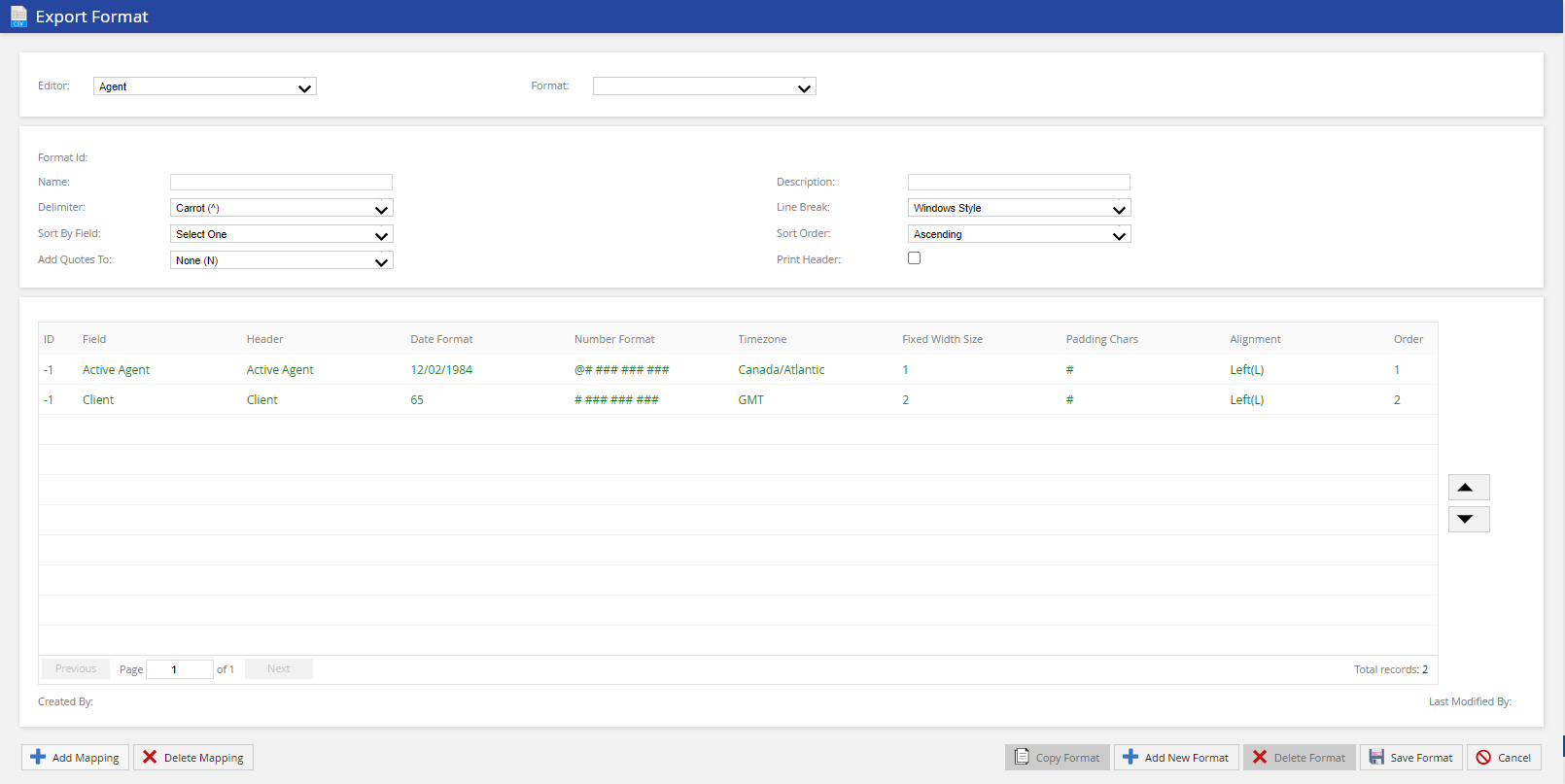
Select the editor and format you want to view/adjust, from the Editor and Format drop-down lists.
The Export Format window displays the following fields:
| Field | Description |
|---|
| Editor | Enables you to select the editor where the format will be available. Currently, you have three options; Agent, Contact, and Report Map. |
| Format | Enables you to select the required format for the selected editor. |
| Format Details | - Format Id: The unique export format ID
- Name: The name of the export format
- Description: The description of the export format
- Delimiter: The delimiter for export format
- Line Break: The line break style
- Sort By Field: Defines how the results should be arranged in the export file.
- Sort Order: Sets the sort results in Ascending or Descending.
- Add Quotes To: Specifies which fields should be placed in quotes
- Print Header: Indicates whether a header row is included in the export file.
|
| Column Mapping Details | - ID: The mapping ID
- Field: The mapped field which represents a column in your export file.
- Header: The header name assigned to the column.
- Date Format: The date format applied to a field if any.
- Number Format: The number format applied to a field.
- Timezone: The time zone which applies on date or time fields.
- Fixed Width Size: The fixed width size of the field if any.
- Padding Chars: The number of padding characters if Fixed Width Size is configured.
- Alignment: The alignment style of the column in the export file.
- Order: The number which specifies the order of the column in the export file.
|
The Export Format window displays the following buttons:
| Button | Description |
|---|
| Add Mapping | Creates a new mapping column. For more information, see Adding a Mapping. |
| Delete Mapping | Deletes the selected column mapping. For more information, see Deleting a Mapping. |
| Copy Format | Copies the selected format. |
| Add New Format | Creates a new format. For more information, see Creating a New Export Format. |
| Delete Format | Deletes the selected format. For more information, see Deleting an Export Format. |
| Save Format | Saves updates on the selected format. |
| Cancel | Discards the changes. |