If agents exceed the set number of failed login attempts, they are locked out of their account. You can configure t By default, agents are allowed five failed logins.
To view locked agents, select Filter > Locked or look for the lock icon next to the agent Logon ID.
To unlock an agent:
- Select the agent and double-click on the lock icon next to the agent Logon ID. A Confirm window appears.
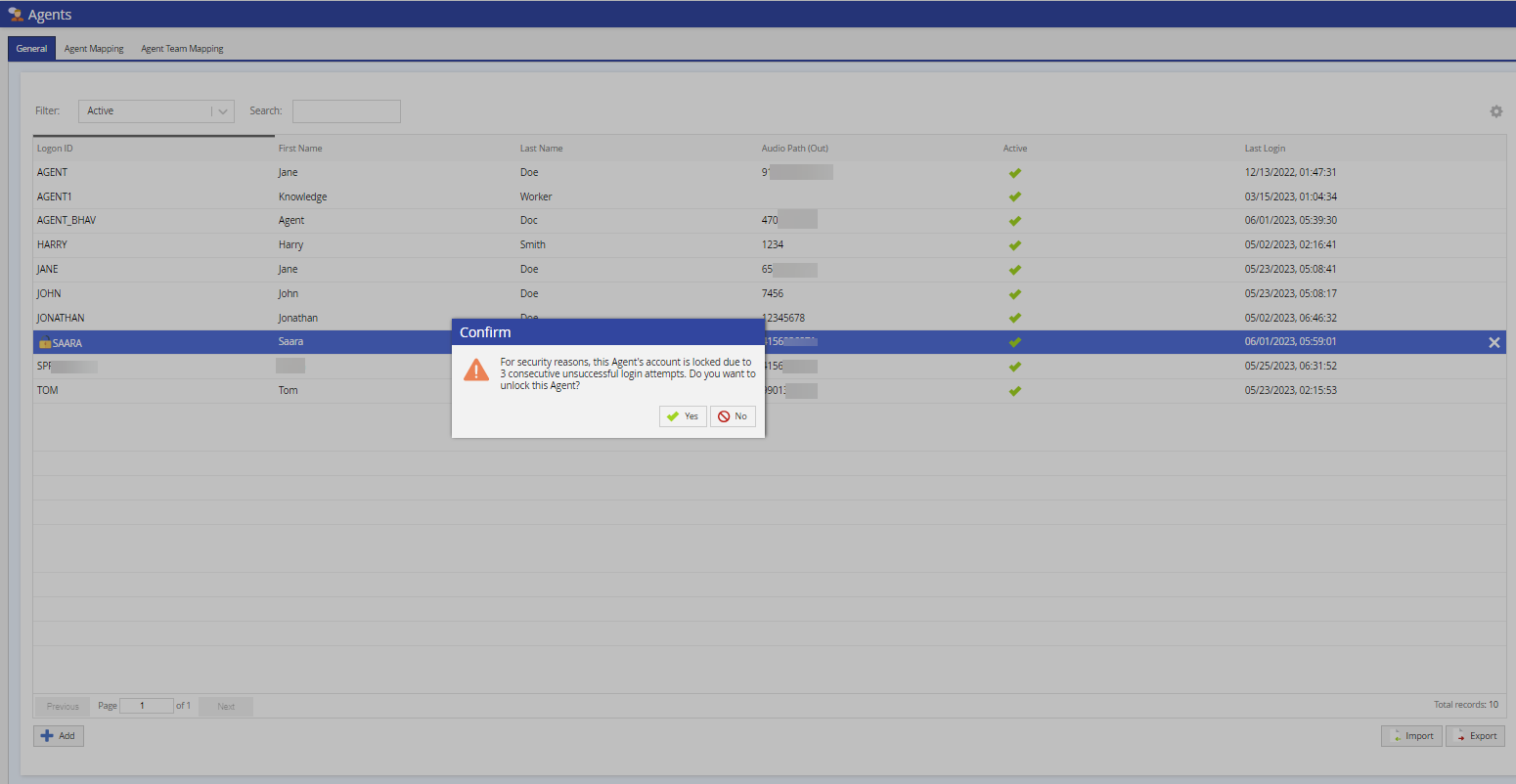
- Click Yes to unlock the agent.