Introduction
The first step toward building a script is to create a script. You create the script in the Script tab.
Apart from creating a script, you can perform other functions such as Import, Export, Copy, and Delete a script. For detailed information, see Managing a Script.
To create a script:
- Access U-Script.
- On the SCRIPTS tab, click New.
The New Script window appears. - Specify values in the following fields:
- Name: A name to identify the script.
- Description: A description of the script.
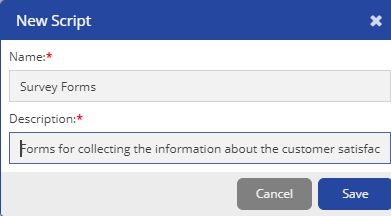
Click Save.
- The Script opens tab with a blank page. For more information on adding pages, see Creating Pages.
- You can add pre-configured accounts, contacts, and tickets into a script on a U-CRM Agent Desktop. You can drag and drop the option on the Design tab and update the script as required.
