Download PDF
Download page Reports.
Reports
SmartReach Reports allow organizations to view and analyze data from their contact center operations. You can use SmartReach Reports and dashboards to track key performance indicators (KPIs) such as call volume, call duration, call abandonment rate, and agent performance. You can create custom reports and dashboards that can be used to track and analyze data specific to their business needs. Reports provide information on real-time monitoring and alerting, which in turn provides the ability to quickly identify and respond to potential issues. The reporting feature supports drill-down capabilities, allowing managers to view detailed information about specific calls, interactions, and campaigns.
You can export the reports to various formats, such as CSV, Excel, and PDF, and you can schedule report delivery. Additionally, you can also integrate SmartReach Reports with other systems, such as a CRM, to provide a more comprehensive view of customer interactions and support better decision-making.
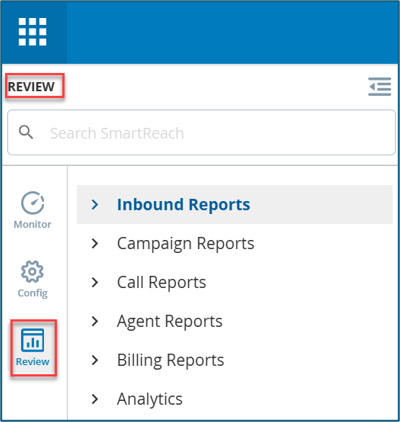
Reports provide key performance indicators (KPIs) for various categories on SmartReach. For example, the Inbound Efficiency report provides KPIs pertaining to inbound call management and Contact Lookup Report provides you with information about attempts to reach a specific account. You can use the Review tab in the SmartReach Portal to generate and view reports for inbound calls, campaigns, customer interactions, agent performance, call-related statistics, billing, and analytics.
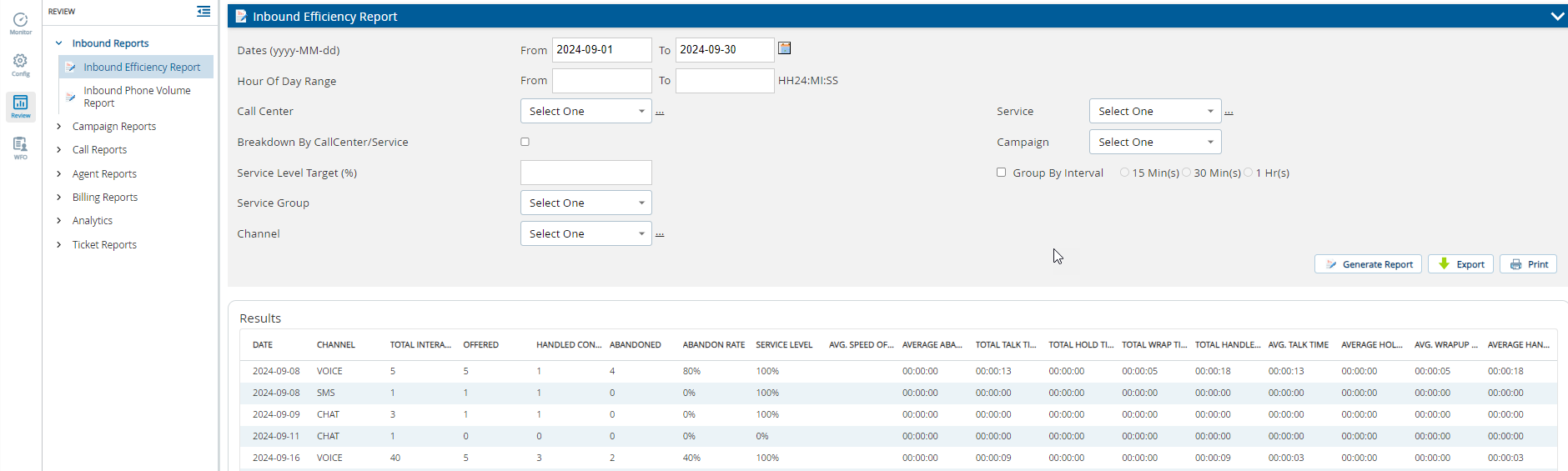

The Review tab on the SmartReach platform displays reports based on your CXone integration status and whether you are a new or existing SmartReach client.
You can enable or disable the following reports based on your requirements. To request specific reports for your portal, contact the SmartReach Customer Support team.
- Inbound Report
- Inbound Phone Volume Report
- Campaign Reports
- Campaign Line Summary Report
- Contact Lookup Report
- Email Campaign Summary Report
- Phone Lookup Report
- Real Time Report
- Service Efficiency Report
- SMS Volume Report (Formerly, SMS Billing Report)
- Email Volume Report (Formerly, Email Billing Report)
- Agent Reports
- Agent Activity Report
- Agent Skill Report
- Agent Summary Report
- Call Monitoring Report
- Call Recording Report
- Call Transfer Report
- Clicker Efficiency Report
- Recording Events Report
- Voicemail Recording Report
- Call Reports
- Call Detail Report
- Failed Operator Report
- Billing Reports
- Estimated Billing Duration Report
- Analytics Reports
- Extended Campaign Report
Note: If any report is missing or incomplete, it may be due to the following reasons:
- CXone ACD integration affects report generation.
- Data may not be available for dates after the CXone ACD feature was enabled for your platform.
- Report retention policies limit access to reports. See documentation for retention periods and report availability.
Features of SmartReach Reports
SmartReach provides the following categories of reports:
- Inbound Reports: Inbound report consists Inbound Phone Volume Report. This report provides information related to inbound call statistics and key performance indicators.
- Campaign Reports: Campaign reports display aggregate-level statistics for services and campaigns along with look-up features for particular accounts/numbers. Your access level determines if you can view all or select data only. For example, the Contact Lookup Report provides you with access to all attempts for a specific account. Outbound attempts and inbound calls received by SmartReach are also displayed.
- Call Reports: The Call Detail Report provides information about every account dialed during a selected date range. The Failed Operator Report provides additional information about the calls coded as Failed Operator Transfer.
- Billing Reports: Billing report includes the Estimated Billing Duration Report.
- Analytical Tools: The Analytics category consists of Hourly Analytics, Operator Transfer Analytics, Service Comparison Analytics, Penetration Summary Analytics, and Penetration Detail Analytics. Analytical tools provide you with information on the contact patterns of consumer campaigns.
- Reporting Data Retention Policy: Reporting Data Retention Policy provides you with information on the maximum number of days of historical data available for each report. The policy also lists the max number of days each report can span.
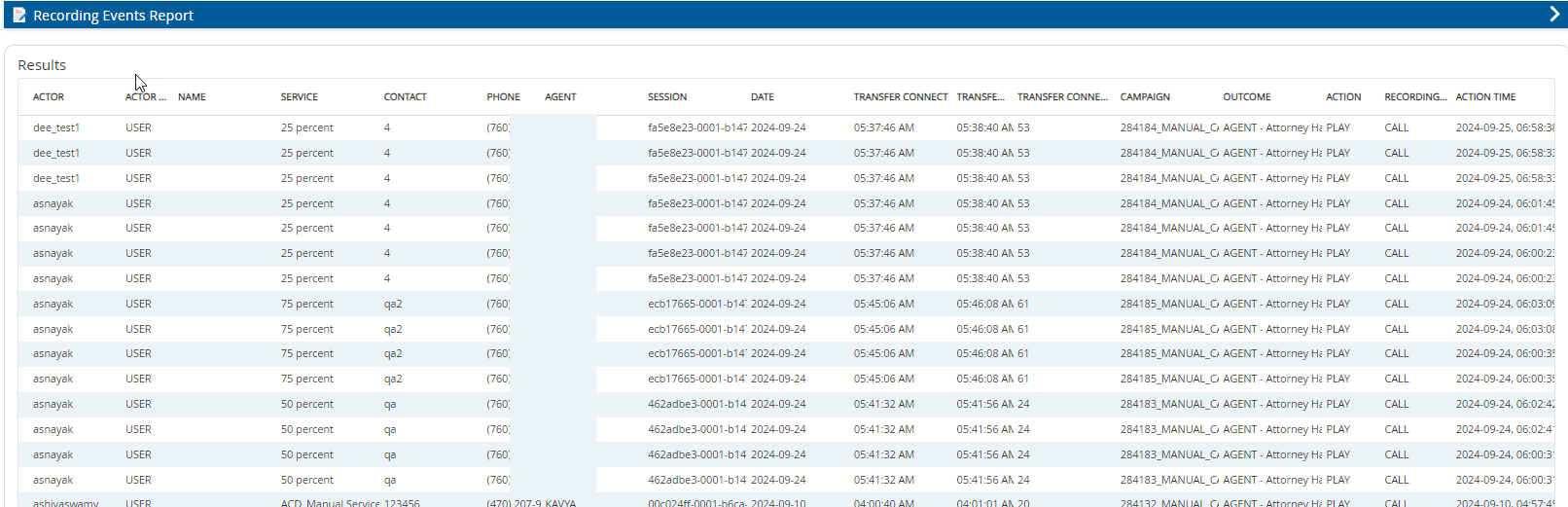
- Reports generated on the platform display the phone numbers in an international format. For example, the Phone column in the Recording Events Report shows the phone numbers in the international format that includes the + symbol and the country code.
- The time values in the reports are based on the time zone setting selected by the client.