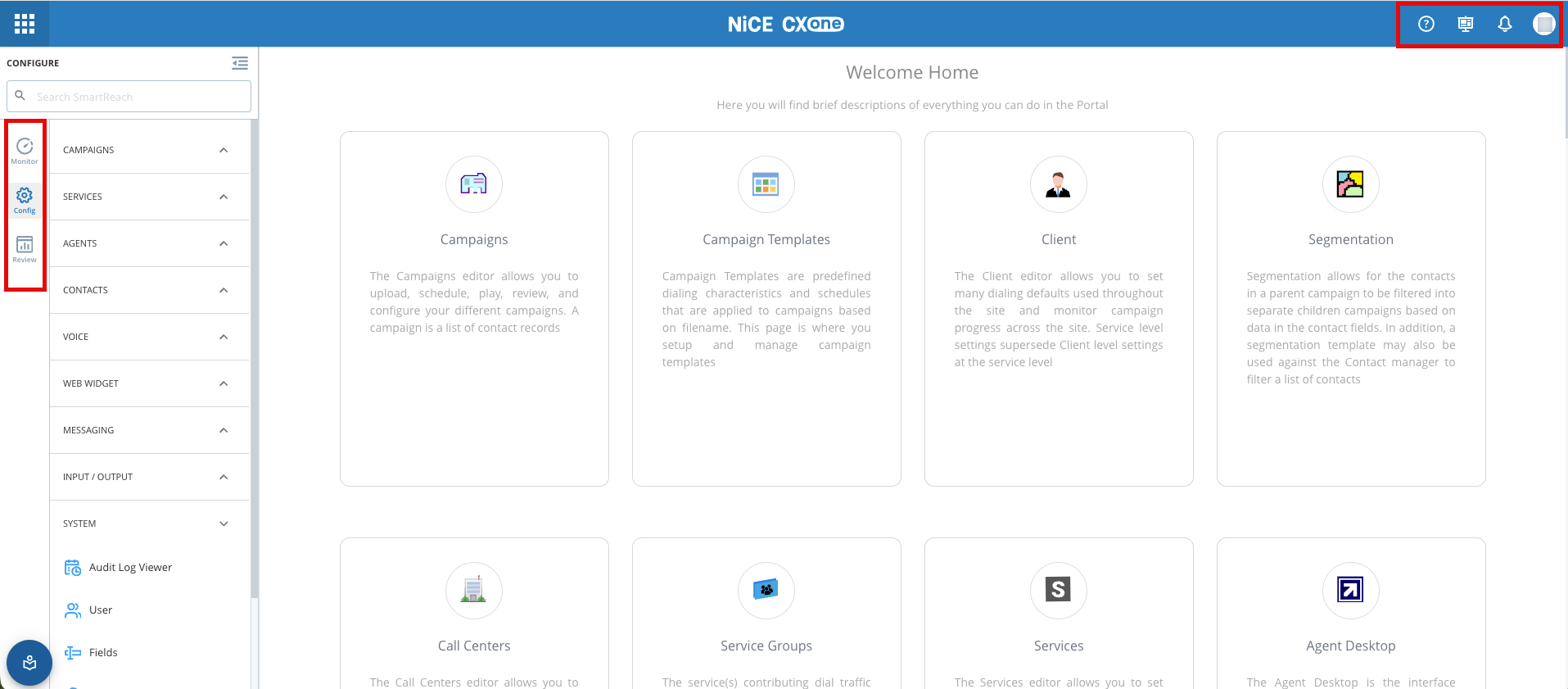
The Outbound Engagement (SmartReach) portal interface comprises three sections: Monitor, Config (Configure), and Review.  As an administrator user, you have access to all the features within the integrated application.

The Outbound Engagement user interface contains a number of elements that are described in detail in the following table. 


Element Name

Description

The Monitor tab of the Outbound Engagement portal enables you to monitor real-time statistics and metrics pertaining to calls, emails, SMSes, chats, accounts, and tickets. For more information, see Monitor.

The Config or Configure tab consists of configurable features that you can use to view or start a workflow. To view the complete feature/workflow, see Configure.

The Review tab consists of reports that you can use to view and analyze data from contact center operations.  You can use SmartReach Reports and dashboards to track key performance indicators (KPIs), such as call volume, call duration, call abandonment rate, and agent performance. For more information, see Review.

The Search bar option enables you to search for any feature/workflow within the Outbound Engagement platform.

The Help Center provides access to context sensitive information to help you complete a task or understand a feature. You also have a link to the Outbound Engagement Help Center that contains topics to help you accomplish your tasks within the Outbound Engagement platform.

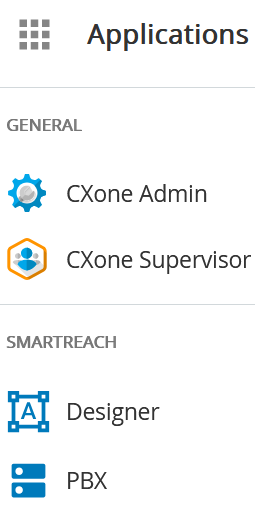
When you click the Applications icon , you can access Designer and PBX applications.  You can also see the CXOne Admin, CXOne Supervisor applications if you have both the CXOne and Outbound Engagement applications.  For more information, see CXOne Mpower Admin and CXOne Mpower Supervisor documentation.
You can use the User Profile to perform the following tasks:

  • View User Tasks
  • View/Change the Settings
  • Edit User Permissions 
  • Log out of the SmartReach portal

For more information, see Managing a User Profile below.

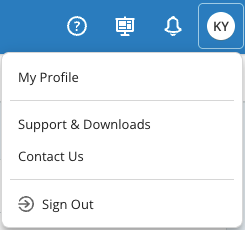
The profile page of a user contains information about that user. To navigate to the user profile options, click  from the Outbound Engagement portal. 

The following options are the available :

  • My Profile: Manage your personal account details.
  • Support & Downloads: Get help and download required files or documentation.
  • Contact Us: Contact the support team for help
  • Sign Out: Securely sign out of your account.