A Caller ID (CID) package can contain a list of toll-free numbers, local caller ID numbers, or a combination of both. Any one of these numbers (depending on geography) is designed to be displayed on a call recipient’s caller ID.When the customer dials the number displayed, the number is routed to the corresponding inbound service.
Accessing the CID Package Editor
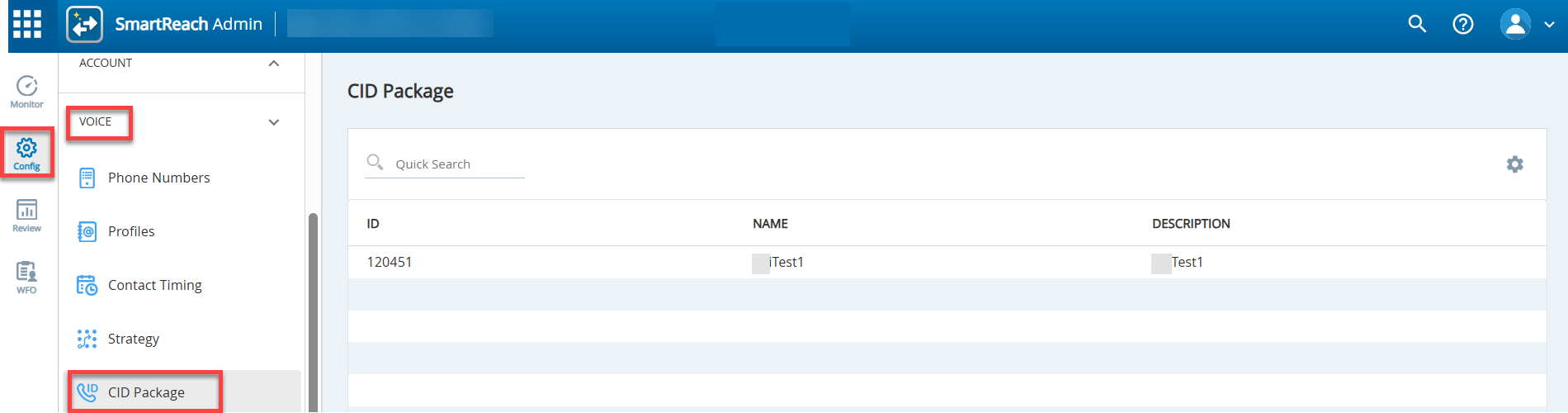
To access theCID Packageeditor,selectConfigure > Voice > CID Packagefrom the Navigation Panel.
Use theQuick Search optionto filter a specific CID package.
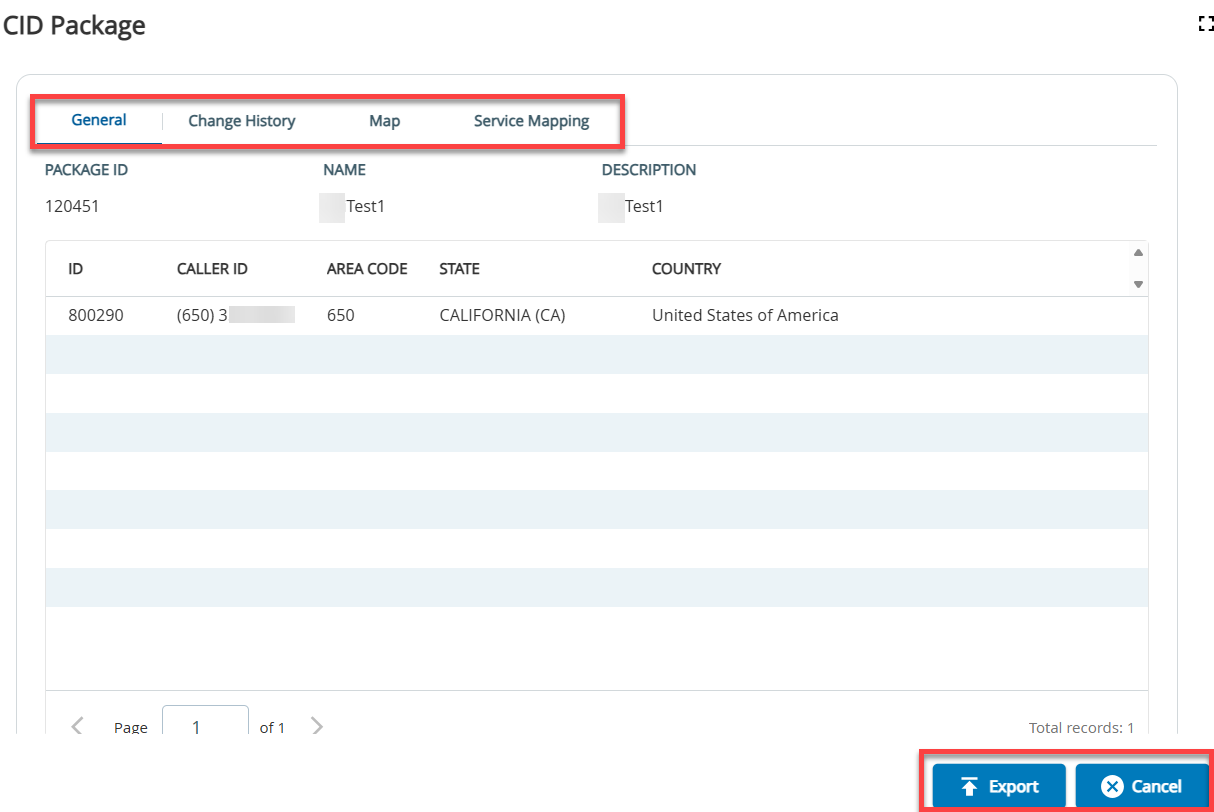
To view the details of a CID package, double-click the required row. TheCID Packagewindow opens with the following tabs and buttons:
Tabs
General:Displays a list of caller ID numbers and respective region details for the selected package. Seethe Inspecting Packagessection for detailed information on how to inspect CID packages.
Change History: Tracks and displays the changes made to the CID package.
Map:Displays a map with the states and color code which depends on the amount of Caller ID numbers available. See the Inspecting CID Mapsection for information on viewing CID packages for states.
Service Mapping:Displays the outbound services the CID packages are assigned to.Seethe Services with CID Packagessection for detailed information on services assigned to the selected CID package.
Buttons
Export:Exports CID package numbers and details to a CSV file.
Cancel:Close the CID Package window.
See the Local Caller ID document inProduct Documentation> Infosheets for more information.