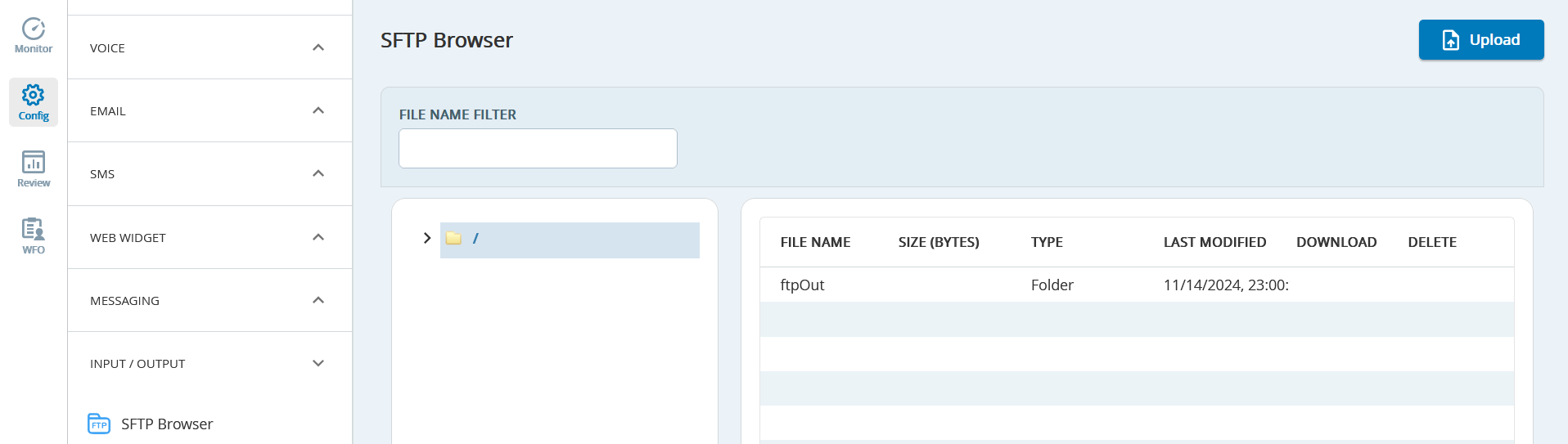
Agent Workspace Premium Admin and Agent Guides Agent Workspace Premium for Administrators and Managers Working with Customer Management (Contact Manager) Configuring Data Input and Output Formats SFTP Browser Current: Accessing the SFTP Browser PDF Download PDF Download page Accessing the SFTP Browser. Current page All pages Accessing the SFTP Browser To access the SFTP browser configuration, on the portal, go to Config > Input/Output > SFTP Browser.From the SFTP browser you can perform the following actions:Upload File: Upload the selected campaign file.Download Call Result File: Downloads the call result file, unless it is picked up and deleted automatically by your system.Delete Call Result File: Click the red cross from the Delete column next to your file name and the result file is removed/deleted. ×