Primary Interaction Intent Report
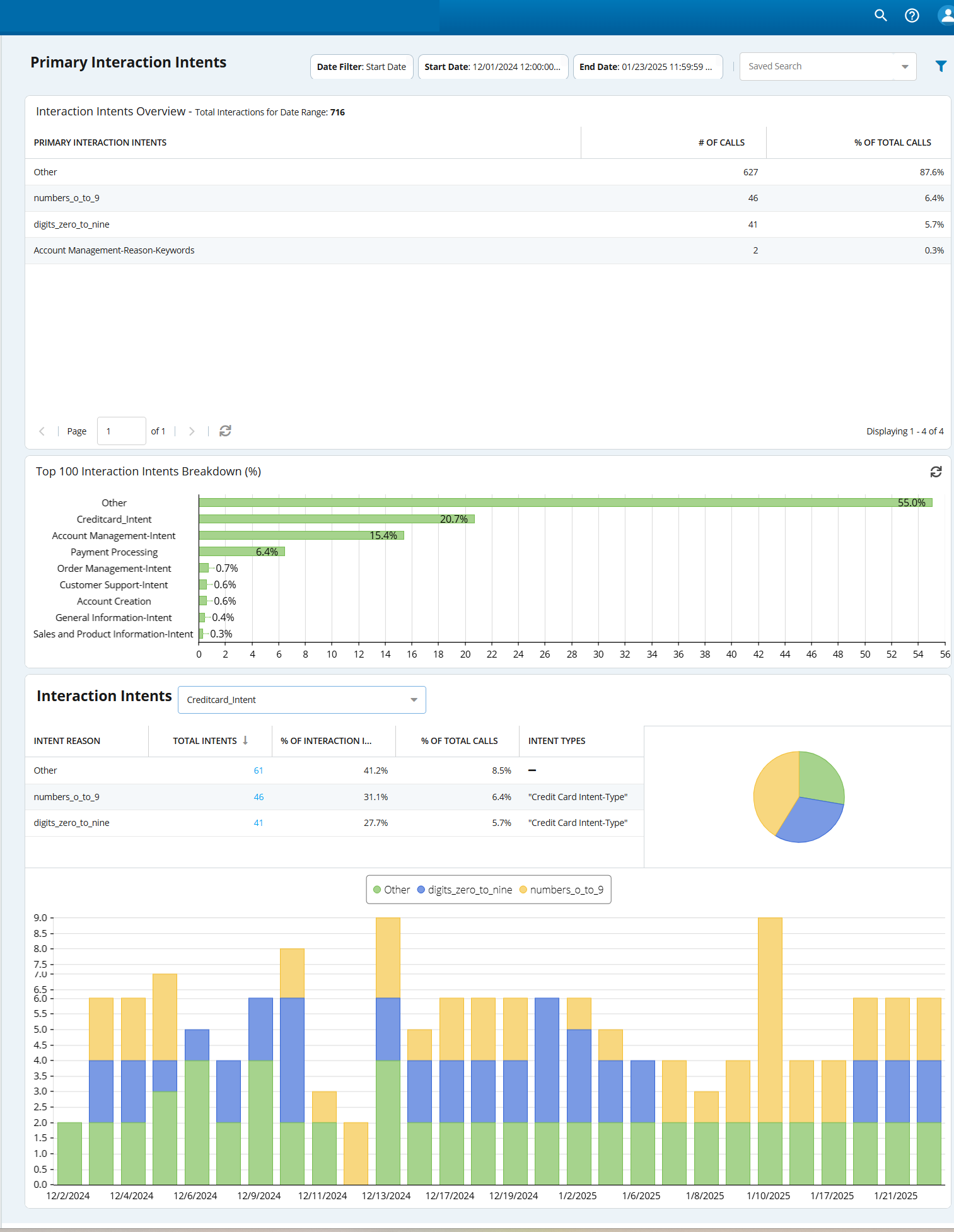
The Primary Interaction Intent Report lists the keywords used to identify the primary reason for the customer to initiate a call. The report is generated based on the first intent identified in a call (that is, the first subject stated by the customer that hints at why the customer called, regardless of any other topics discussed later in the interaction).

Interaction intents are generated only for inbound calls.
Accessing the Primary Interaction Intent Report
To access the Primary Interaction Intent Report window, navigate to the WFO tab, click Interactions Intents > Intents Reports > Primary Interaction Intent.
The Primary Interaction Intent window, displaying the report for the current week, appears.

- Use
 to filter the search criteria. Define the date range and click Apply Filter to apply the search criteria.
- Use the Saved Search field to select a search criteria that you have saved earlier.
Report Data Descriptions
Each intent is only counted once per interaction.
| Item | Description | ||||||||||
|---|---|---|---|---|---|---|---|---|---|---|---|
| Interaction Intents Overview | The widget displays the top 10 interaction intents identified in a call for the selected date range:
| ||||||||||
| Top 100 Interaction Intents Breakdown (%) | The chart displays the top 100 caller intents and the percentage of the occurrences of each intent. Hover over the bars to see the intent and the actual percentage. | ||||||||||
| Interaction Intents | Select an interaction intent from the drop-down list.
|