The Messaging tab of the Client editor displays the default input filter. Input filter is a utility for importing client-provided data files into the SmartReach database. For example, an input filter can define the format for including customer information such as account number, first name, last name, and so on. Input Filter is configured at Configure>Input / Output menu. See Input Filter for more information.
Messages configured under the Configure > Messages menu are available as properties. A message is a pre-recorded voice message that is provided when a customer dials an inbound number. You can add (Add Property button), delete the property (select the property and click the Delete icon), and edit properties (double click on the property). You can also look up a property by selecting the Lookup Properties button. The properties are maintained by SmartReach and should not be edited unless you are a very experienced user. For Inbound Services, the message is located in the Phones tab (Inbound Message).
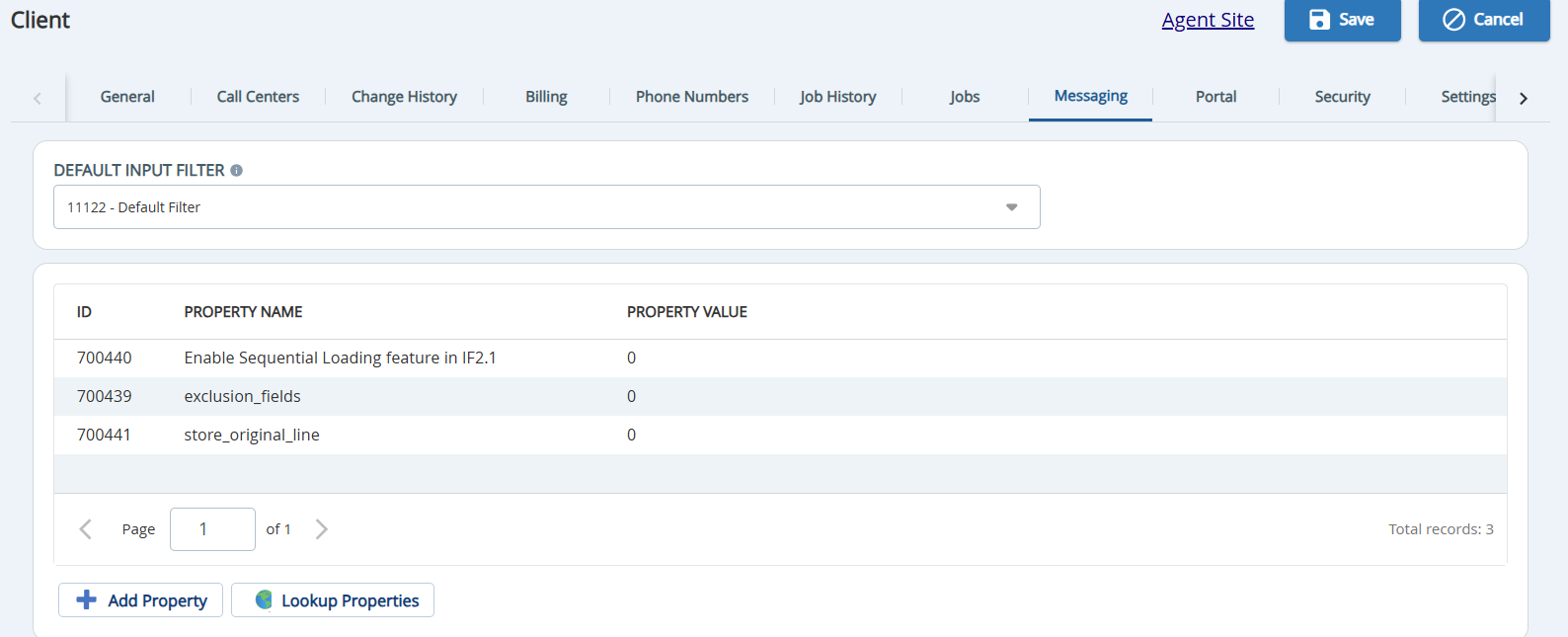
DEFAULT INPUT FILTER: Displays the default input filter selected for the client. Select the input filter from the drop-down list.
