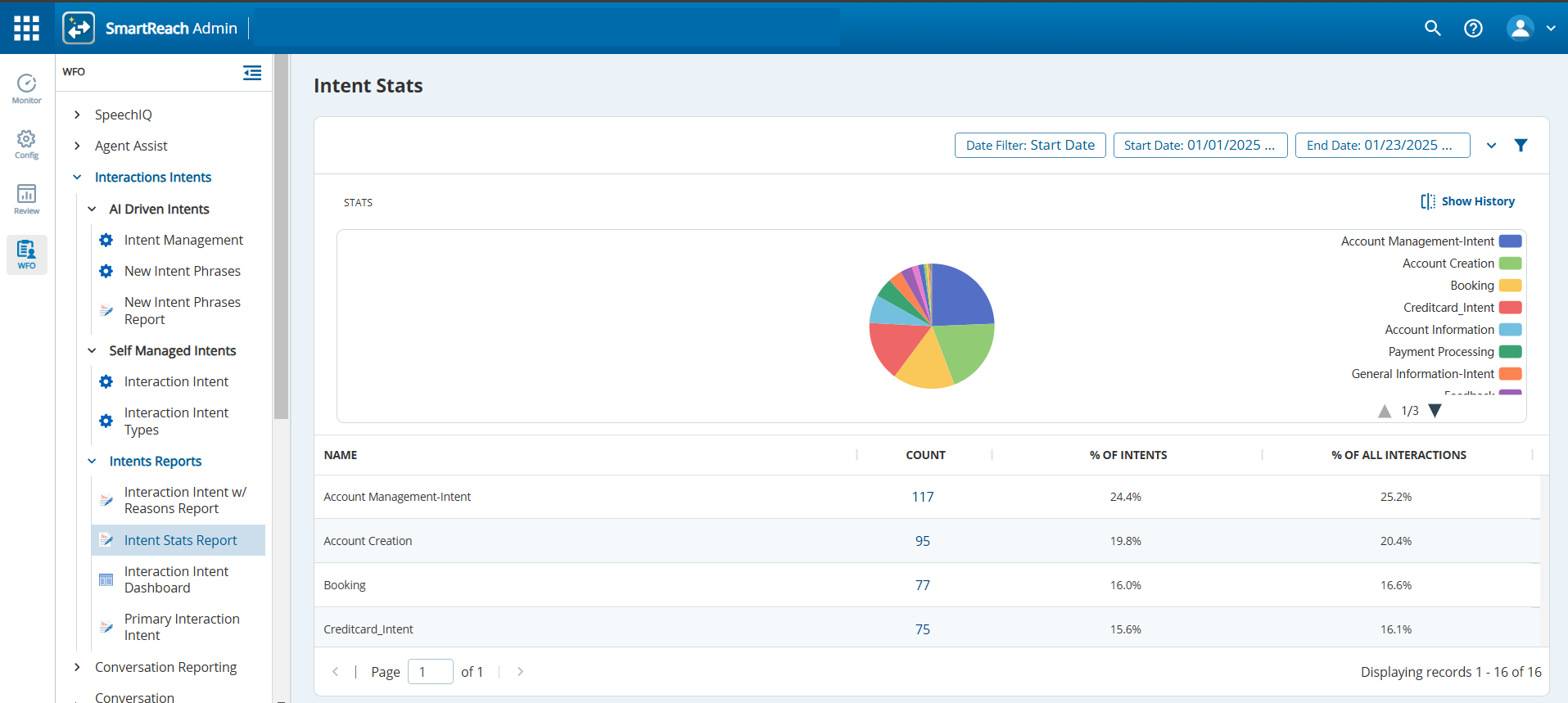
The Intent Stats Report provides a thorough summary of all intent phrases recorded from various interactions. It describes the frequency of each intent phrase (Count), its proportion relative to all intents (% of Intents), and the percentage of interactions in which each intent phrase is used (% of all Interactions).
Accessing the Intent Stats Report
To access the Intent Stats Report window, navigate to theWFOtab, clickInteractions Intents > Intents Reports>Intent Stats Report. The Intent Stats Reportwindow displays a single view report of all the new intent phrases that have been captured.
Click the number in the Count column for an intent phrase to navigate to theSearch and Scorescreen where the filtered data for the interactions using the intent phrase is displayed
Use to filter the search criteria. Define the date range and click ApplyFilterto apply the search criteria.
Click to search for an intent phrase by name.
Clickto toggle betweenShow on graph,Show on table, orShow graph and tableviews.
Click to toggle between Show History and Show Stats views.