Creating Rules
You can use the Rules tab to create, manage, and export Attempt Supervisor rules. These rules enable you to set the number of contact attempts for an account or a phone number. After you reach the set number of attempts, Attempt Supervisor applies a block that prevents any further contact attempts. After the block expires, you can attempt to contact the customer. The Attempt Supervisor applies the call block by adding a record in DNC or DND based on the rules defined in Attempt Supervisor.
Best Practice: Account for Delayed SMS and Email Results
SMS and email delivery is not always immediate. Network conditions and carrier or email-provider processing can cause a delay between when a message is sent and when the customer receives it. For example, a text sent at 3:00 p.m. may not reach a customer with poor network reception until 3:07 p.m.
SMS results can continue to update for up to 10 minutes after a message is sent, while email results can update for up to two weeks.
To ensure a comprehensive strategy, configure Attempt Supervisor rules to count all SMS and email attempts, regardless of the result. Rules based on specific SMS or email results will count an attempt only after the result is received from the carrier or email provider. Depending on the communication method, this can take several minutes for SMS or up to two weeks for email.
Creating Rules
- Go to Configure > Contacts > Attempt Supervisor.
- On the Rules tab, click the
 button. The Rule Editor window appears.
In the Rule Editor window, specify the rule details.
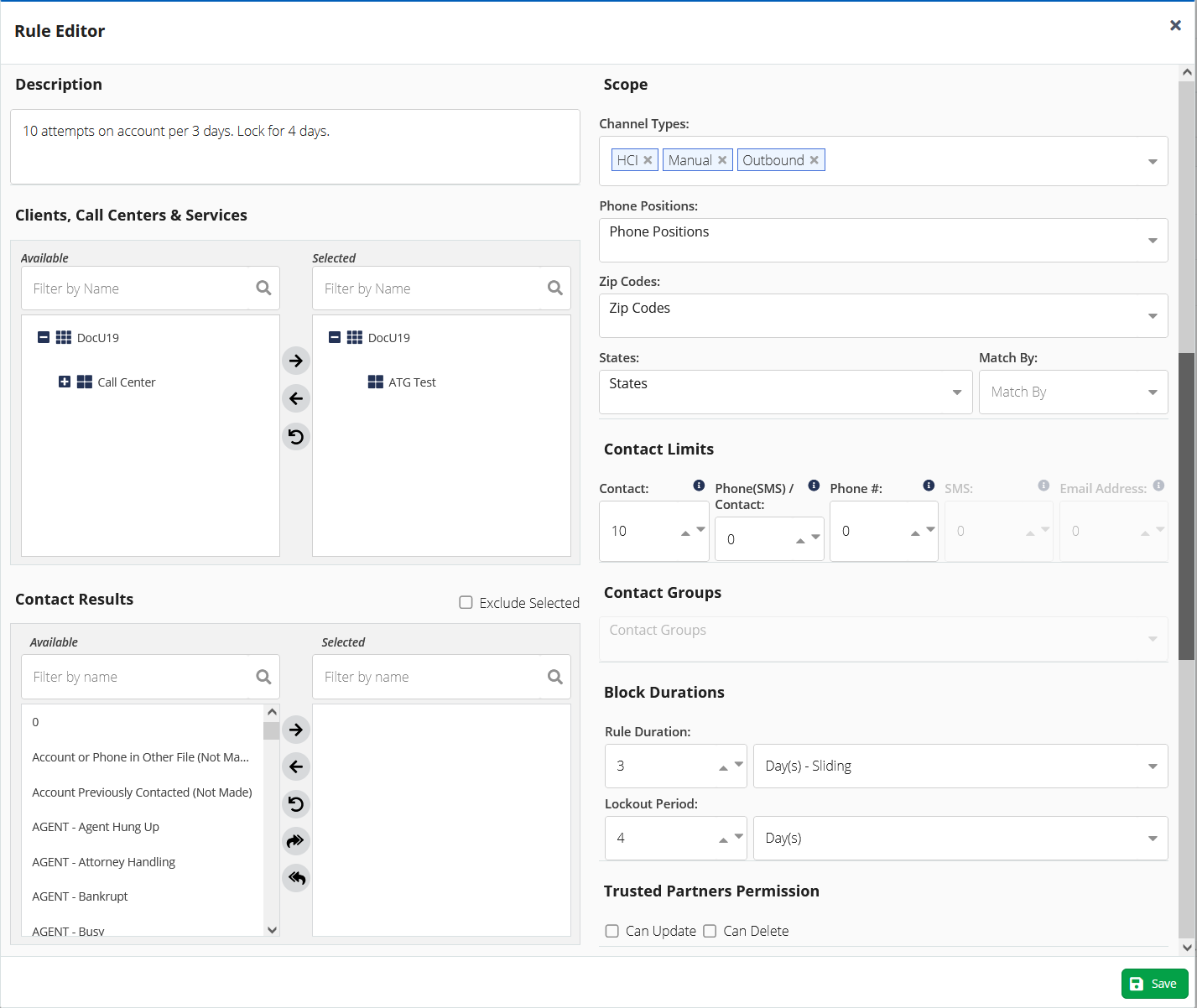
Update the fields to create a rule.

See Defining Rules topic for information about each field in the Rules tab.
The following topics provide additional information about creating and using Attempt Supervisor rules: