You can create custom filters to view tickets based on the selected criteria, making it easier to focus on the most relevant tickets.
Creating a Ticket Filter
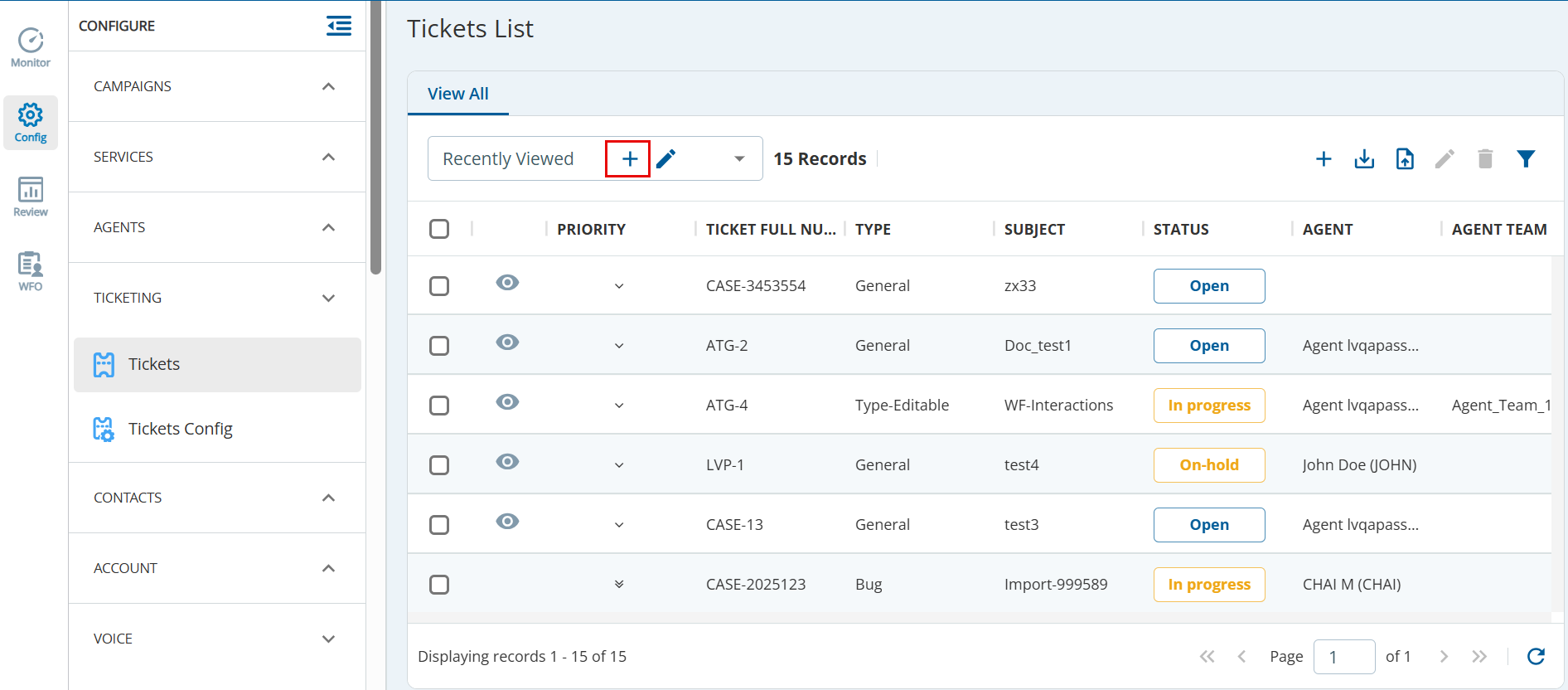
- On the Configure tab, go to TICKETING > Tickets.
The Tickets List tab appears. - On the Tickets List tab, click
 .
The New Search View window appears.
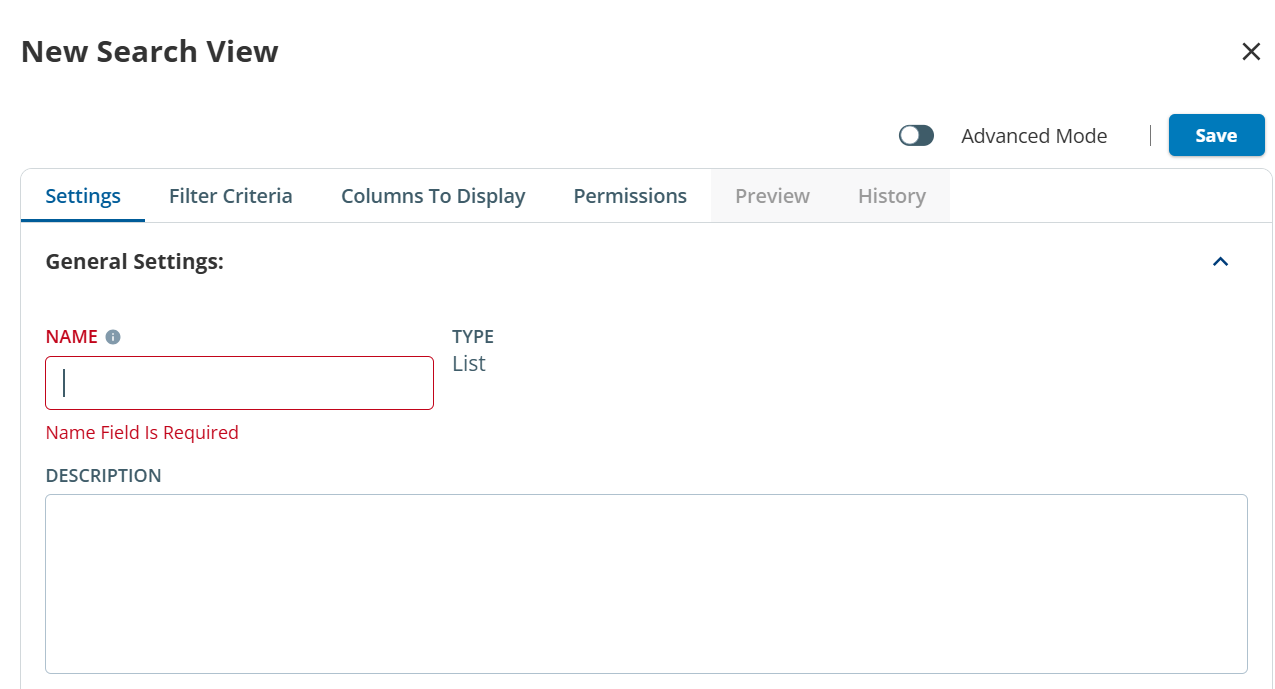
Specify values in the following fields, as required.
- Settings: Specify the name and description for the ticket view.
- Filter Criteria: Select the required ticket criteria.
- Columns to Display: Move the columns from the Available to Selected option.
- Permissions: Enable the required permissions to view the tickets.
- Click Save.