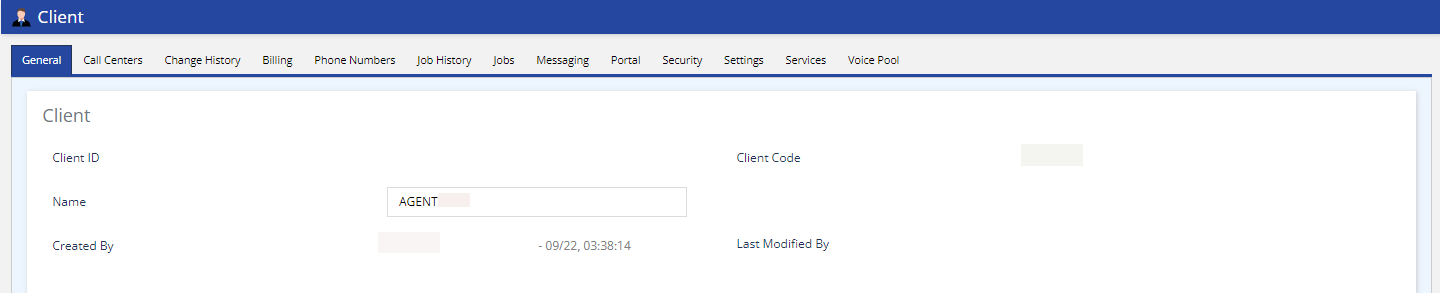
Outbound Engagement (SmartReach) Admin Guide Getting Started Managing Client Sites Services and Business Units Working with Clients Navigating the Client Editor Current: General Tab PDF Download PDF Download page General Tab. Current page Include child pages All pages General Tab The General tab displays the Client ID, Client Code, and the Name of the client. Client ID and Client code are assigned by LiveVox. You can change the name of the client as required.You can view the following fields:Client ID: LiveVox assigned unique identifier code.Client Code: LiveVox assigned company name identifier.Name: Name of the client displayed at the top of the LiveVox Portal (LVP). See the Updating Client Name section for more information.Created By: Name of the LiveVox personnel who created your site.Last Modified By: Name of the last person who changed any setting in the Client editor. ×