You can categorize the intents (reasons) for a call based on the type of resolution or other criteria. For example, you can classify the intents as self-serviceable and non-self-serviceable.
Accessing the Types of Interaction Intents
To access the Interaction Intent Types window, on the WFO tab, click Interactions Intents > Self Managed Intents > Interaction Intent Types. The Interaction Intent Types window with all the available interaction intent types is displayed.
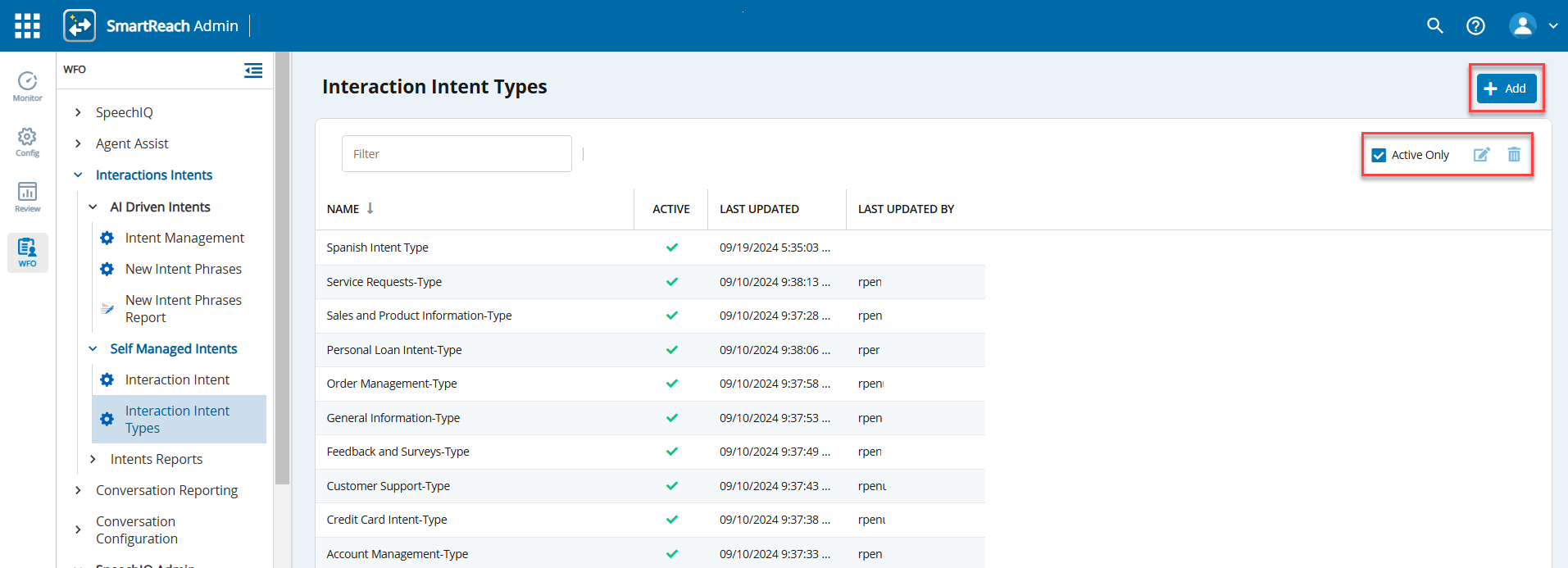
- To search for a specific intent type, use the Filter field.
- To view details of only active intent types, select the Active Only checkbox.
- To refresh the list, click the Refresh icon (
 ).
Creating a New Type of Interaction Intent
To create a new type of interaction intent:
- In the Interaction Intent Types window, click
 .
The New Interaction Intent Type popup window appears.
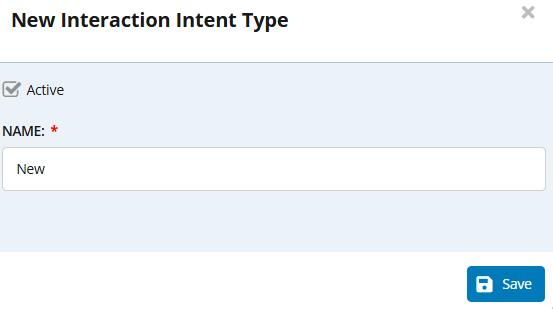
- Specify a name for the interaction intent type.
- Click the Active checkbox to include the interaction intent type in the scoring process.
- Click Save.
- To modify an interaction intent type, select the interaction intent type to modify and click
 or double click the interaction intent type. You can modify the details in the Edit Interaction Intent Type popup window.
- To delete an interaction intent type, in the Interaction Intent Types window, select the interaction intent type and click
 .
