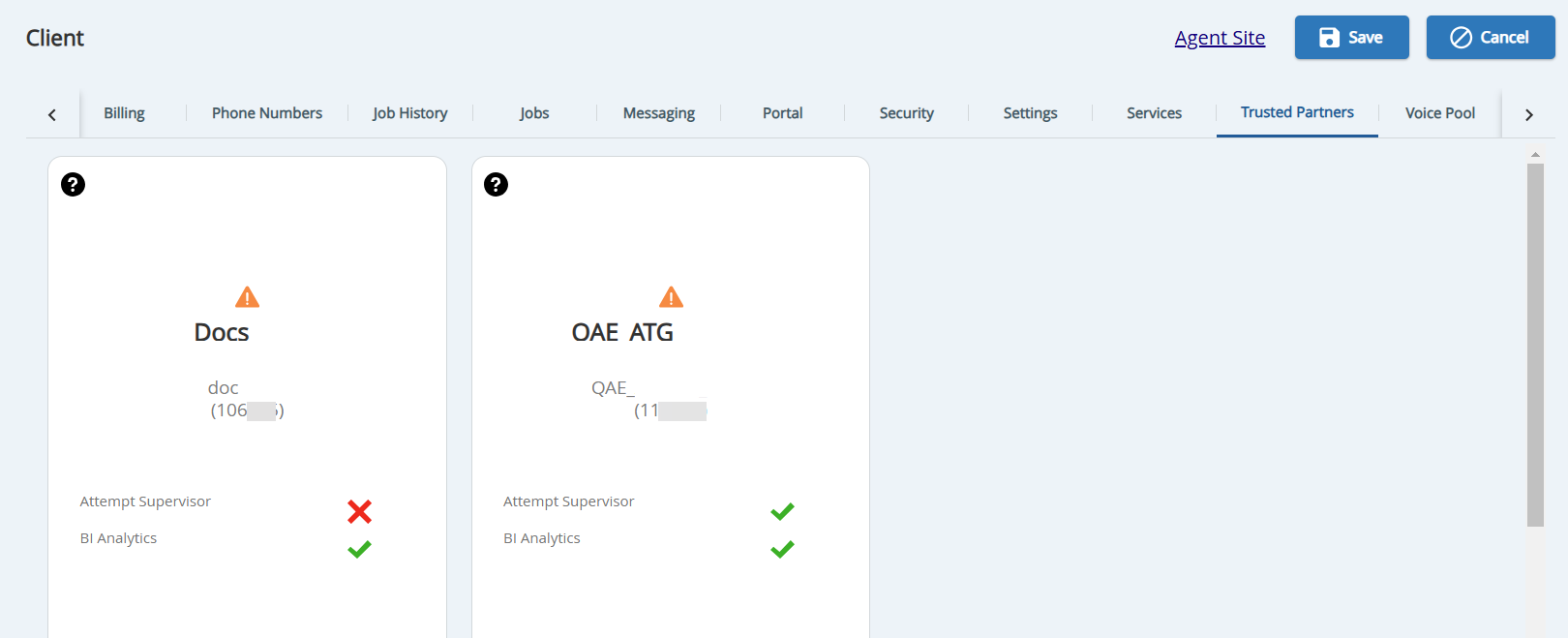
Trusted Partners is a model to manage the relationship between SmartReach clients. This functionality can be used by Outsource Collection Agency (OCA) clients, as well as clients with multiple portals utilizing the Attempt Supervisor. A partner is a SmartReach client that needs to have access rights to another SmartReach client to audit or measure their work. Partners can be added across environments. The Trusted Partners tab under the Client editor provides a view of the clients and the user access levels within those clients who can function as a partner.
Contact your Account team to add the Trusted Partners add-on to your site.
To see if the Trusted Partner add-on product is enabled for the portal, navigate to Configure > Client / Service > Client > Billing > General section.
TheTrusted Partnerstab is available in the Client editor only if the Trusted Partners add-on product is enabled.
Once the partner has been added on request, the partnered client widget is displayed. You must approve the partnered client by clicking on theApprovebutton. To view theApprovebutton in the widget, hover the mouse on the widget.
The partner must be added to both client sites and then that partnership must be approved by both clients.
Clicking on theicon displays the details of the third-party company or another SmartReach portal that is set up for you.