| Section | Field | Description |
|---|
Scope
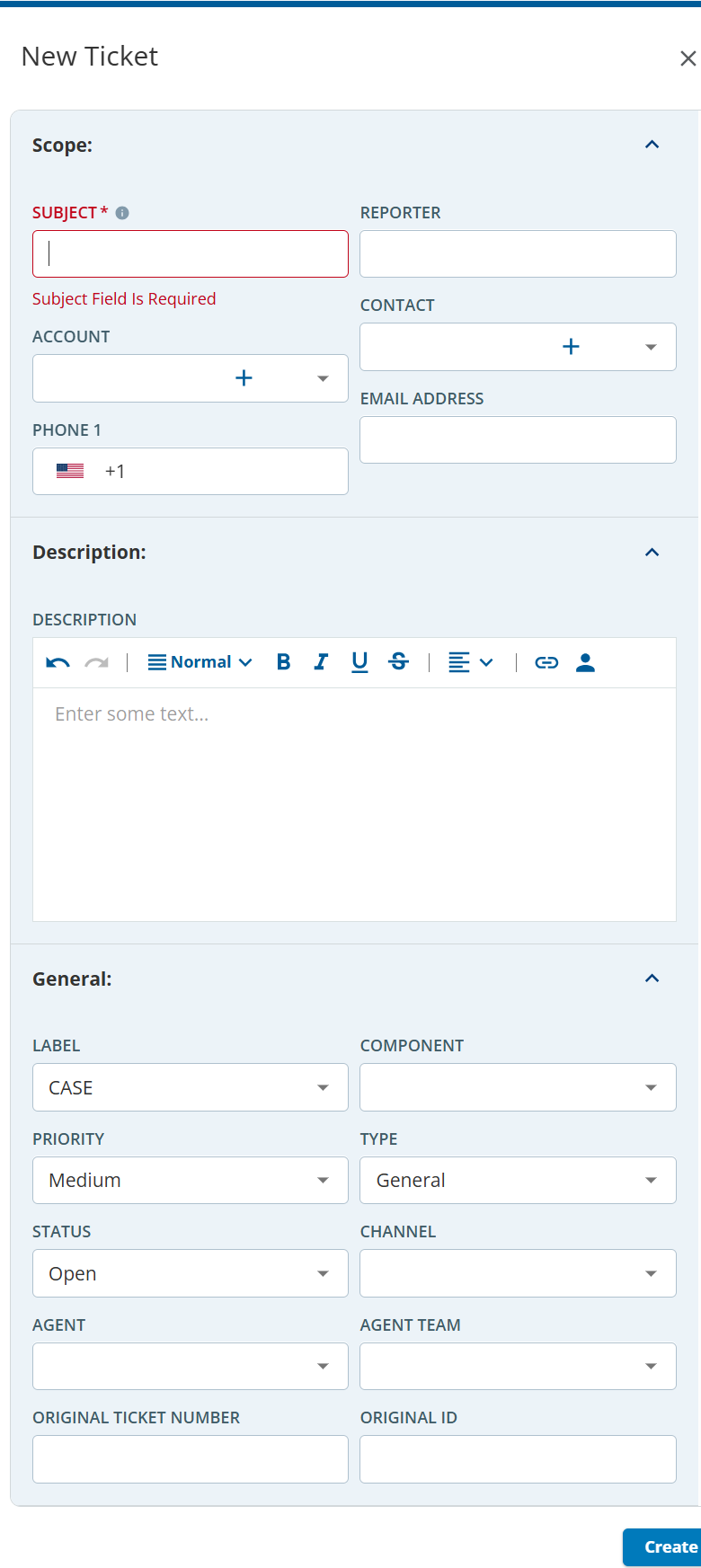
| SUBJECT | Subject of the ticket. This field is required. |
| REPORTER | Name of the person who is creating the ticket. |
| ACCOUNT | Account to be associated with the ticket. |
| CONTACT | Contact to be associated with the ticket. |
| Description | DESCRIPTION | Description of the ticket. |
| General | LABEL | Label of the ticket. For example, the CASE portion is the label name in the ticket CASE-1234. - Default Label: The CASE label is available by default in the ticketing section.
- Custom Labels: These are available only if added in the Settings tab of the Tickets Config section. For example, LVP, ACD, ATG, and so on.
|
| COMPONENT | Components of the label. For example, Input, and Strategy components are added under the CASE label. |
| PRIORITY | Priority of the ticket: - Default Priority: The Medium priority is available by default in the ticketing section.
- Custom Priorities: These are available only if added in the Settings tab of the Tickets Config section. For example, High, Low, and so on.
|
| TYPE | Type of the ticket: - Default type: The All Fields type is available by default in the ticketing section.
- Custom type: These are available only if added in the Settings tab of the Tickets Config section. For example, Eng, Bug, and so on.
|
| STATUS | Status of the ticket: - Default status: The Open status is available by default in the ticketing section.
- Custom status: These are available only if added in the Settings tab of the Tickets Config section. For example, InProgress, On-Hold, Closed, and so on.
|
| CHANNEL | Source of the communication: - Default channels: These are available by default in the ticketing section. They are as follows: Call, Chat, Email, Mail, SMS, and Web.
- Custom channels: These are available only if the administrative user adds them, such as fax, WhatsApp, and so on.
|
| AGENT | If an agent creates a ticket, their name appears in this field. |
| AGENT TEAM | If an agent creates a ticket and the agent is assigned to an agent team, the name of the agent team appears in this field. |
| ORIGINAL TICKET NUMBER | A ticket number assigned to the ticket from the originating source, like Salesforce. |
| ORIGINAL ID | A unique ID that is used to refer to the ticket within a client. |