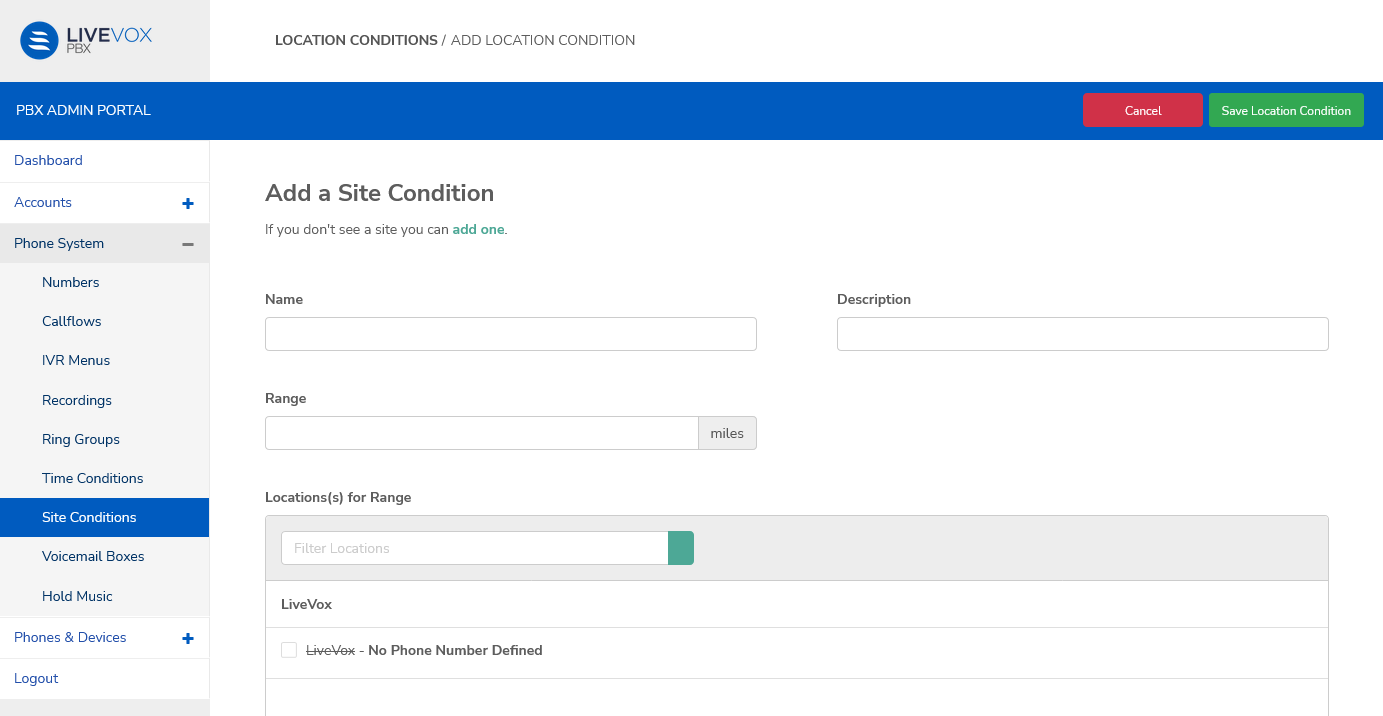
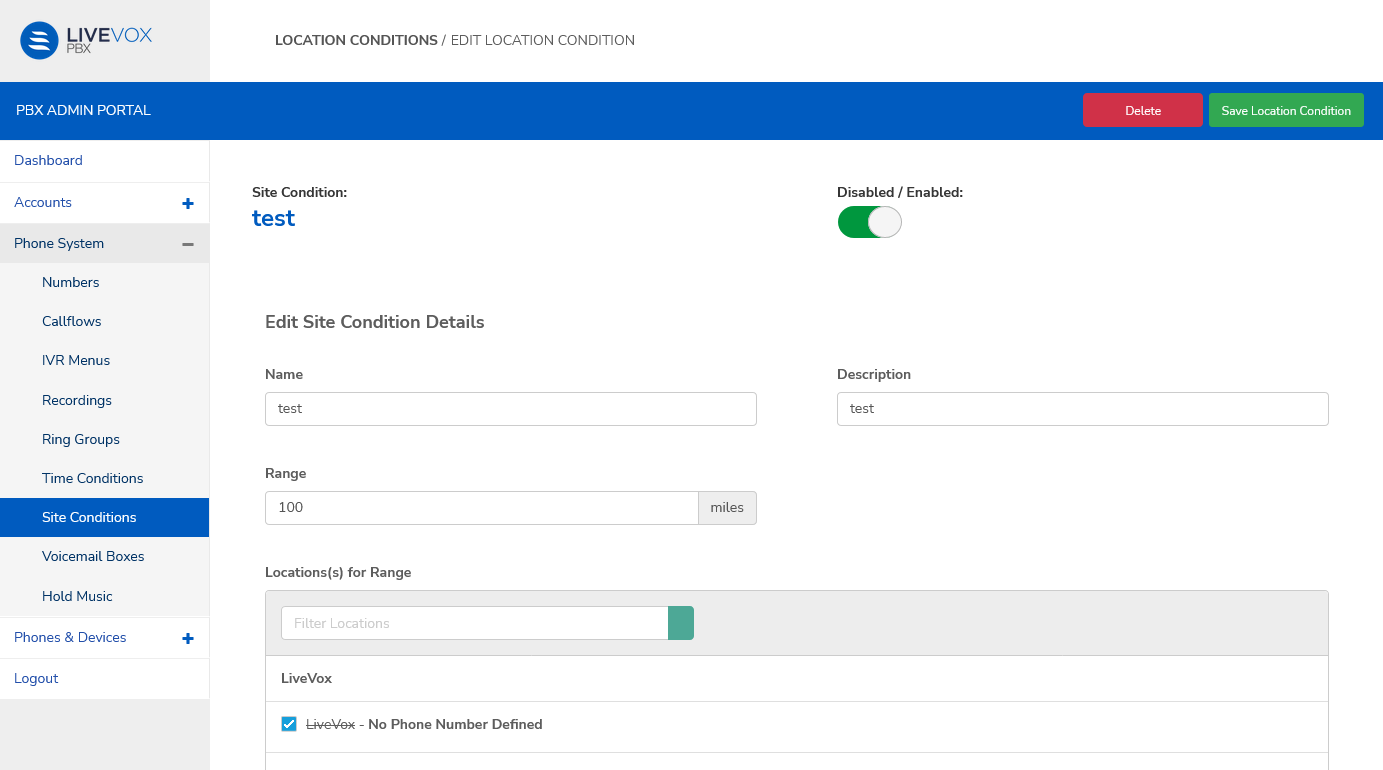
Outbound Engagement (SmartReach) Admin Guide Private Branch Exchange Configuring Phones on PBX Configuring Phone Systems Current: Site Conditions Site Conditions Site conditions are set for the company. In order to add a site condition, the site must already exist. Add a Site Condition Navigate to Phone System > Site Conditions and click Add Site Condition. The Add Location Condition screen appears.To select a location, click the checkbox next to the location.Enter the required details in each field.FieldDescriptionNameSpecify the name of the SiteDescriptionEnter a descriptionRangeEnter the range in milesLocation(s) for rangeSpecify the locationsClick Save Location Condition to complete the process and return to the Location Conditions screen.Edit or Delete a Site ConditionClick the required row in the table on the Site Conditions screen. The Edit Location Condition screen appears.Edit the required fields.The next actions you may take on this page are:UI elementDescriptionDisabled/Enabled Use the slider to set the availability of the site condition in the phone system. DeleteClick to delete the time condition. In the confirmation popup window, click Yes, Delete!On deletion, the page redirects to the Site Conditions screen.Save Location ConditionClick to save your edits and return to the Site Conditions screen. ×