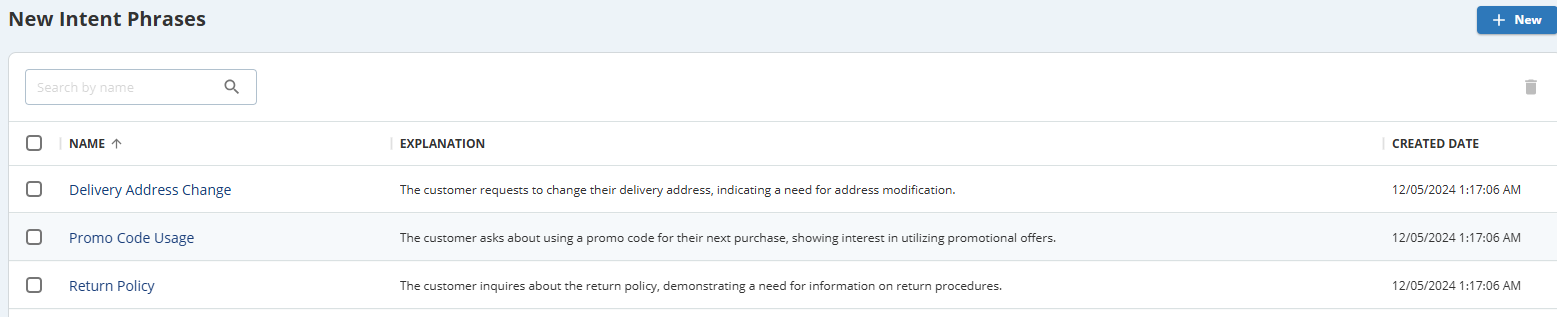
The New Intent Phrases window shows all newly captured interaction intents across different interactions. You can select these intents and include them in your organization's list of usable interaction intents as needed.
Clicking on each captured interaction navigates you to the Search and Score window, where you can view the actual interaction using the intent phrase.
Accessing New Intent Phrases
To access the New Intent Phrases window, navigate to theWFOtab, clickInteractions Intents > AI Driven Intents>New Intent Phrases. The New Intent Phrases window displays all the new intent phrases that are captured.
To view the actual interaction where a new intent phrase is captured, click on the new intent phrase from the list. The Search and Score window opens the relevant interaction details.
Adding New Intent Phrases to the Intents List
To add new intent phrases to the Intents List:
On the New Intent Phrases window, select the intent phrase(s) you want to add using the check box.
Click to add the selected intent phrase(s) to the Intents List.
Deleting New Intent Phrases
To delete new intent phrases:
On the New Intent Phrases window, select the intent phrase(s) you want to delete using the check box.