You can manage an agent desktop by modifying, copying, or deleting it.
To manage a desktop:
- Access the Designer Desktop that you want to manage.
The Desktops window appears.
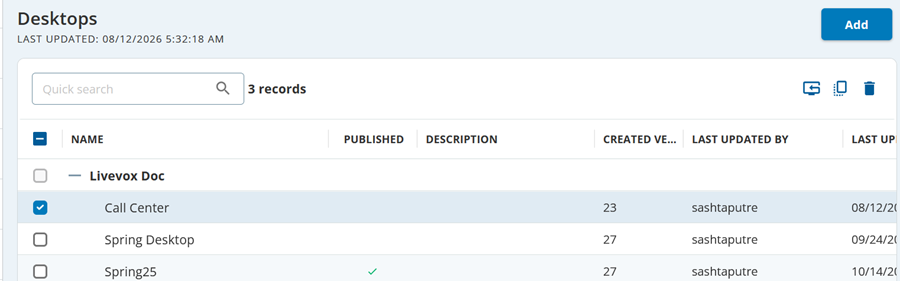
- Select the checkbox next to the desktop that you want to manage.
- To publish a desktop:
- Click the Publish desktop icon.
The Publish window appears. - Click Publish.
- To copy a desktop:
- Click the Copy Desktops icon.
The Copy Desktop window appears. - Modify the values in the Name and Description fields, and then click Copy.
A copy of the selected desktop is created, and it appears in the table on the Desktops tab.
- To delete a desktop:
- Click the Delete icon.
The Confirm window appears. - Click Yes.
The Designer Desktop is deleted.