Interaction Intent with Reasons Report
The Interaction Intent with Reasons Report captures the different interaction intents and the reasons that the interactions were initiated. You can use this information to further refine the intent lists used by your organization.
Accessing the Interaction Intent with Reasons Report
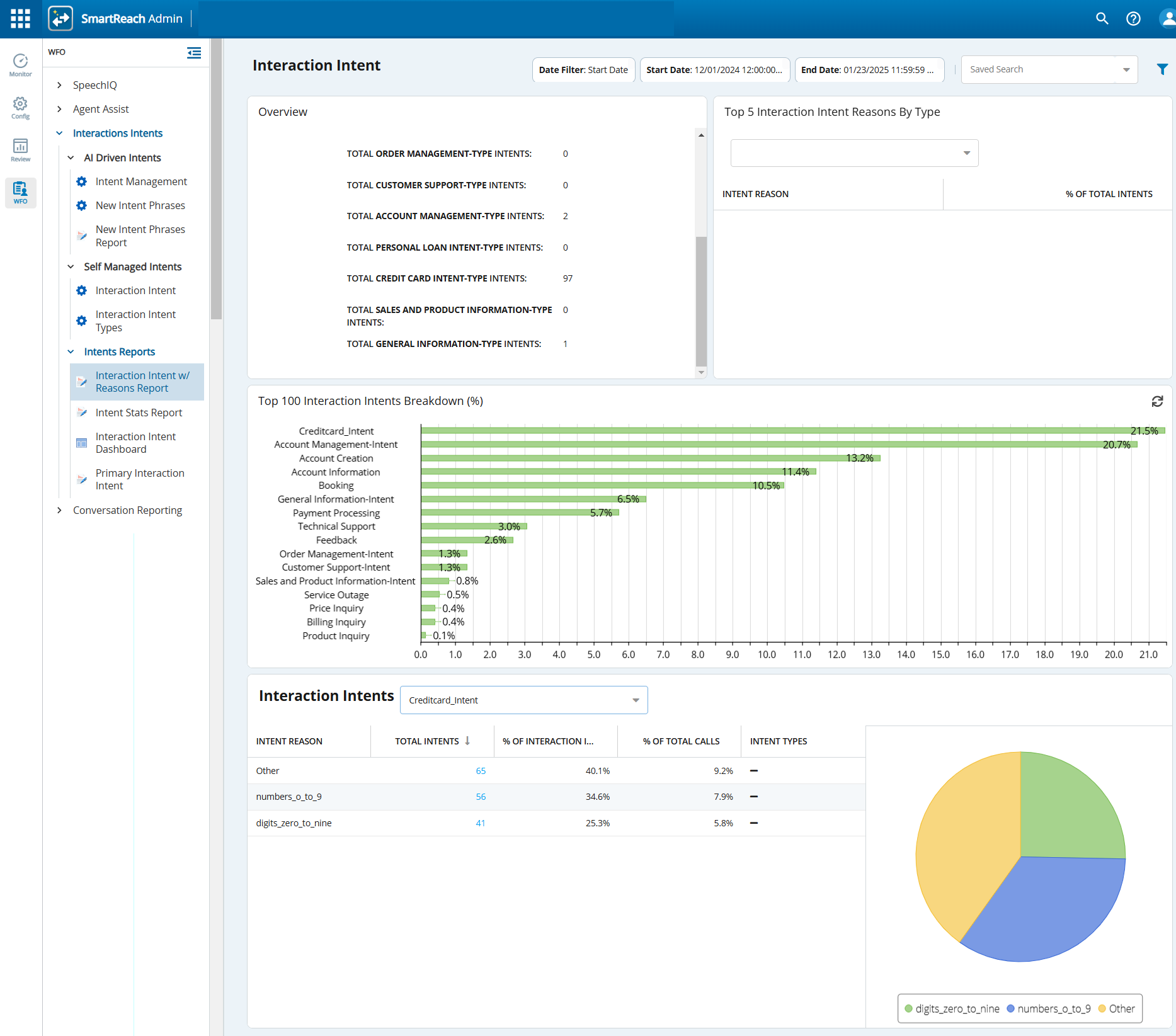
To access the Intent Stats Report window, navigate to the WFO tab, click Interactions Intents > Intents Reports >Interaction Intent w/ Reasons Report.
The Interaction Intent window, displaying the report for the current week, appears.

- Use
 to filter the search criteria. Define the date range and click Apply Filter to apply the search criteria.
- Use the Saved Search field to select a search criteria that you have saved earlier.
- To refresh the report, click
 .
Report Data Descriptions
Each intent is only counted once per interaction.
| Item | Description | ||||||||||
|---|---|---|---|---|---|---|---|---|---|---|---|
| Overview | The widget displays:
| ||||||||||
| Top 5 Interaction Intent Reasons by Type | The table displays the list of the interaction intent reasons with the highest percentage of intent reasons for all interactions. | ||||||||||
| Top 100 Interaction Intents Breakdown (%) | The chart displays the top 100 caller intents and the percentage of the occurrences of each intent. Hover over the bars to see the intent and the actual percentage. | ||||||||||
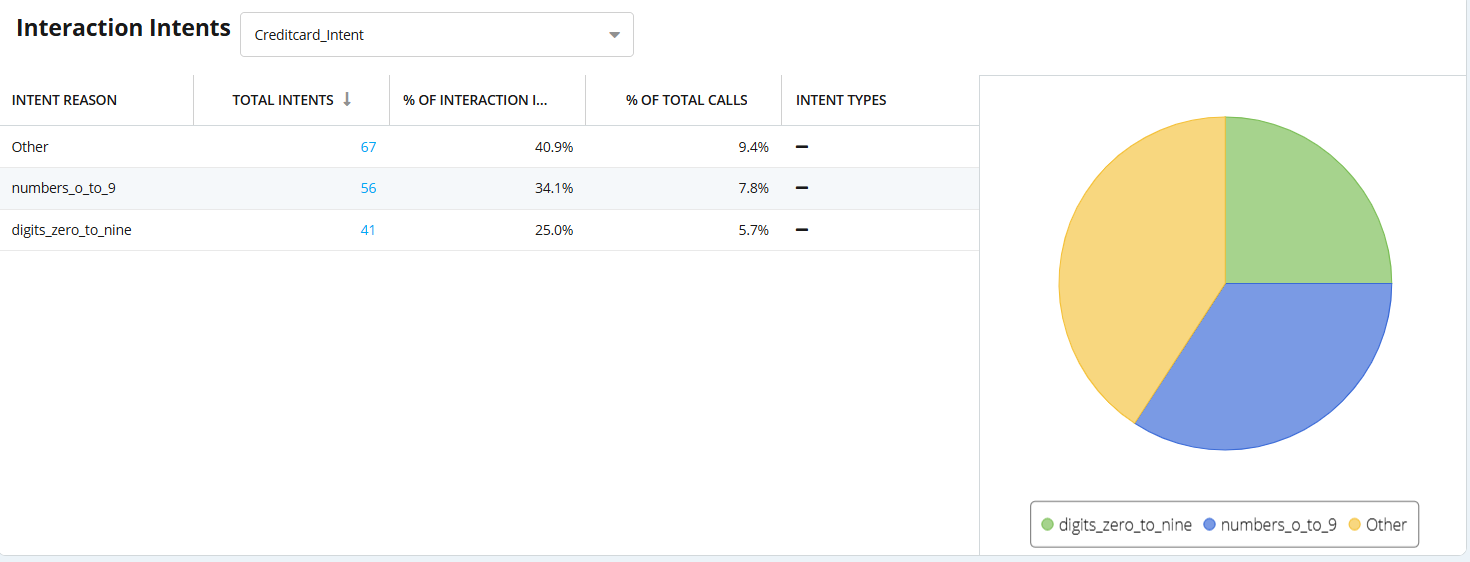
| Interaction Intents | Select an interaction intent from the drop-down list.
|