To access the Phone Numbers Editor, select Configure > Voice > Phone Numbers from the Navigation Panel.
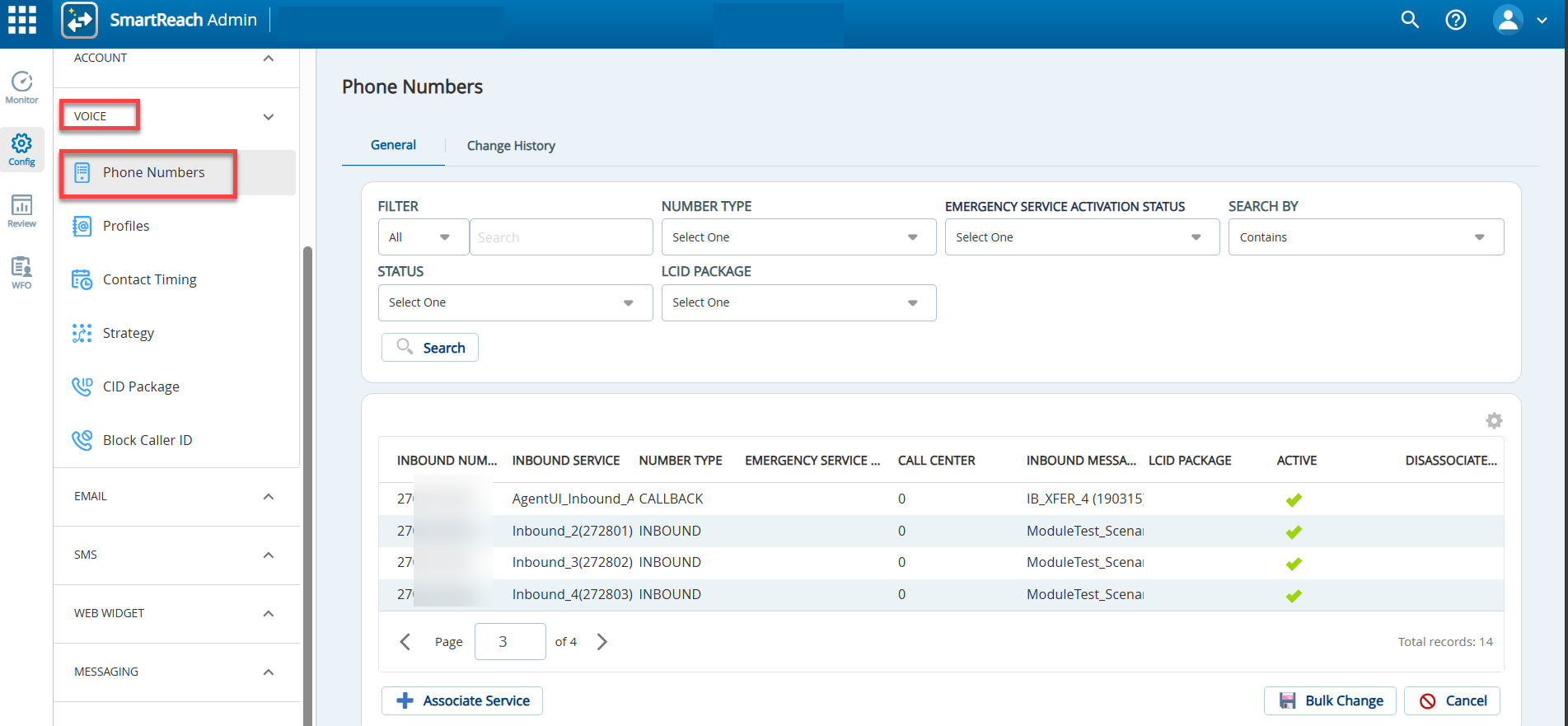
The Phone Numbers editor offers the following tabs and buttons:
Tabs
- General: Displays a list of SmartReach-owned phone numbers within theSmartreach Portal. For more information on viewing and editing inbound phone numbers and their mappings, see the Modifying Phone Number Records section.
- Change History: Tracks and displays the changes made to the Phone Numbers editor.