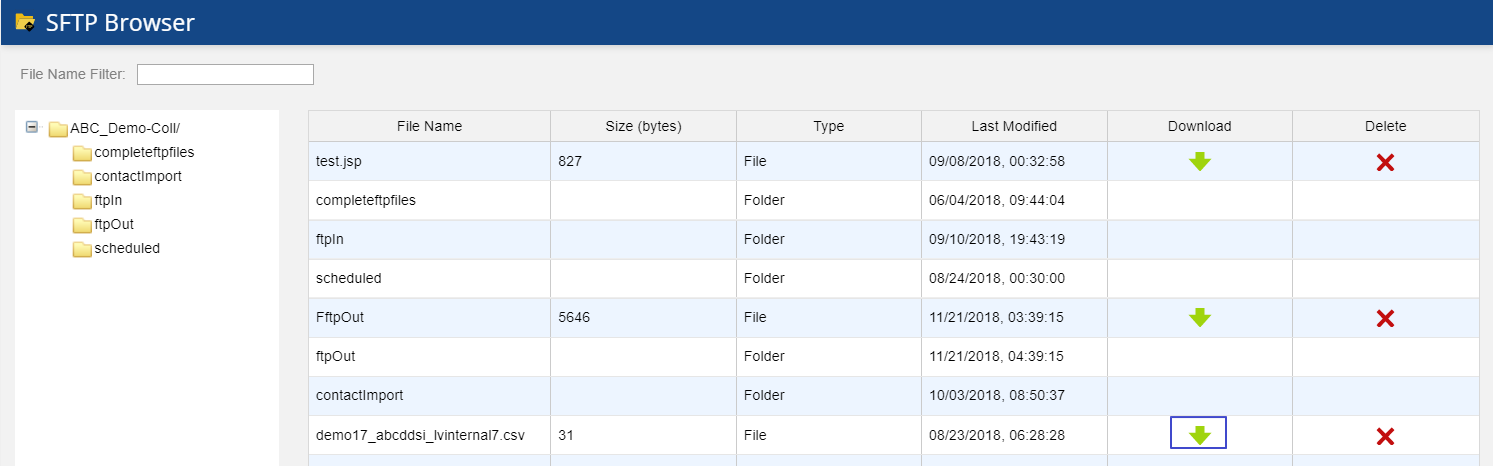
Outbound Engagement (SmartReach) Admin Guide Contact Management Configuring Data Input and Output Formats SFTP Browser Current: Downloading the Call Results Files PDF Download PDF Download page Downloading the Call Results Files. Current page Include child pages All pages Downloading the Call Results Files To download the call results files:Go to Configure > Input/Output > SFTP Browser. The SFTP Browser window opens displaying a list of available folders and subfolders and their contents.Expand the selected folder (typically, ftpOut) where the call results file is located, inside the root directory (<Client name> - Coll/).Navigate to the specific results file you want to download and click the Download icon ().The file is saved in your local folder. ×