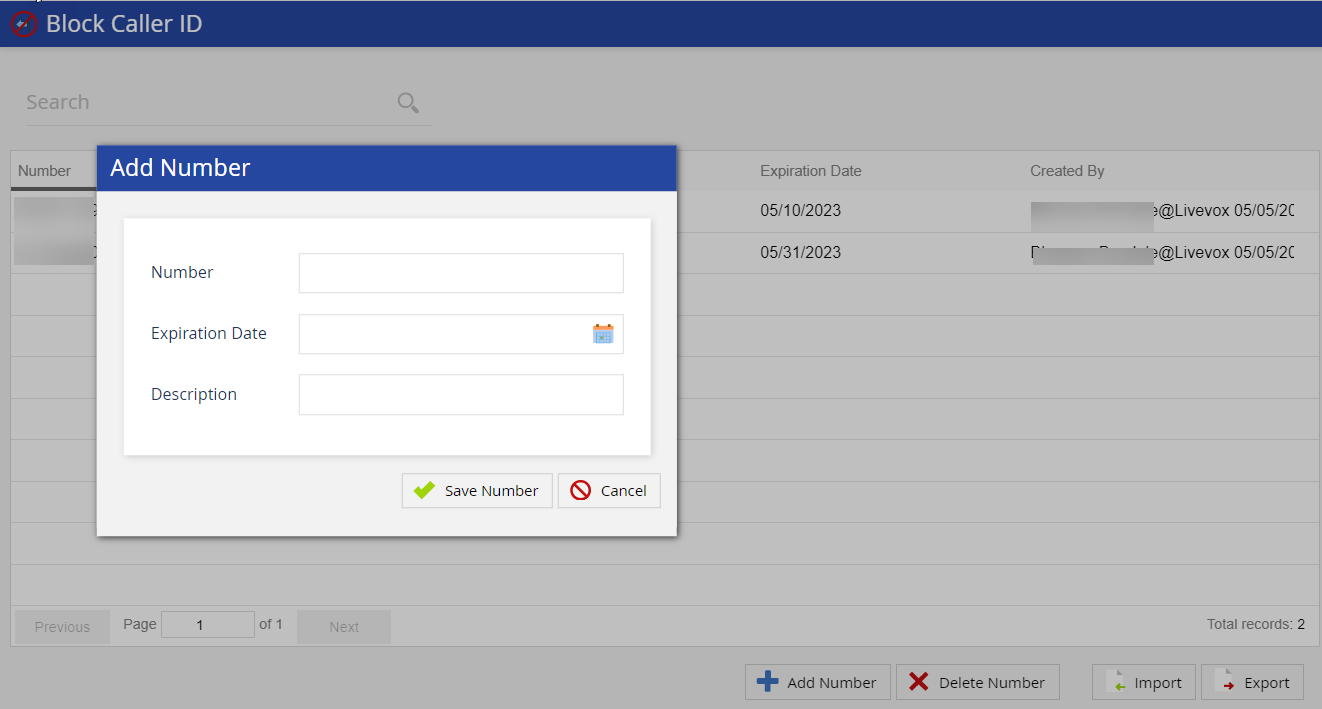
Outbound Engagement (SmartReach) Admin Guide Voice Voice Editor Block Caller ID Current: Blocking a Caller ID PDF Download PDF Download page Blocking a Caller ID. Current page Include child pages All pages Blocking a Caller ID To block a caller ID:Click the Add Number button on the Block Caller ID editor. The Add Number window appears.In the Number field, enter the unwanted caller number that you want to block.In the Expiration Date field, click the calendar icon and use the Date Picker to select a date. Click Ok.Add the description for the phone number.Click Save Number to add the number to the blocked numbers list.DemoFor more information, see the demo: ×