Agent Skill allows managers to classify agents for preferential routing of inbound or outbound traffic based on an attribute the agents may possess, the type of clients they handle, or their proficiency (level of expertise) handling certain call traffic.
A skill assigns the routing priority or limits the routing to specific agents. These skills are assigned to exit points of a Contact Flow and may represent an agent’s variable ability to handle customer language, business line, value of account, or other factors.For example, managers may assign skills based on multi-language capabilities or strong collection experience and link them to accounts that require these qualifications. The logic that specifies which accounts or calls will utilize a given skill is defined at the message level and is applied based on the service group type of the service contributing to the call traffic.
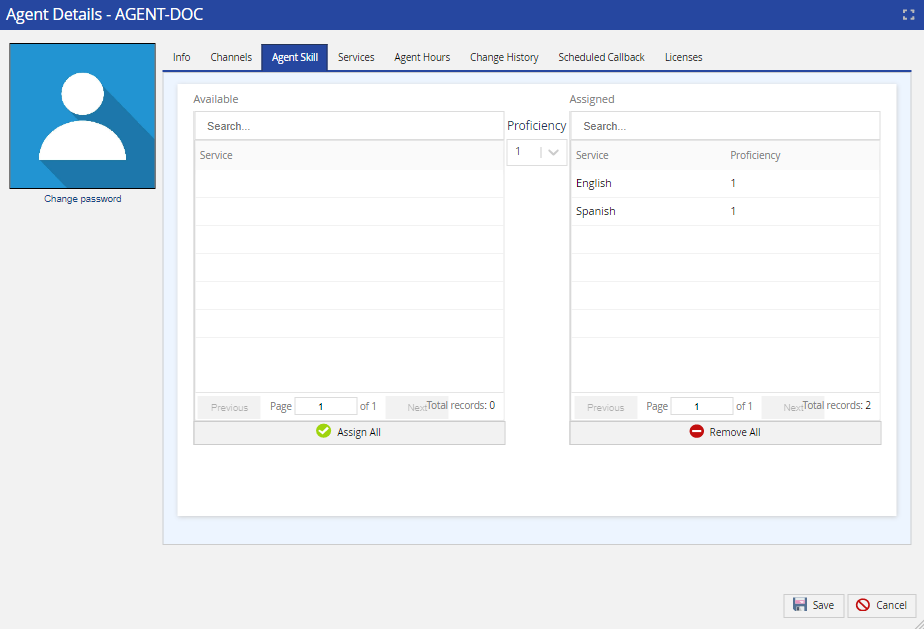
Skills/Agent associations can be mapped by skill or by agent for ease of use.
Mapping by Skill
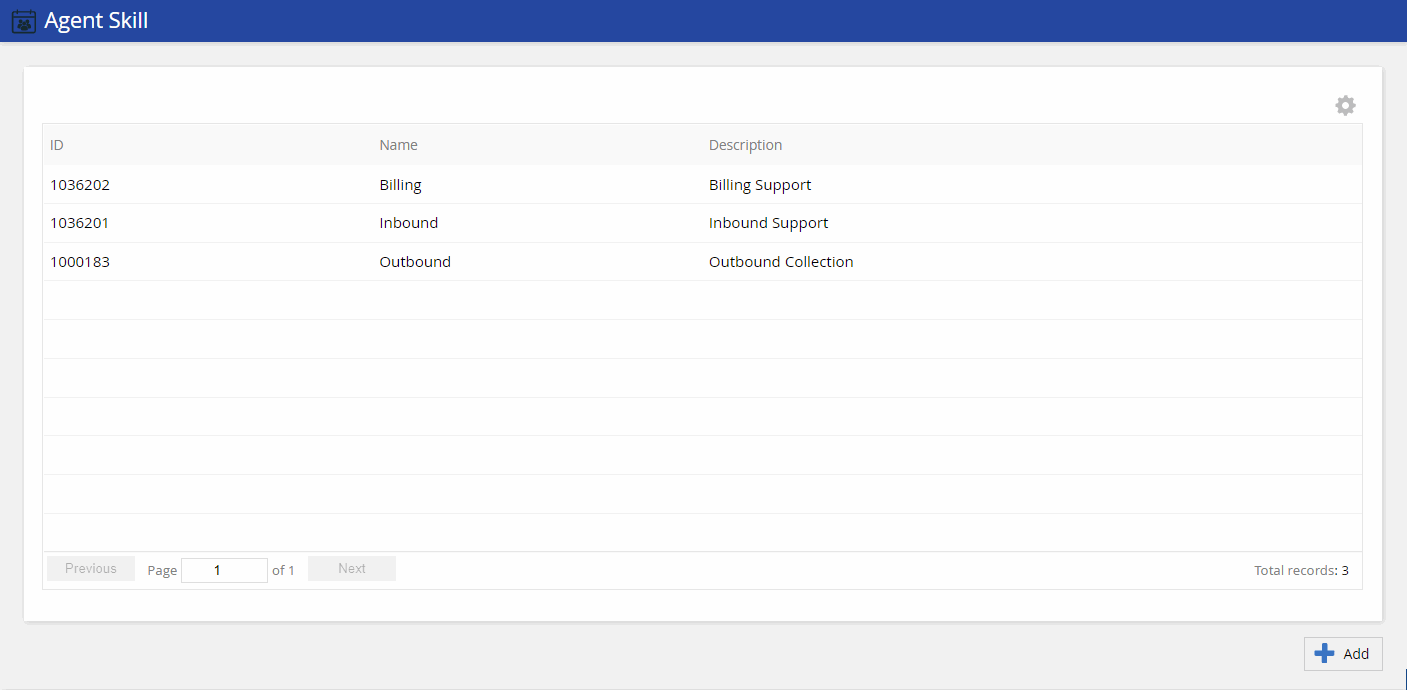
To assign agents to skills,navigate toConfigure > Agents > Agent Skill.Use this feature to create new skills or add multiple agents to a skill.
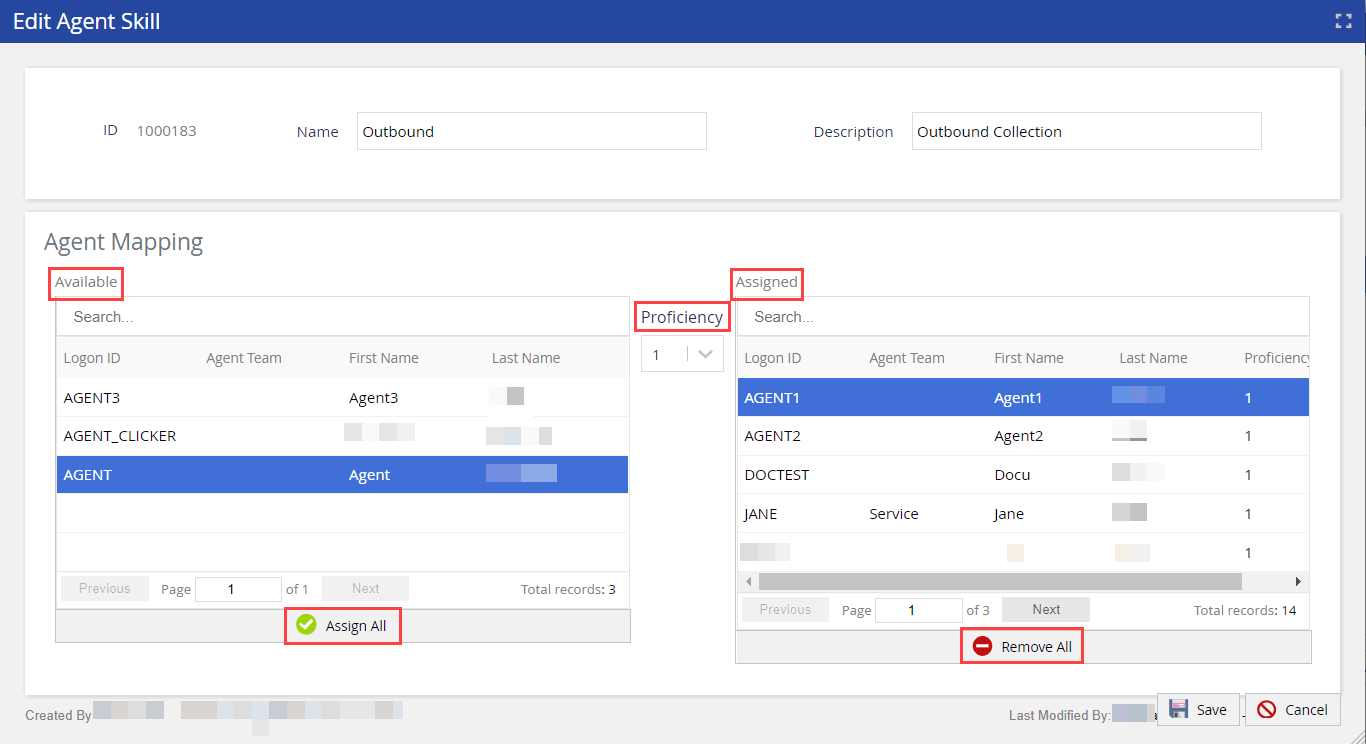
Double-click theAgent Skillrow to map agents to the selected skill. TheEdit Agent Skillwindow appears.
Select theProficiencyfrom the drop-down options.
Searchfor the required agents.
Click the agent name in the Available column to move them to the Assigned column. Click Assign Allto assign all the available agents fromAvailablelist andRemove Alloption to remove all the assigned agents from theAssignedlist.