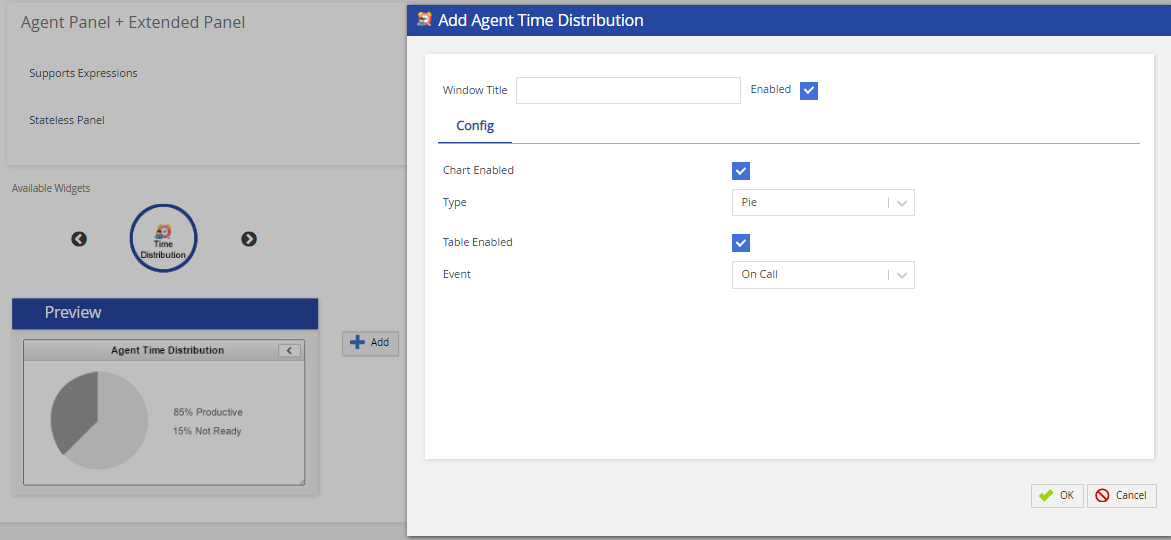
Admin Guides (U17, LV19, and Fall 23) Quick Start Managing Agents and Agent Desktops Agent Desktop Agent Desktop - Extended Panel Tab Current: Time Distribution Widget Time Distribution Widget The Time Distribution widget provides the agent a visual view of their productivity for the day.To add a widget:Select Time Distribution from the Available Widgets section.Click Add. The Add Agent Time Distribution screen appears.The following table provides the field and their description/action you need to take.FieldAction / DescriptionWindow TitleSpecify the widget name.EnabledSelect the checkbox to enable the widget on the extended panel of Agent Desktop.Chart Enabled Select to enable the charts on the agent desktop.TypeSelect the chart type from the drop-down. Available options are Pie, Bar, and Donut.Table EnabledSelect to enable the tables on the agent desktop.EventSelect the event which will activate the widget. The available events are as given below:On Ready - Widget appears when the agent switches to Ready stateOn Not Ready - Widget appears when the agent switches to Not Ready stateOn Call - Widget appears once the agent gets connected to the call Event option is not available if the Stateless Panel option is enabled. Click OK to save the changes.Click the Save button from the bottom of the screen to save all the changes. ×