The account dashboard provides all statistics pertaining to accounts. To access the account dashboard, on the Monitor tab, on the Accounts subtab, click Account > Accounts Dashboard.
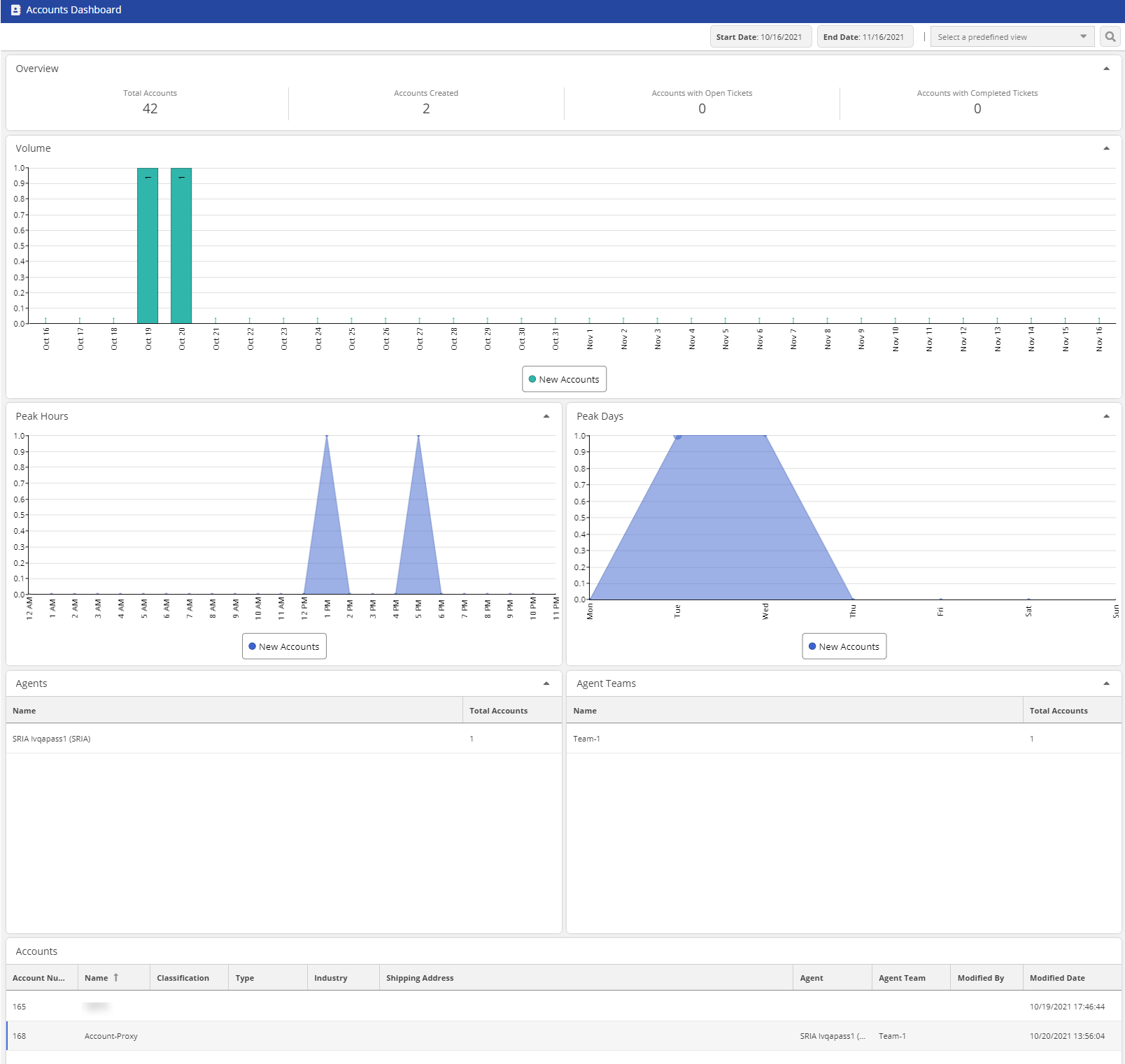
The following table describes the statistics that appear in the Accounts Dashboard window.
| Statistic | Description |
|---|
| Total Accounts | Total number of accounts. |
| Accounts Created | Total number of accounts created. |
| Accounts with Open Tickets | Total number of accounts containing open tickets. |
| Accounts with Completed Tickets | Total number of accounts containing completed tickets. |
| Volume | Volume chart of accounts (total and completed). |
| Peak Hours | Peak-hour chart of accounts. |
| Peak Days | Peak-day chart of accounts. |
| Agents | Top agents chart. |
| Agent Teams | Top agent teams chart. |
| Accounts | Table of accounts. |