To upload a new DNC list file to either the Permanent or Daily DNC lists:
- Select the DNC type from the DNC Type drop-down.
Click Upload DNC file.
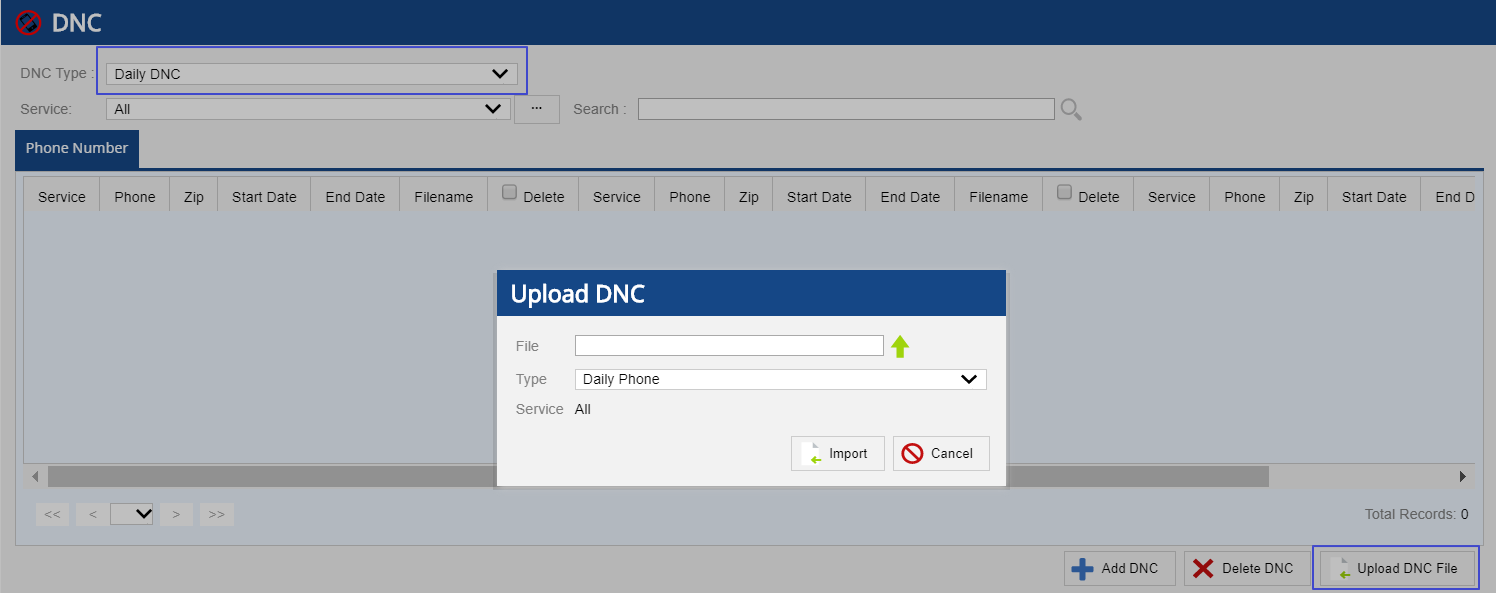
Click Import.
This will add the DNC upload task to the user tasks queue. You can view and monitor the success or failure of these tasks by selecting the User Tasks option from the User drop-down menu.
For more information on viewing the status of the tasks, see User Tasks .
