You can access the Designer Desktop from the Agent Desktop window or the main LiveVox Portal (LVP) screen.
Accessing through LVP
To access Designer from LVP:
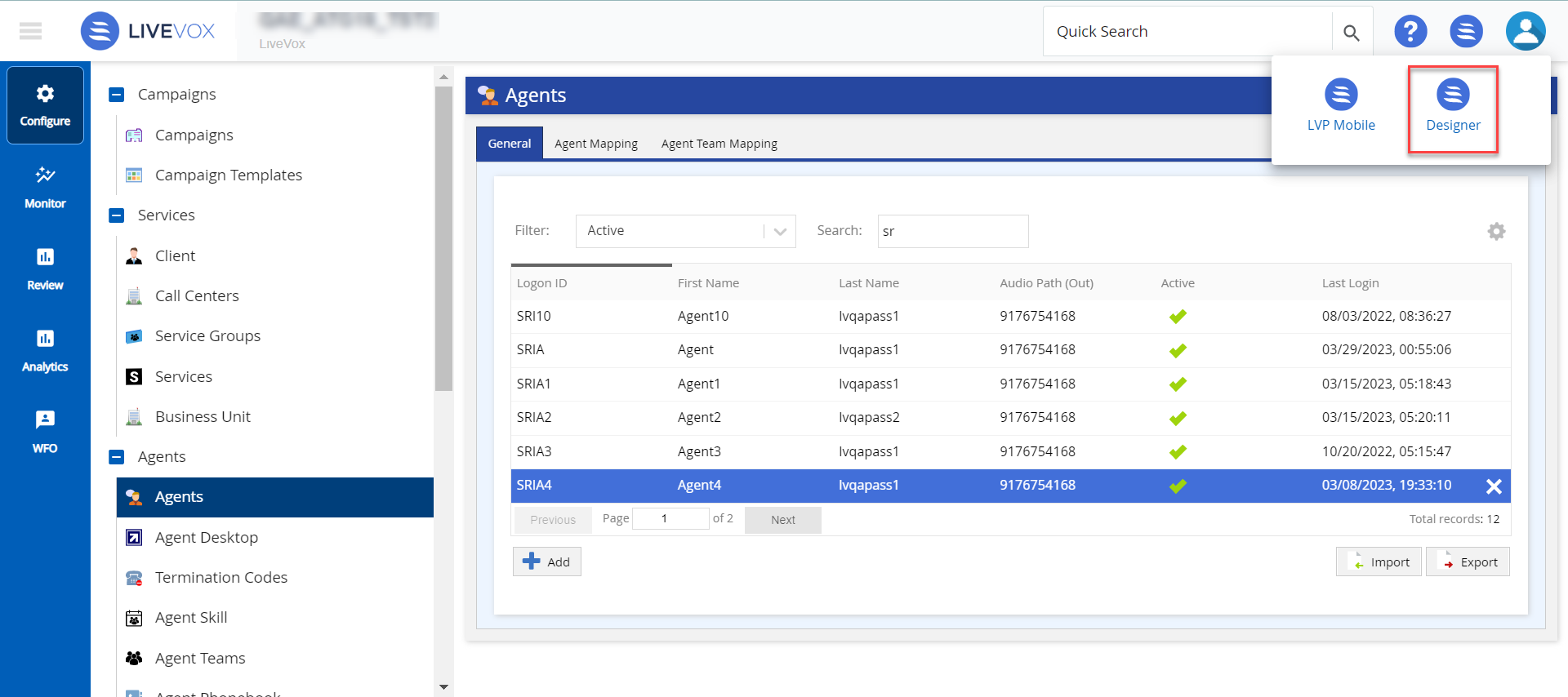
On the landing LVP page, click the icon. The Designer option is displayed along with the other available options.
Note: LiveVox provides a default desktop for agents to use; however, to customize the agent desktop, you must have a U-CRM license. For more information on Billing information, seeClient Editor - Billing Tab.
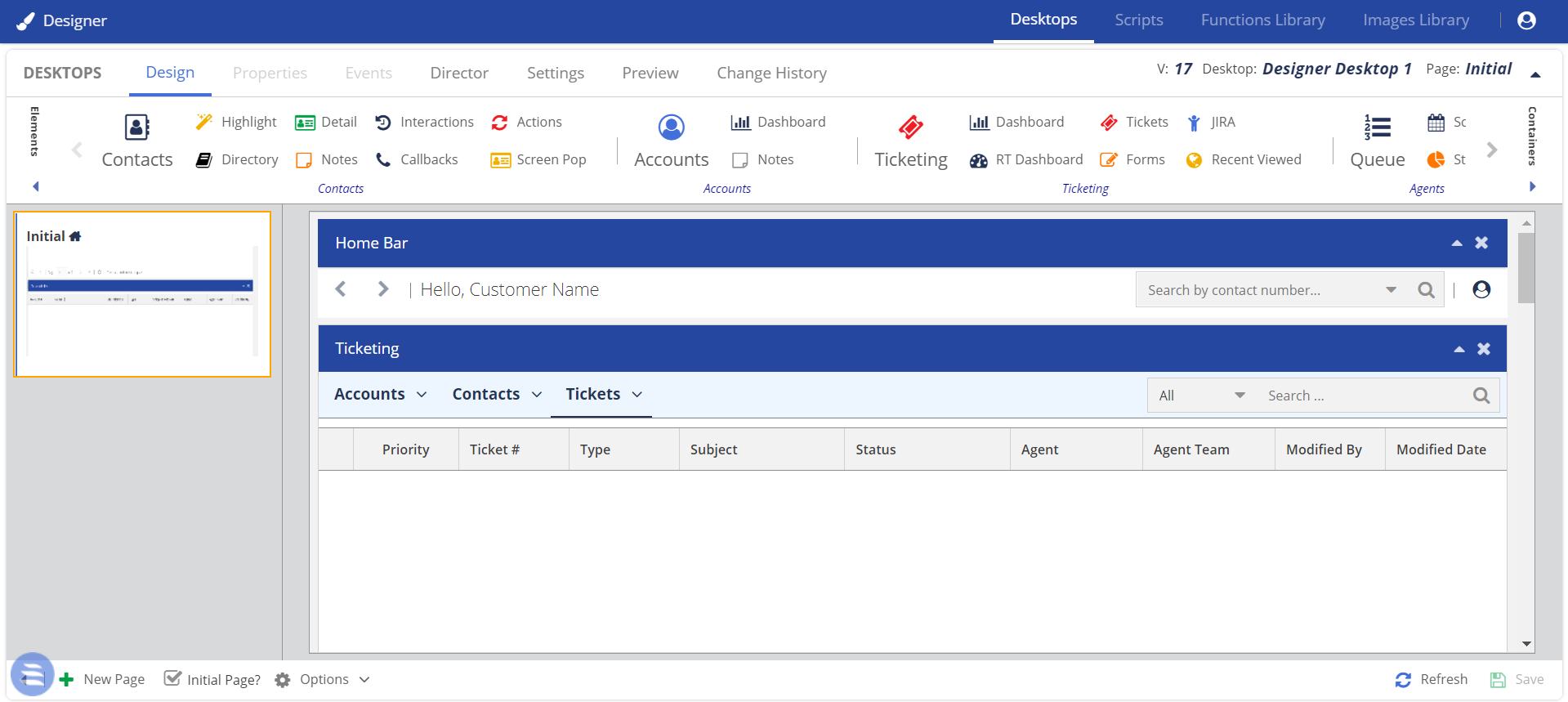
Click Designer. The Designer window appears.
Accessing through the Agent Desktop
To access Designer from the Agent Desktop:
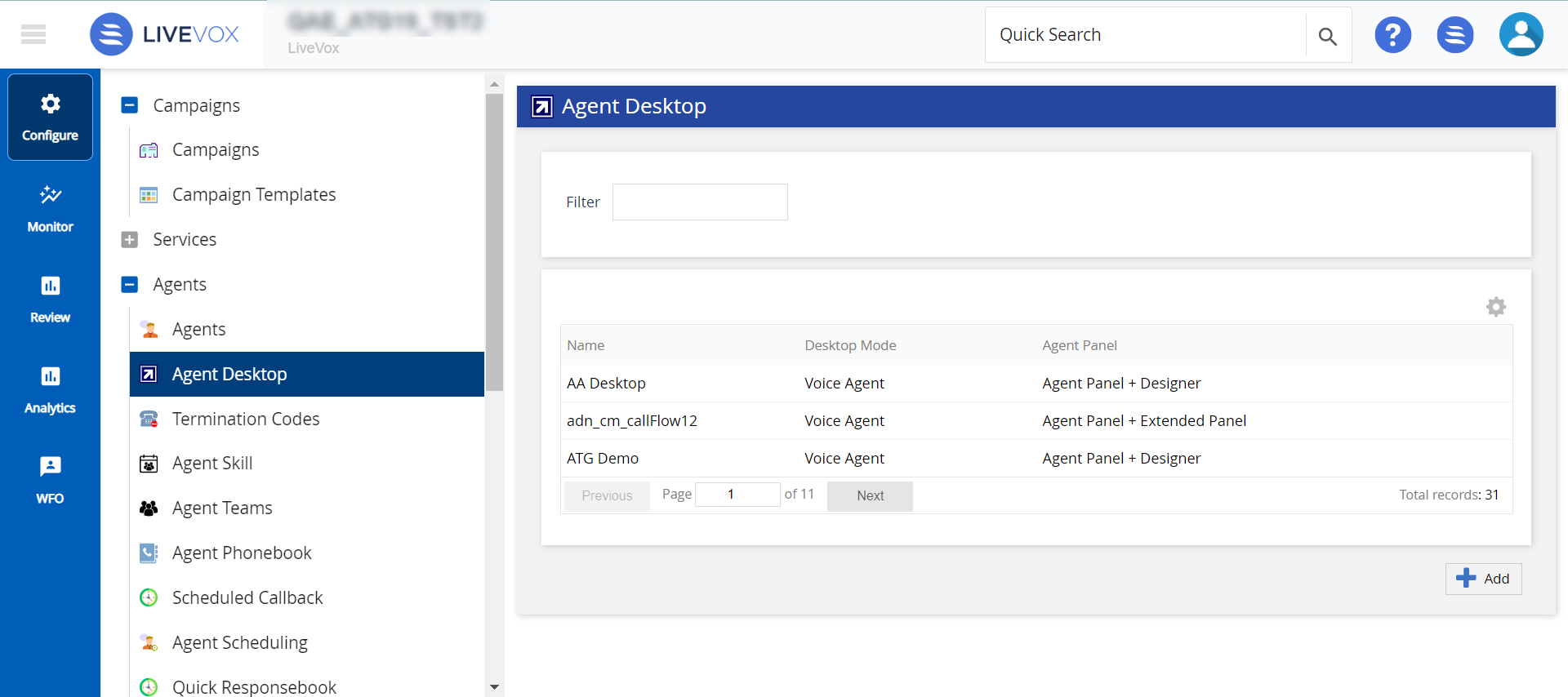
On the LiveVox Portal (LVP), on the Configure tab, click Agents > Agent Desktop. The Agent Desktop window appears.
In the Desktops field, select any Agent Desktop.
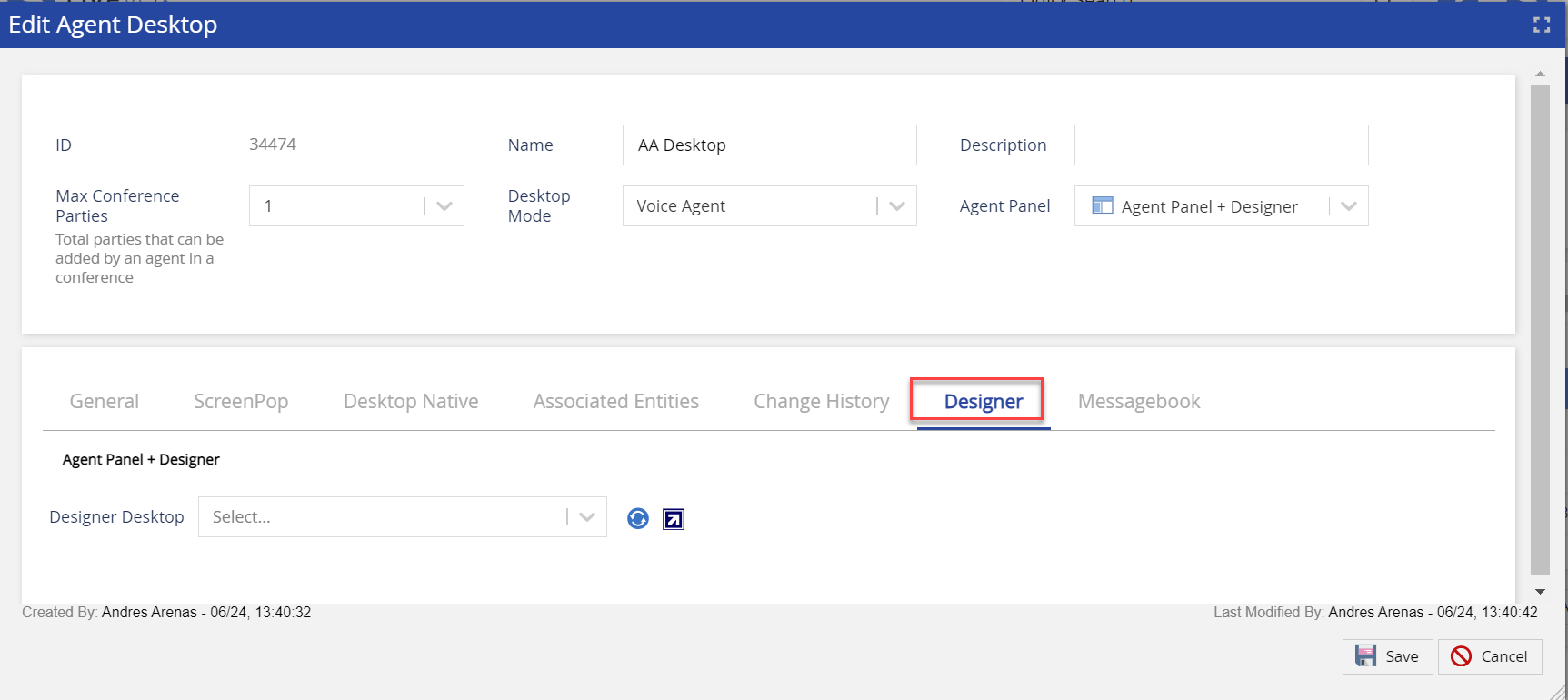
Select the Agent Panel + Designer option. The Edit Agent Desktop window appears.
On the Designer tab, in the Designer Desktop field, select a required agent desktop, and then click the Open Designer in new tab icon . The Designer browser tab displaying the Designer window appears.
The Designer window is called Designer.
To navigate to U-Script feature, click the Scripts tab.
You can view the following information in Designer by using the avatar icon :