-
Created by
 Sabita Rao on May 31, 2023
1 minute read
The Phone Number tab of the DNC editor displays the list of phone numbers that are not allowed to be dialed. Phone numbers are verified immediately before a call is placed. The dialer does not place the call if the phone number is found in the DNC list.
To access the DNC editor, navigate to Configure > Contacts > DNC > Phone Number tab.
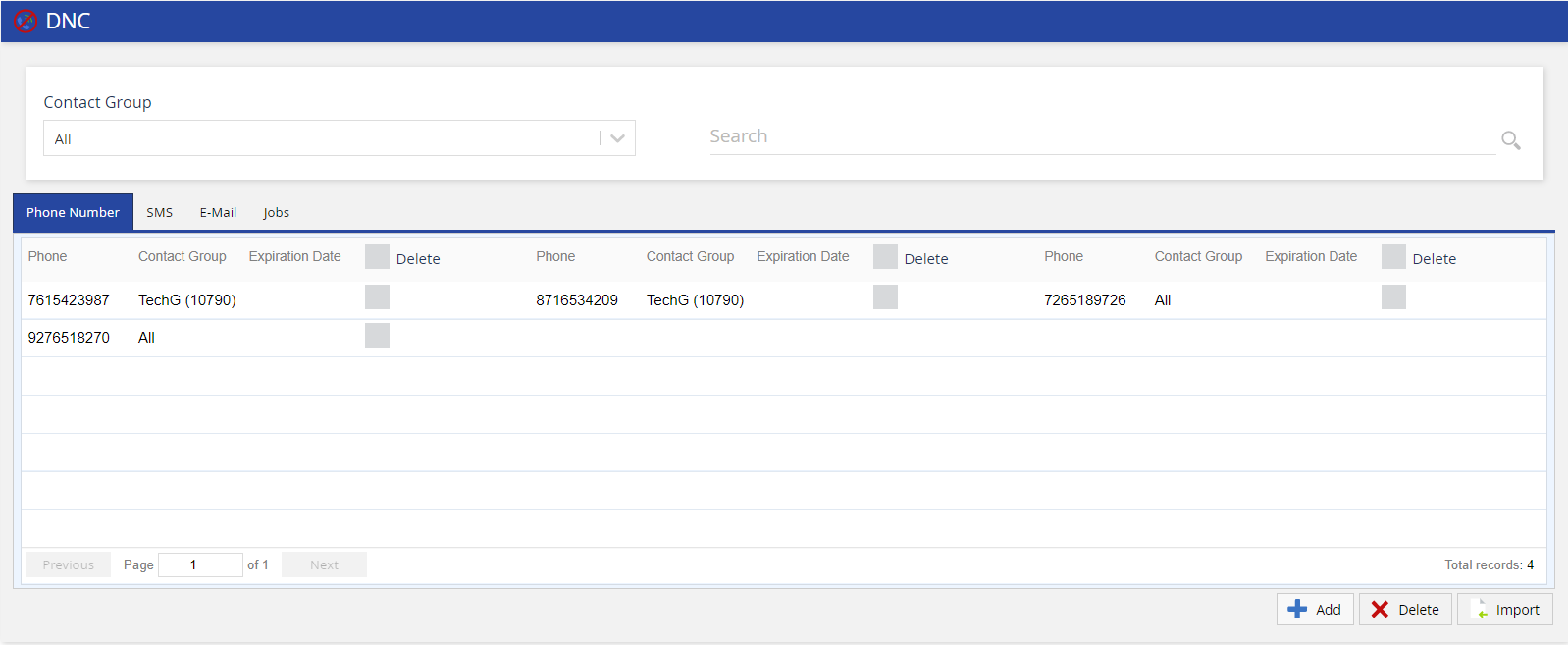
- Phone - Displays the DNC phone number.
- Contact Group - Displays the name of the contact group for which the phone number is suppressed.
- Expiration Date - Displays the expiry date of the phone number in DNC list.
- Delete - Allows you to delete a DNC record. Select the Delete checkbox, and then click Delete DNC to delete a DNC record.
Double-click a DNC record to update Contact Group, Expiration Date, and Phone Number.