Generate reports about LiveVox campaigns, agents, and performance.
Generate reports about LiveVox campaigns, agents, and performance. |
LiveVox Portal (LVP) Reports allow organizations to view and analyze data from their contact center operations. You can use LVP Reports and dashboards to track key performance indicators (KPIs) such as call volume, call duration, call abandonment rate, and agent performance. You can create custom reports and dashboards that can be used to track and analyze data specific to their business needs. Reports provide information on real-time monitoring and alerting, which in turn provides the ability to quickly identify and respond to potential issues. The reporting feature supports drill-down capabilities, allowing managers to view detailed information about specific calls, interactions, and campaigns.
You can export the reports to various formats, such as CSV, Excel, and PDF, and you can schedule report delivery. Additionally, you can also integrate LVP Reports with other systems, such as a CRM, to provide a more comprehensive view of customer interactions and support better decision-making.
Reports provide key performance indicators (KPIs) for various categories on LVP. For example, the Inbound Efficiency report provides KPIs pertaining to inbound call management and Contact Lookup Report provides you with information about attempts to reach a specific account. You can use the Review tab in the LiveVox Portal (LVP) to generate and view reports for inbound calls, campaigns, customer interactions, agent performance, call-related statistics, billing, and analytics.

LVP provides the following categories of reports:
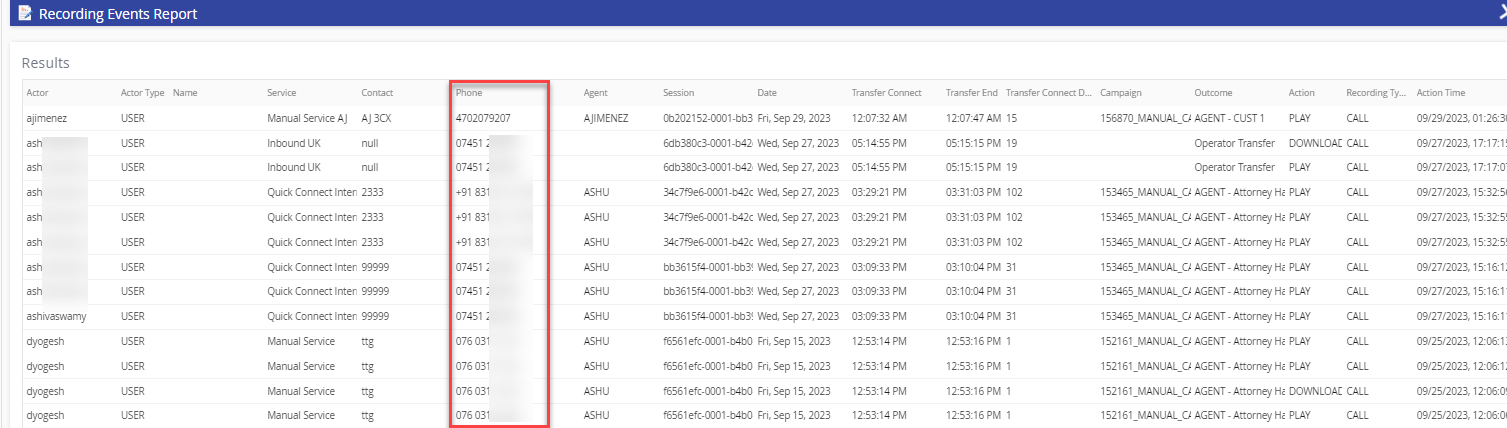
Reports generated on the platform display the phone numbers in an international format. For example, the Phone column in the Recording Events Report shows the phone numbers in the international format that includes the + symbol and the country code.
|