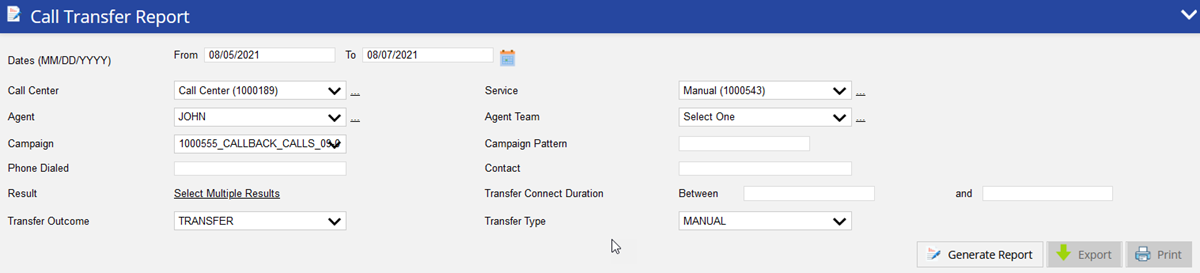
The Call Transfer Report provides you details on all agent initiated transfers for the selected period. This report contains advanced search parameters and supports account and phone multi-search.
To access the Call Transfer Report, navigate to Review > Agent Reports > Call Transfer Report. This takes you to the Call Transfer Reporting search tool to choose the parameters for generating the report.
This report can only be generated with a start and end time frame no greater than 3 days. Data can be generated from up to 180 days prior. |
Specify the following options to generate the report. Only date range is required to generate the report and rest of the fields are optional. These optional fields can be used to get the specific records.
Under the MultiSelect tab, you can select multiple sequential or non-sequential dates.
Call Center – Select a call center with a drop-down menu.
Click the Remove All button to remove all the assigned services. They will be moved to the Available column.
Click the Remove All button to remove all the assigned results. They will be moved to the Available column.
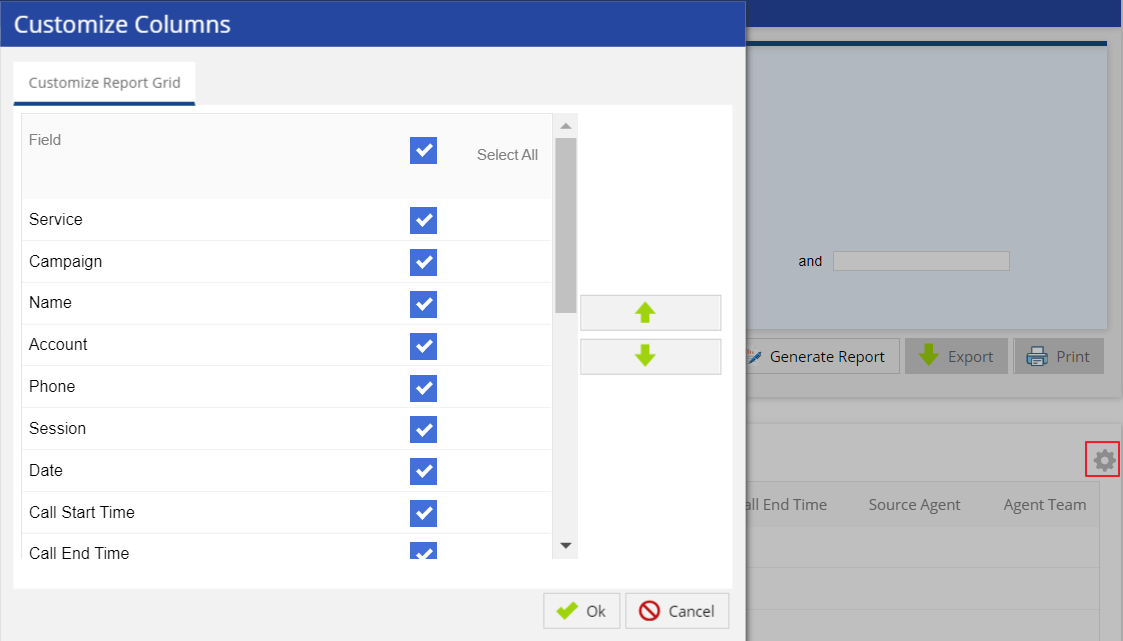
Report columns and sequences can be easily modified to provide you with a report view that is important to your business operation.
To customize columns:
After choosing the search parameters, generate the report by clicking the Generate Report button to the right of the search options. The generated report contains the following result columns.
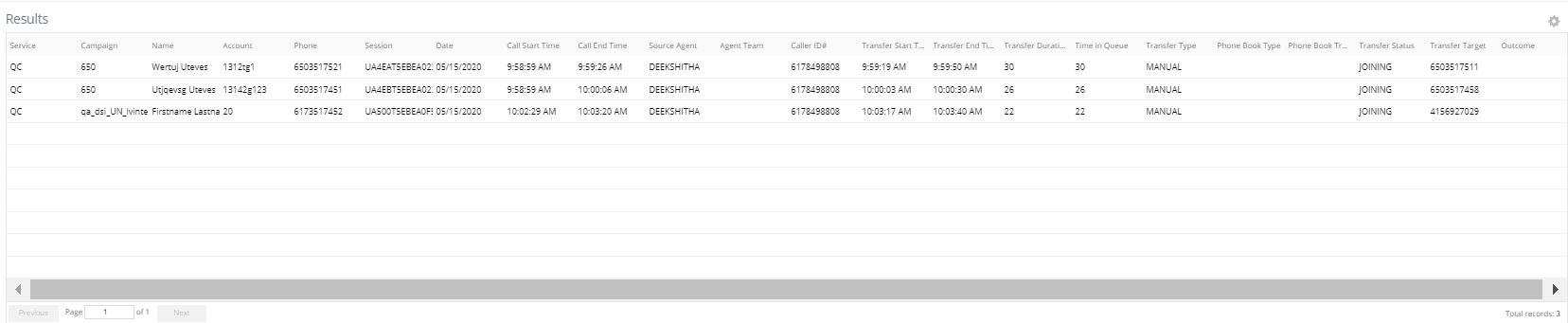
Phone: Phone number used to transfer the call.
TRANSFER - Call transferred to target party, after source agent left the conference.
CANCELED - Transfer request was canceled by agent.
FAILURE - Transfer request failed.
JOINING - Target party dropped after joining the call (but not added to conference).
CONFERENCE - Target party dropped after joining the conference.