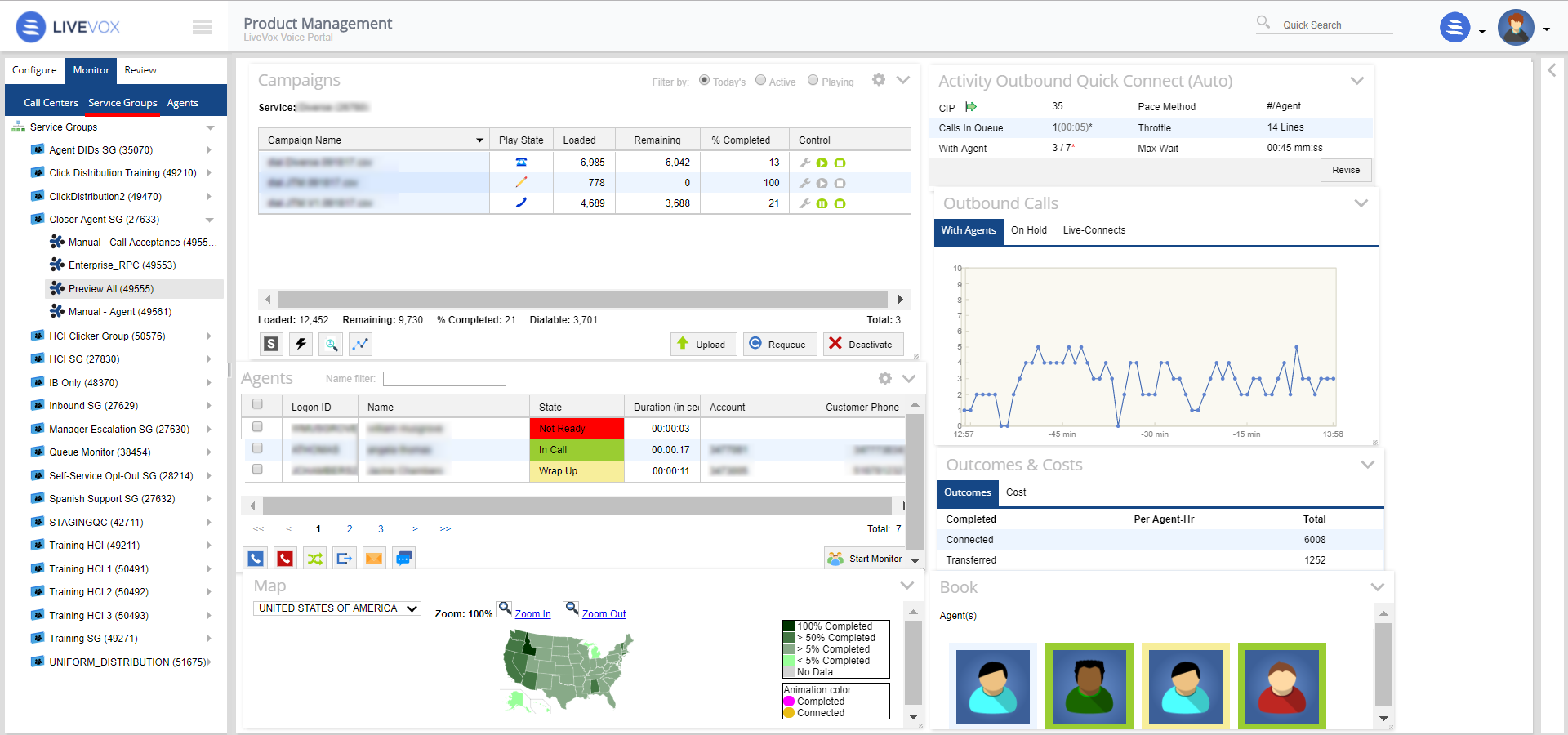
To view and manage service group level campaign activity navigate to Monitor > Service Groups > select the desired service from the navigation panel. The widgets configured as part of your GUI settings (See: Customizing and Resetting GUI Settings) will be presented for the selected service. The following widgets are available at the service level:
- Campaign Control - Allows you to manage campaigns loaded to the selected service group. See Campaign Control for more information.
- Service Monitor (Inbound Only) - Displays relevant Inbound statistics at the service group-level. See 2021-10-15_01-28-04_Inbound Service Monitoring for further information.
- Service Activity - Allows you to view and update pacing settings. See 2021-10-14_00-34-19_Activity and Pacing for further information.
- Agents - Allows you to view a list of agents currently logged into the selected service group. See 2021-10-17_10-33-40_Agents Panel for further information.
- Call Charts - Displays statistics on the service calls and helps you evaluate the effects of your pacing over the past 60 minutes. See 2021-10-17_10-55-34_Real Time Graphs for further information.
- Outcomes and Costs - Shows basic data, summarizing the results by raw number (Outcomes tab) and dollar amount (Cost tab). See Outcomes and Costs for further information.
- Agent Book - Allows you to view the agents connected at every level in the Dashboard. See Agent Book for further information.
- State Breakdown - Displays call visualization per state. Displays call visualization per state. See 2021-10-15_00-22-06_State Breakdown for further information.