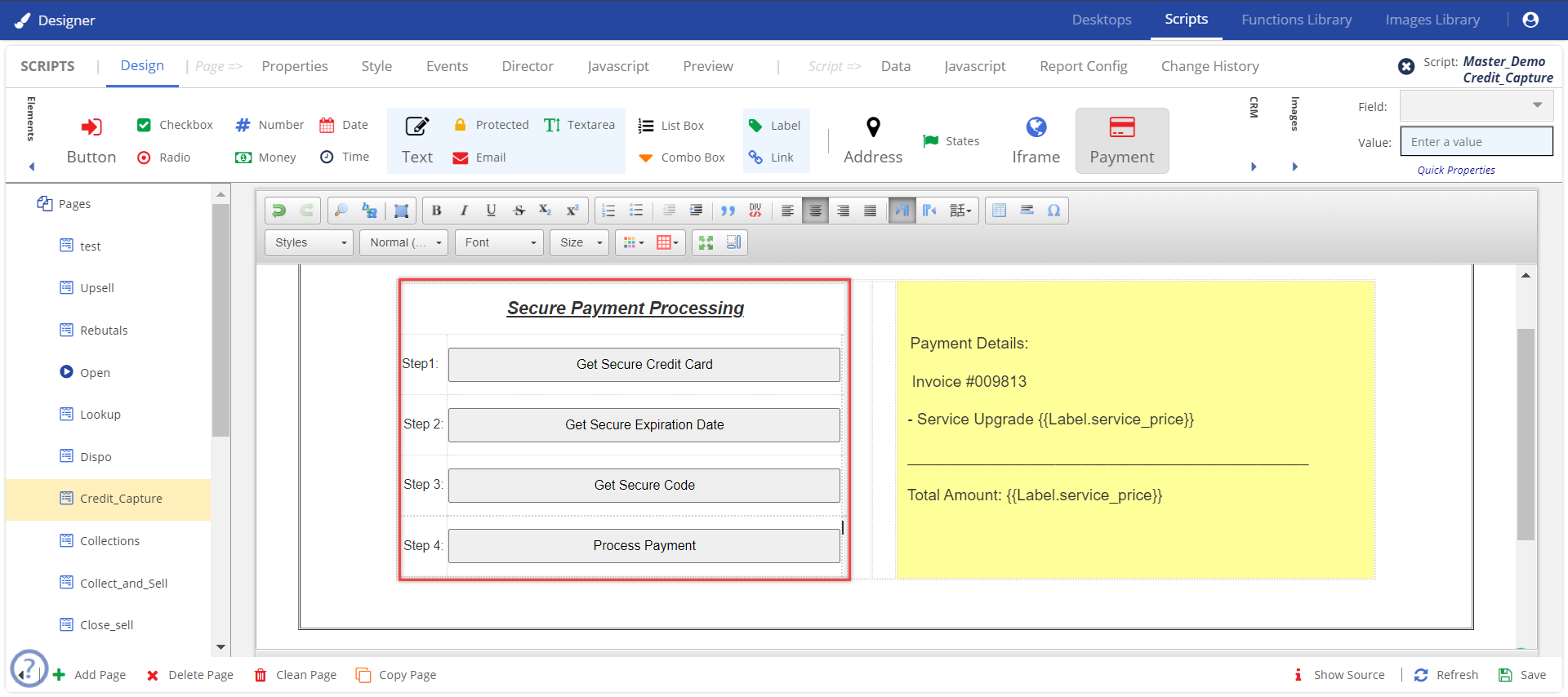
The Advanced Secure Payment Capture (SPC) service is a new feature included in the Script application. This feature must be enabled by a manager. If the SPC functionality is enabled, then an agent can bill the customer using this feature. To initiate Secure Payment Capture, one or more of the following widgets must be configured by your manager and available on your desktop:
The SPC button is present in the Elements area.
To enable SPC:
Update the fields as required, and click Save.
The information is updated and the page is saved.
You can add elements to the page to process the payment details. |
SPC in the Agent Desktop
After the SPC page is saved. The page appears as follows on the agent desktop.
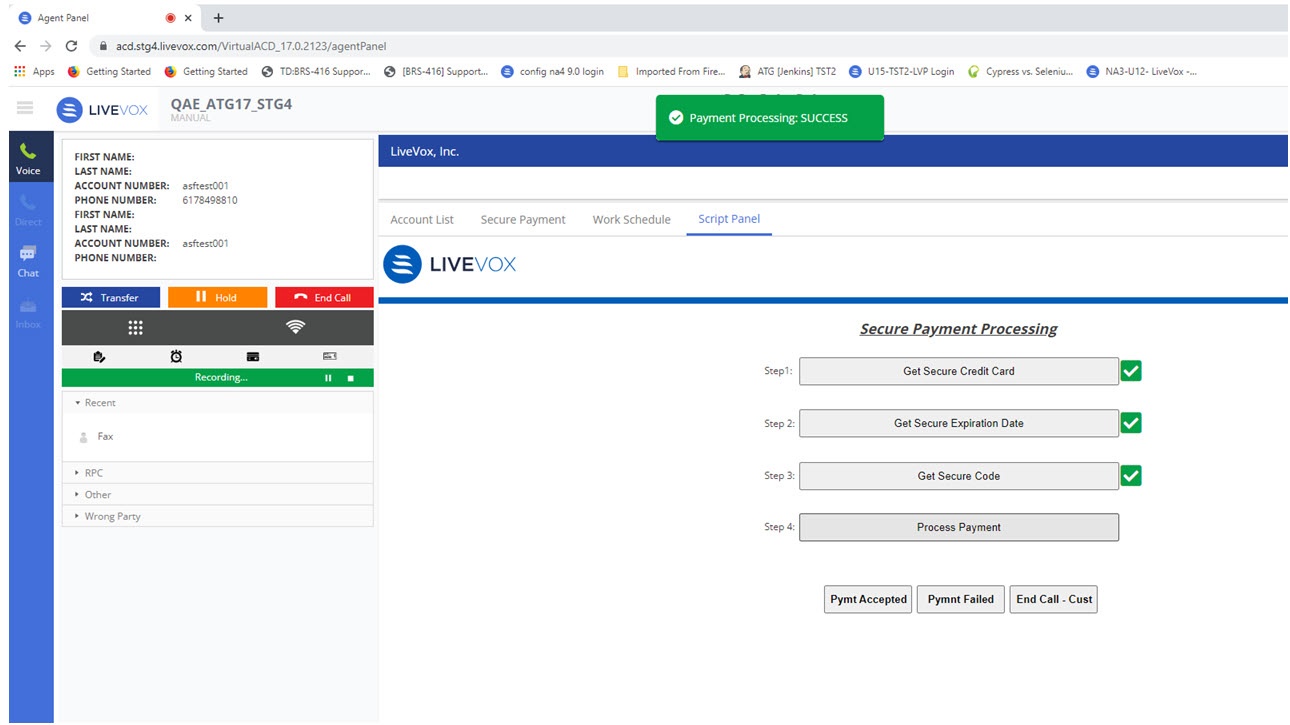
To process the payment details, the agent must:
Click Process Payment.
Based on the payment process information. The agent clicks the provided options.