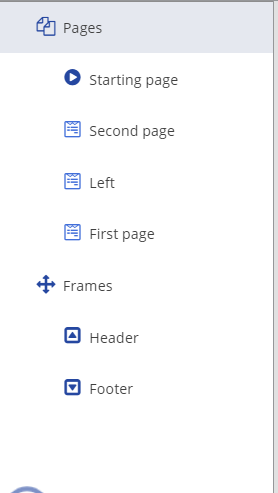
You can create different types of pages, each page is predefined to handle various services. For example, the Starting page acts as a landing page for a script, and it acts as a navigation page for other scripts. You can add pages using the Design tab. This pane consists of Pages and Frames.
The following page types are:
| Page Type | Description |
|---|---|
| Pages | |
| Standard | A standard page can have a header or footer page or can be a standalone page that appears in any of the dialogs. |
| Starting | There must be starting page to begin. If you do not have a starting page, the script does not work. |
| Left | A left page appears on every page of the script on the left side of the form. |
| Right | A right page appears on every page of the script on the right side of the form. |
| Frames | |
| Header | A header page appears on every page of the script that you create. This page appears under the Frames. |
| Footer | A footer page appears on every page of the script at the bottom. This page appears under the Frames. |
|