Adjusting Schedules
To adjust the schedule of a record, select the scheduled callback record to be edited. Double click the record to view the Scheduled Callbacks details screen.
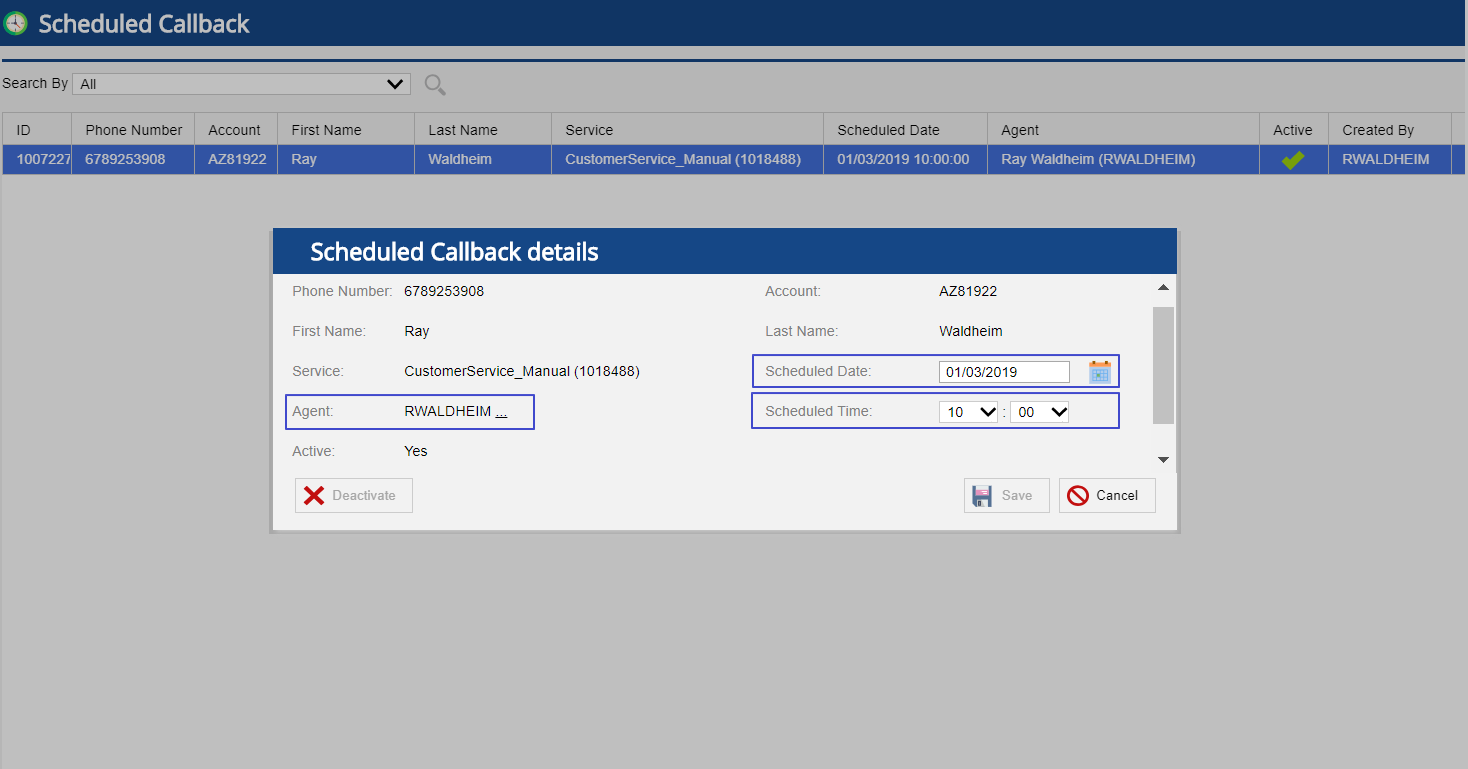
- Enter the preferred date in the Scheduled Date field or choose using the calendar button to update the date for the scheduled callback record.
- Select the link next to the Agent field to search for and assign a new agent for the callback.
- Adjust the Scheduled Time from the drop down.
Select Save to save the changes or Cancel to discard the changes.
You will not be able to adjust a scheduled callback record that is scheduled via the IVR. |
Deactivating Schedules
- Select the scheduled callback record you wish to cancel.
- Double click the record to view the Scheduled Callbacks details screen.
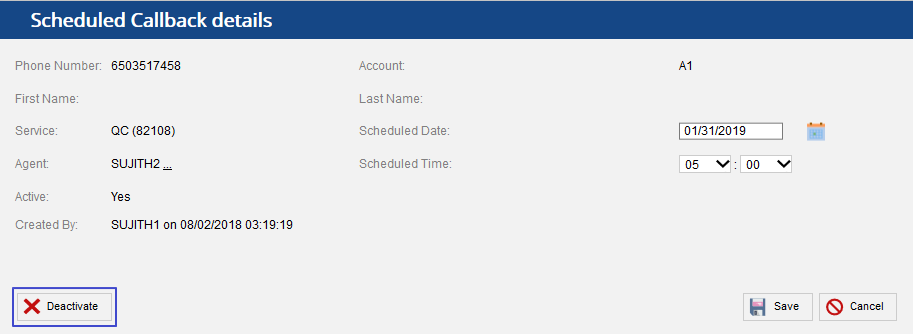
- Select the Deactivate button to cancel the callback.
You can cancel the scheduled callback as long as it is not queued up for dialing. |