Navigate to the Agent Phonebook section by selecting Configure > Agents > Agent Phonebook from the navigation panel. Select the agent phonebook you wish to view or adjust from the Agent Phonebook drop-down list:
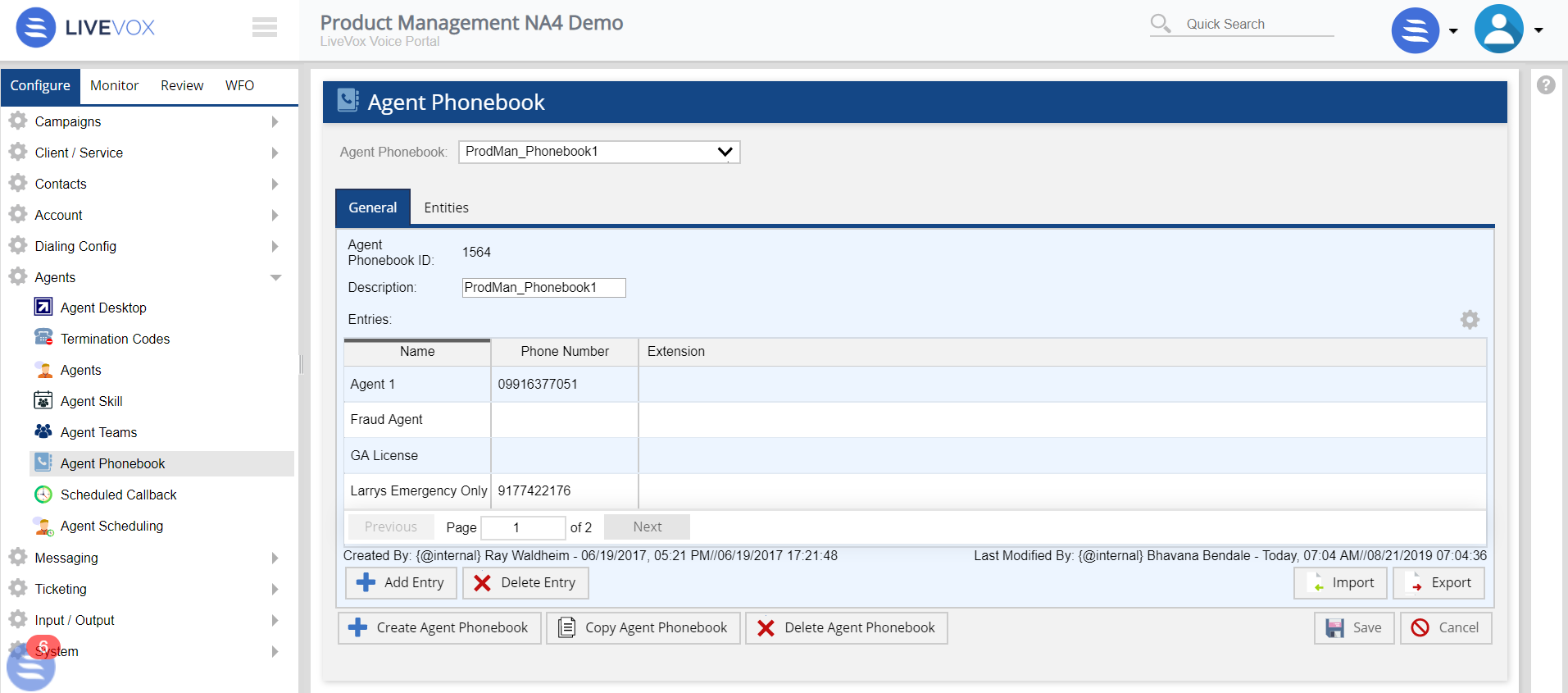
The Agent Phonebook section offers the following tabs and buttons:
Tabs
- General: Displays a list of the available contacts and contact books in the selected agent phonebook. See the General Tab section for detailed information.
- Entities: Displays a list of the associated entities to the selected agent phonebook. See the Entities Tab section for detailed information.
Buttons
- Create Agent Phonebook: Creates a new agent phonebook. See the Creating a New Agent Phonebook section for detailed information.
- Copy Agent Phonebook: Copies the selected agent phonebook. See the Copying Agent Phonebook section for detailed information.
- Delete Agent Desktop: Deletes the selected agent phonebook. See the Deleting Agent Phonebook section for detailed information.
- Save: Saves all updates to the selected agent phonebook.
- Cancel: Cancels any updates made to the selected agent phonebook.