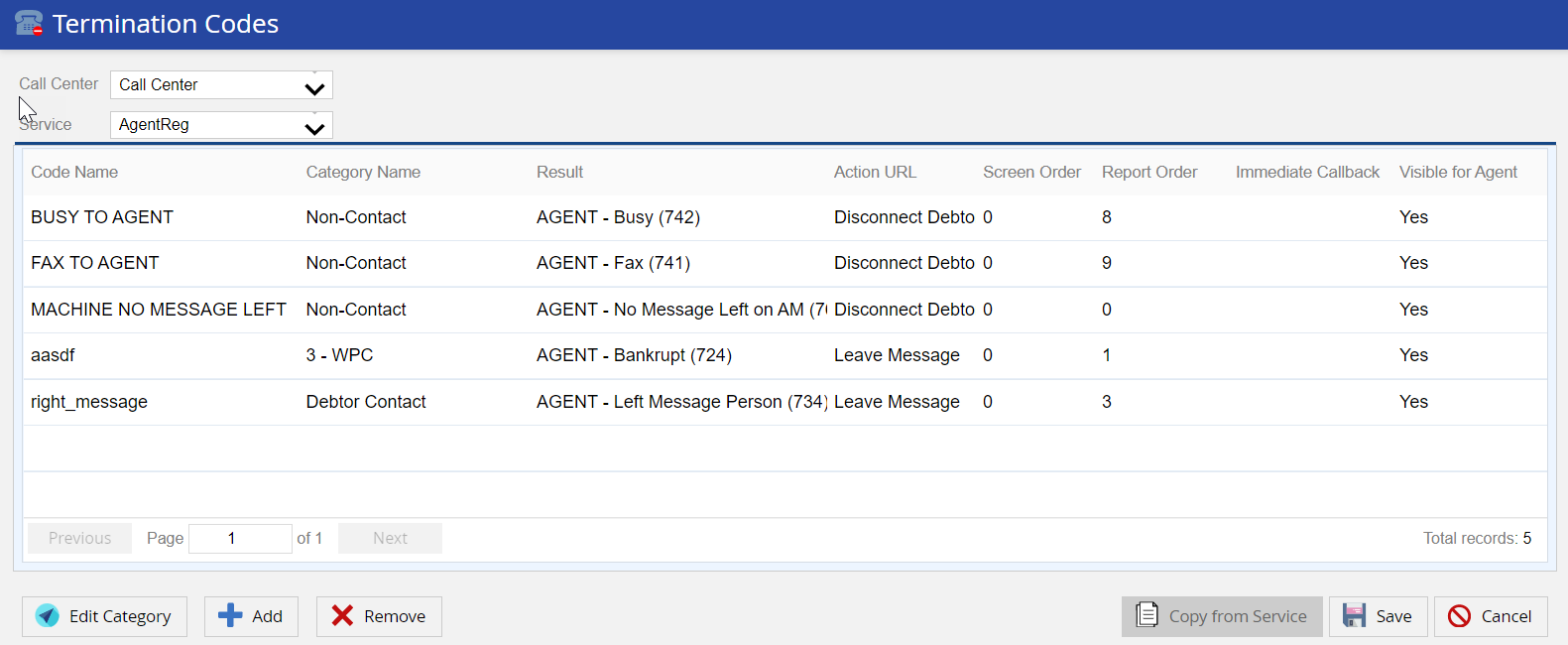
You are presented with the view of currently assigned termination codes and their details for the selected Call Center and Service:
| Fields | Description |
|---|---|
| Code Name | The Termination Code Name displayed to agents. |
| Category Name | Used to group together similar term codes on the agent desktop. |
| Result | Internal result mapping (TFH result) which LiveVox can associate with the user code. Adjusting may impact CDR reporting. |
| Action | Disconnects call or leaves a message after the term code is selected. |
| Screen Order | Currently disabled, term codes are displayed in alphabetical order within their category section. |
| Report Order | The order the term codes will show on the CDR (scroll right to view this column). Leave as default, or assign a value between 1- 126. |
| Immediate Callback | When checked, allows agents to do immediate callbacks after selecting the termination code. |
| Visible for Agent | Displays whether the Termination Codes are visible to the Agent or not. |