The Messagebook tab allows users to configure the messagebook for the selected agent desktop. This tab allows users to add, delete, view, and reorder messagebook contacts for the agent to see when logged into the agent desktop. Navigate to Configure > Agent > Agent Desktop > Messagebook tab.
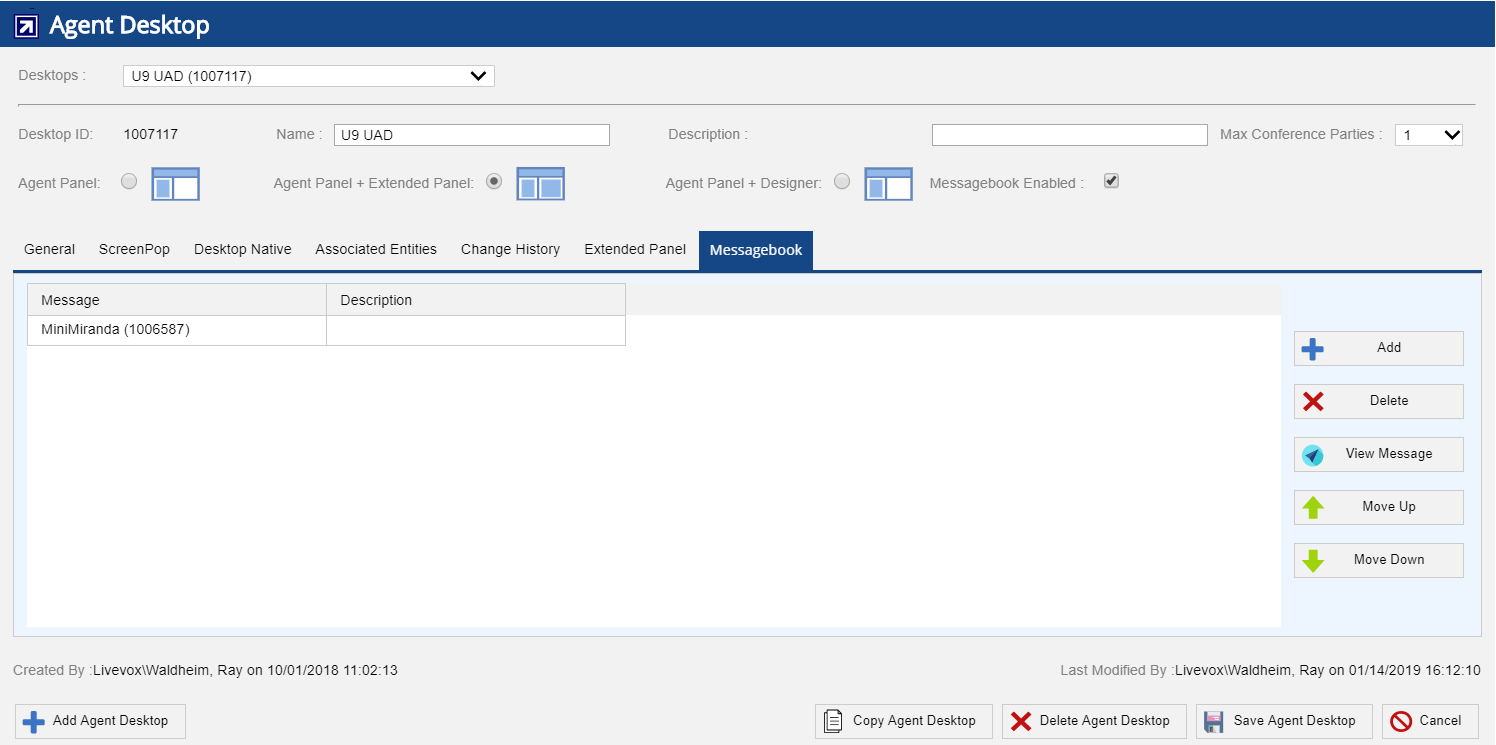
The Messagebook tab offers the following fields and buttons:
- Fields
- Message - Displays the name of the message with identification code. For detailed information about messages, see Message Settings section.
- Description - Displays the description about message.
- Buttons
- Add - Adds new entry. To associate the Messagebook entry, see Associating Messagebook Entry section.
- Delete - Deletes an entry. Select the row and click the Delete button to delete an entry.
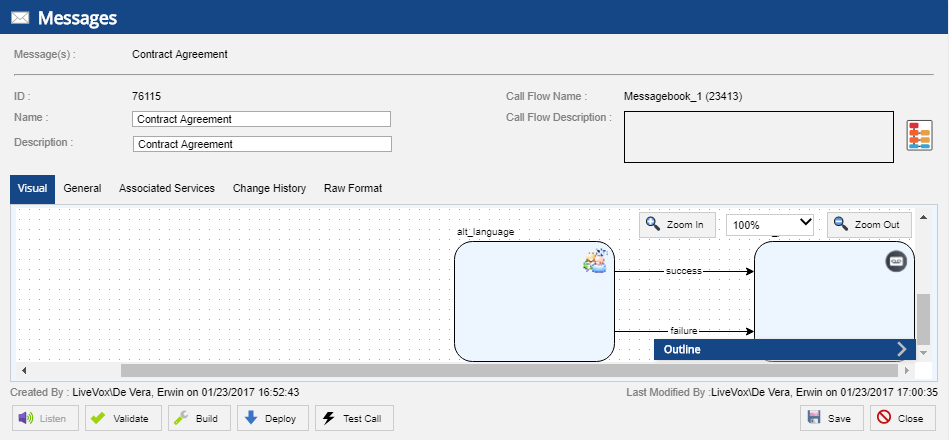
- View Message - Allows to view the message. You can also listen, validate, build, and deploy the message and test the call. Select the row and click the View Message button. The Message popup appears as shown below:
- Move Up - Moves the selected entry up one space.
- Move Down - Moves the selected entry down one space.
To save changes, select the Save Agent Desktop button in the bottom right.
The agent Messagebook option is not available for Manual, Preview All, HCI & 10DMT types of services. |