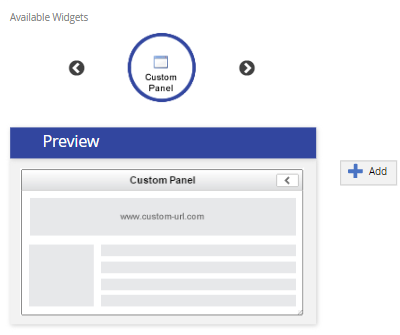
Click Add. The Add Custom Panel pop-up appears.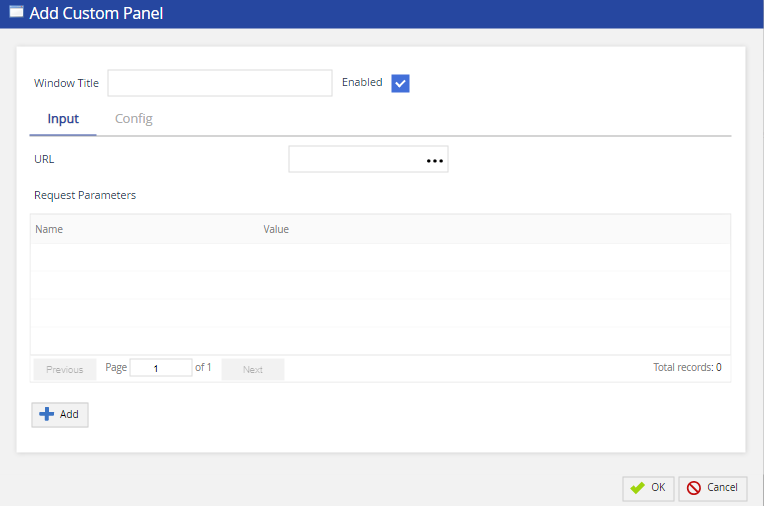
The following table provides the field and their description/action you need to take.
| Field | Action / Description | |
|---|---|---|
| Window Title | Specify the widget name. | |
| Enabled | Select the checkbox to enable the widget on Agent Desktop. | |
| URL | Enter the URL for the website you want to display on the agent desktop.
| |
| Request Parameters | Displays the criteria from the agent desktop to push to the URL.
|
You can configure optional features from the Config tab in the Add Custom Panel pop-up.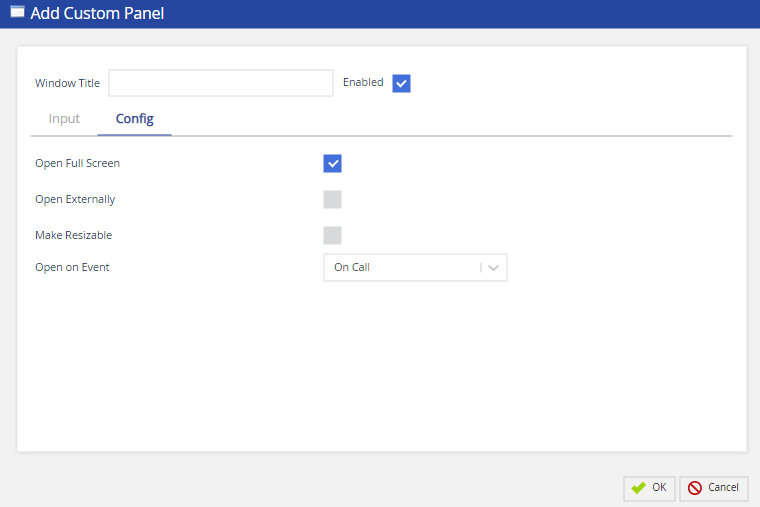
The following table provides the field and their description/action you need to take.
| Field | Action / Description | |
|---|---|---|
| Open Full Screen | Allows you to display the widget on a full window screen. | |
| Open Externally | Allows you to open a specific widget as an external window. | |
| Make Resizable | Allows you to resize the widget opened externally or on extended panel of Agent Desktop. | |
| Open on Event | Select the event which will activate the widget. The available events are as given below:
|