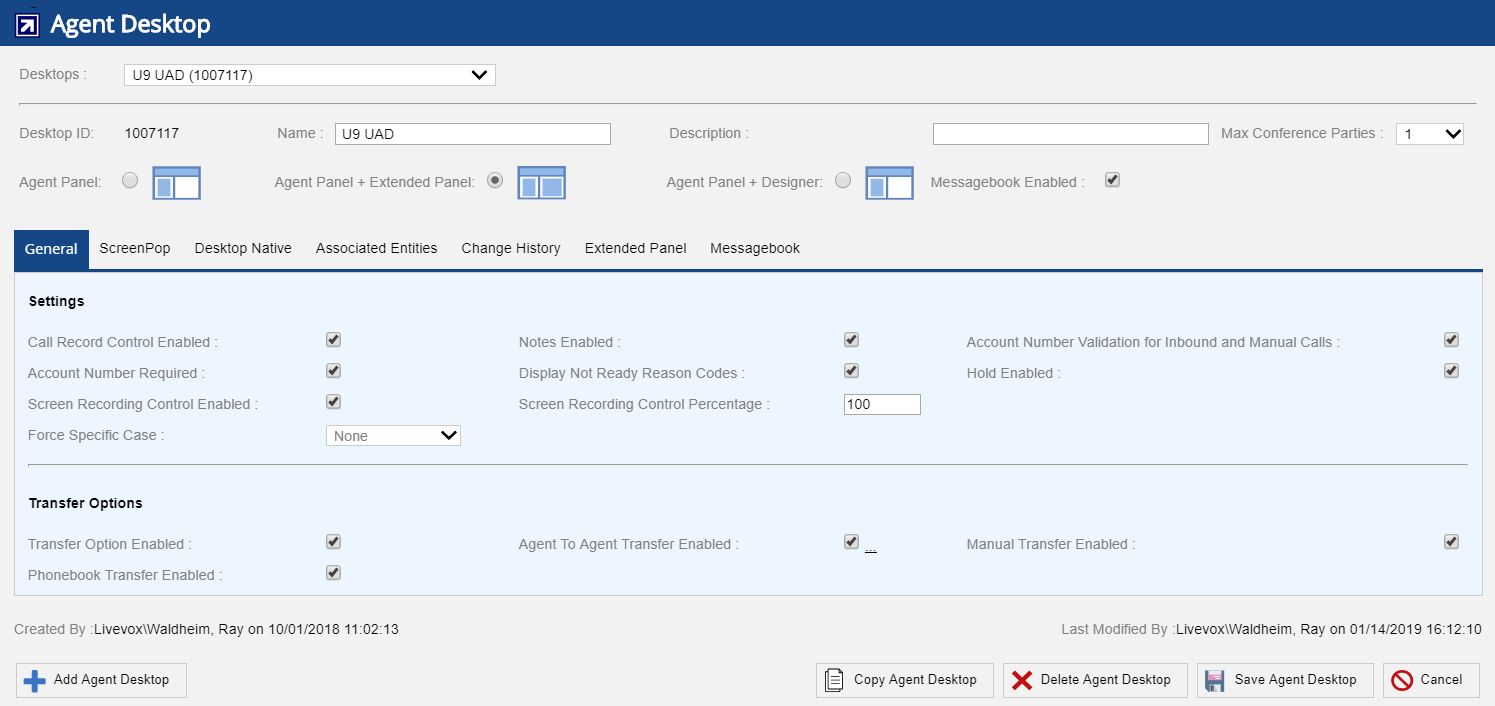
The Agent Desktop editor offers the General tab that provides different options to set agent desktop and call transfer options. Navigate to Configure > Agent > Agent Desktop > General tab.
Certain agent desktop settings not controlled at the service level are controlled from the General tab here:
Hold Enabled - Selecting this option displays the Hold button on Agent Desktop.
Screen Recording Control Enabled and Screen Recording Control Percentage options will be displayed only if agent screen recording is enabled. Contact your Account team or Client Services to request this functionality. |
Force Specific Case - enables specific case that will be auto formatted on agent entered account number. Available options are as given below:
None - This is a default option. If selected, the account number will be the way agent enters it.
Upper - The account number will be in upper case.
Lower - The account number will be in lower case.