Single Sign-On (SSO) is an authentication process that allows a user to access multiple applications or services with a single login credentials (such as username and password). It provides the following advantages:
- Mitigates risk for access to third-party sites by requiring additional security steps.
- Enables users to remember and manage fewer passwords and usernames for each application.
- Streamlines signing on and using applications. You don't need to re-enter passwords.
The LiveVox Platform allows you to log on using a third-party identity provider (IdP). Currently, the LiveVox Platform supports Okta and Azure. You can easily configure and manage the Okta settings to manage SSO. Contact the LiveVox Customer Care Team to request that they enable SSO functionality on your site.
- You need to have your own IdP as LiveVox does not provide any IdP.
- If you plan to use the LiveVox public APIs, you are required to use the OIDC protocol.
|
LiveVox SSO supports the following two protocols:
- Security Assertion Markup Language (SAML) is an open standard for exchanging authentication and authorization data between an identity provider and a service provider. SAML 2.0 is a version of the SAML standard for exchanging authentication and authorization identities between security domains. SAML 2.0 is an XML-based protocol that uses security tokens containing assertions to pass information about an end user between an Identity Provider and a Service Provider. SAML 2.0 enables web-based, cross-domain single sign-on (SSO), which helps reduce the administrative overhead of distributing multiple authentication tokens to the user.
- OpenID Connect (OIDC) - OIDC is an authentication layer on top of the OAuth 2.0 authorization framework.[82]. It allows computing clients to verify the identity of an end user based on the authentication performed by an authorization server, as well as to obtain the basic profile information about the end user in an interoperable and REST-like manner. OpenID Connect specifies a RESTful HTTP API, using JSON as a data format. OpenID Connect allows a range of parties, including web-based, mobile, and JavaScript clients, to request and receive information about authenticated sessions and end users. The OpenID Connect specification is extensible, supporting optional features such as the encryption of identity data, the discovery of OpenID providers, and session management.
For Single Sign-On, LiveVox is the service provider, and Okta or Azure is the identity provider (IdP). An identity provider enables a customer to use single sign-on authentication to access the platform.
Service provider-initiated SSO: When a user requests access to LiveVox through a URL, the service provider redirects the request to an IdP, such as Okta or Azure to authenticate the user. Identity providers store user credentials to authenticate users. The IdP authenticates the user and sends the response to the platform to allow access to the user.
Identity provider-initiated SSO: The identity provider stores user credentials to authenticate a user’s access to an application. Users access applications by logging in directly to the IdP.
LiveVox supports service-provider-initiated SSO, and recommends using the LiveVox URLs to access the platform instead of the identity provider home page.
Configuring SSO
To enable SSO on your LiveVox Portal (LVP) client, contact LiveVox Customer Care for assistance.
To configure SSO, complete the following steps:
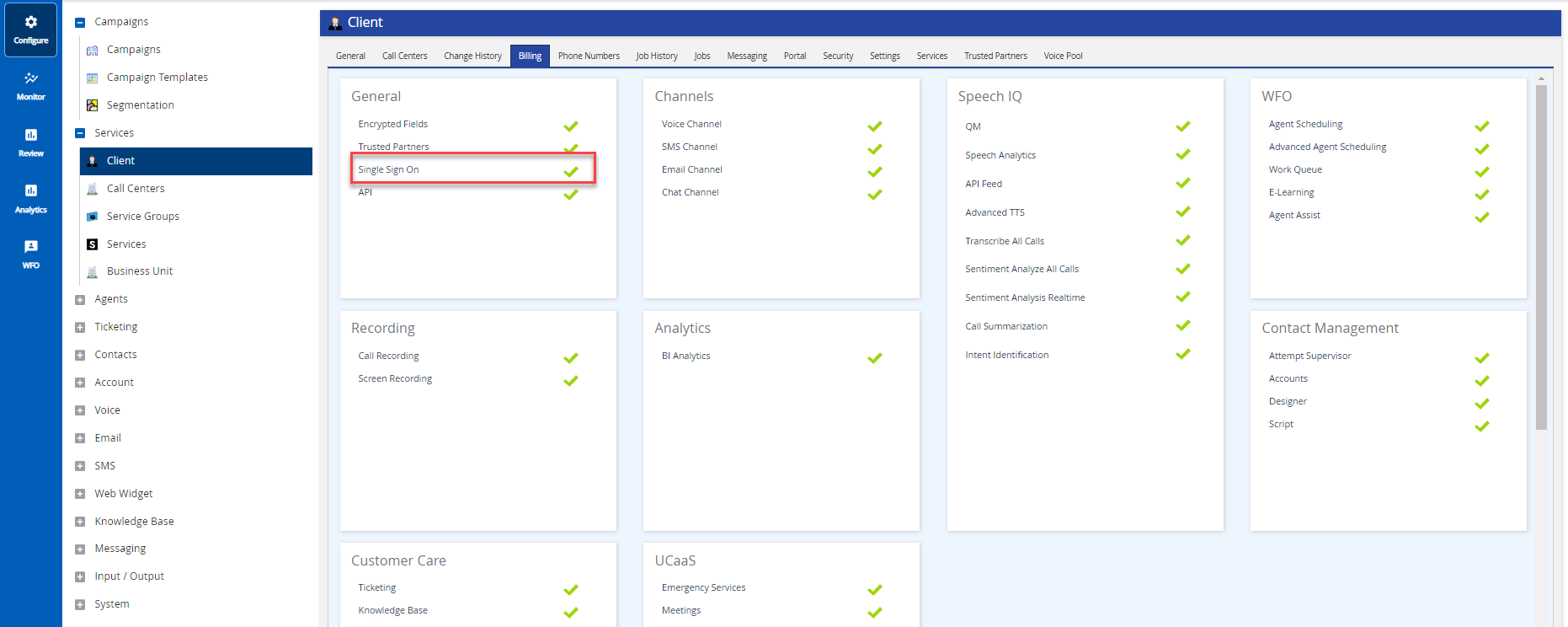
tab, and click the See Instructions link.
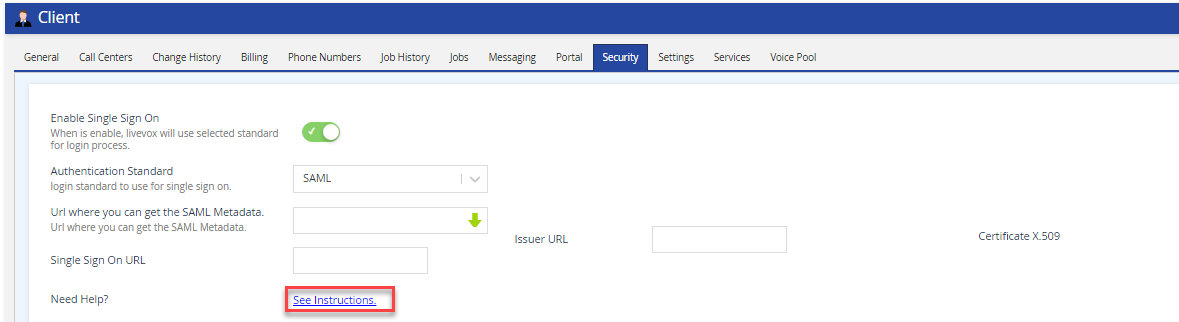
You will find the required URLs to complete your IdP configuration setup.
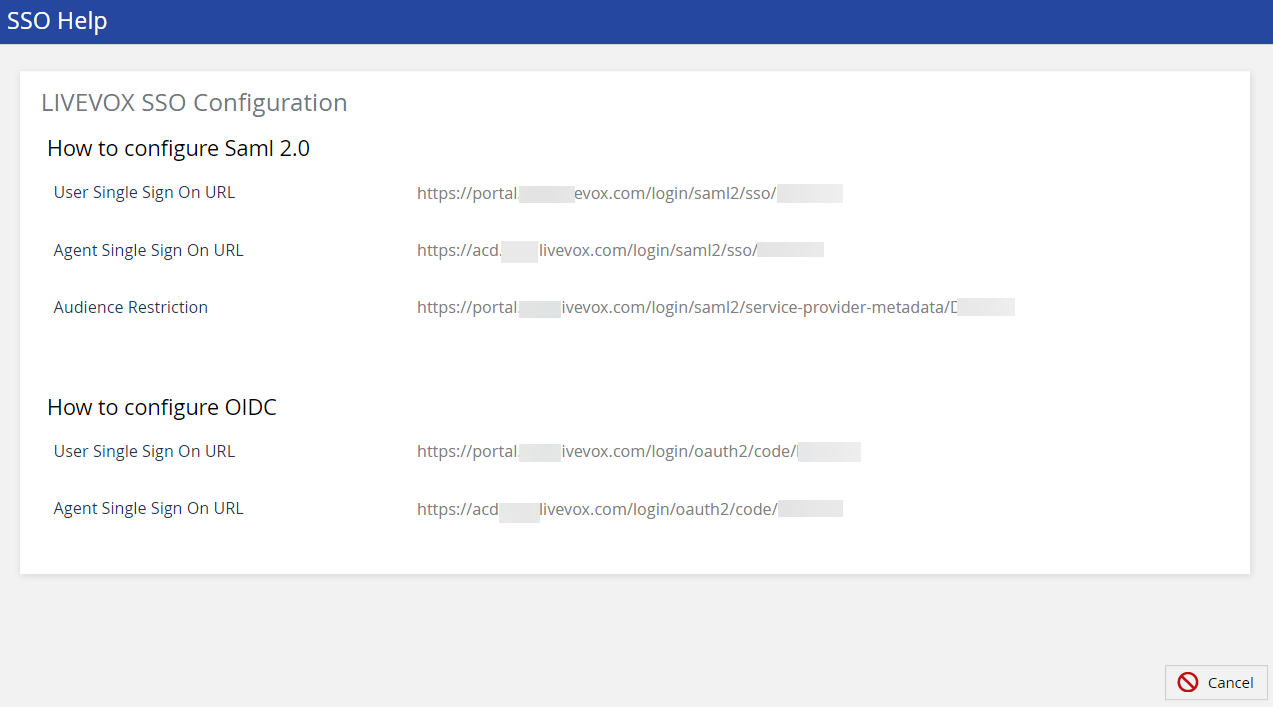
You must add two URLs in the IdP configuration, one for user login and another for agent login.
SAML Protocol
If you are going to use the SAML2.0 protocol for configuring SSO, you must note the following parameters from the IdP:
- Single sign On Url: The location that Livevox uses to initiate the authentication process.
- Issuer Url: The issuer URL is also known as the entity ID, and it is used to validate the assertion.
- Certificate X.509: SAML uses a certificate to verify signed assertions.
In the LiveVox portal, add the parameters obtained from IdP.
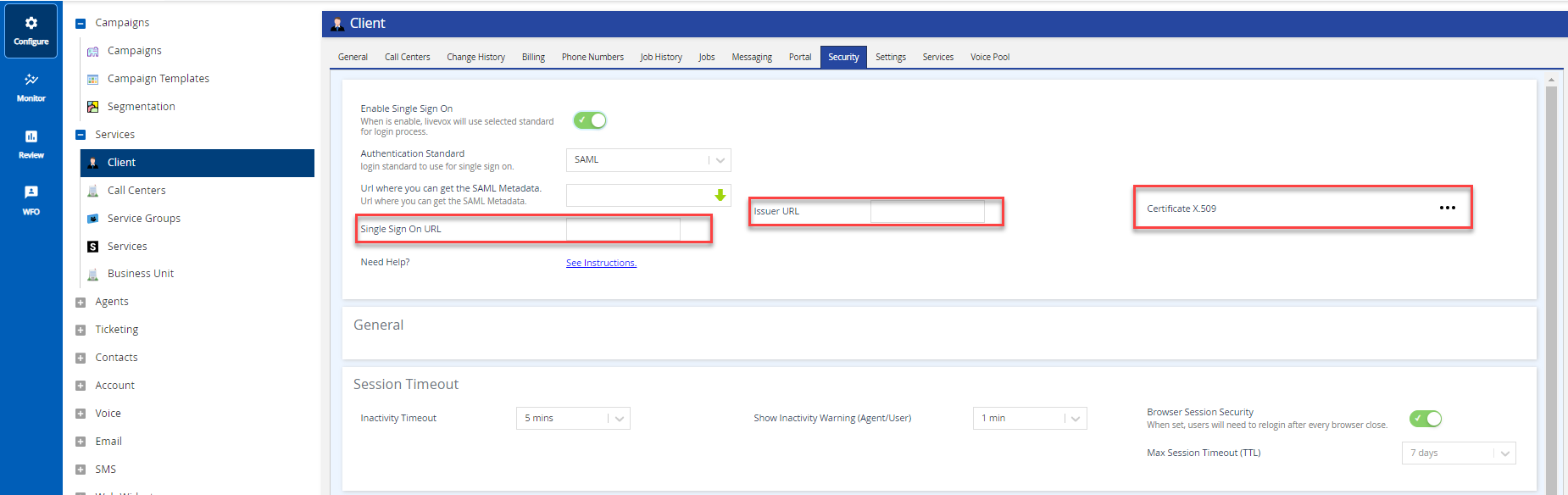
Dynamic configuration is also supported. Provide the metadata link to LiveVox to complete the configuration, or add the values manually. |
Open ID Connect
For OpenID Connect, you must configure the following attributes obtained from the IdP:
- Authorization ID (or Client Id)
- Authorization Secret (or Client Secret)
- Issuer Url is also known as entity ID

- Click Save.
- After configuring SAML or OIDC as your IdP, c
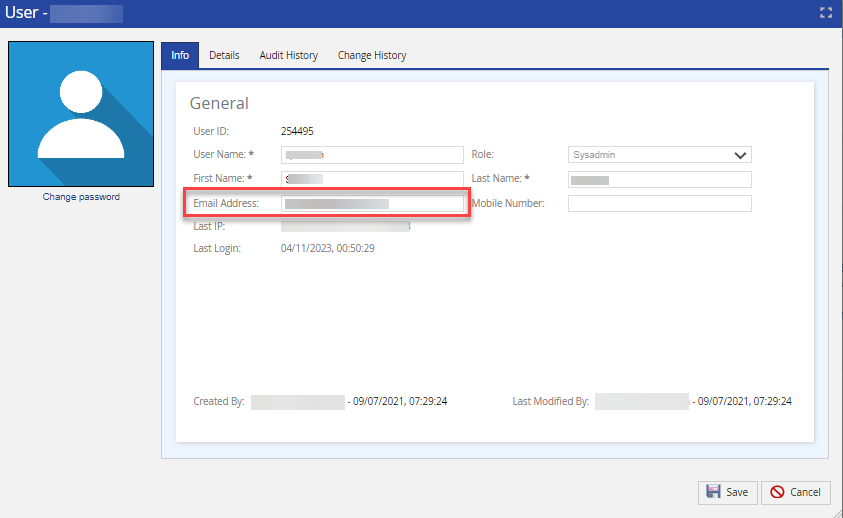
- On LVP, configure your users with a valid matching email. See the Creating User section for more information.
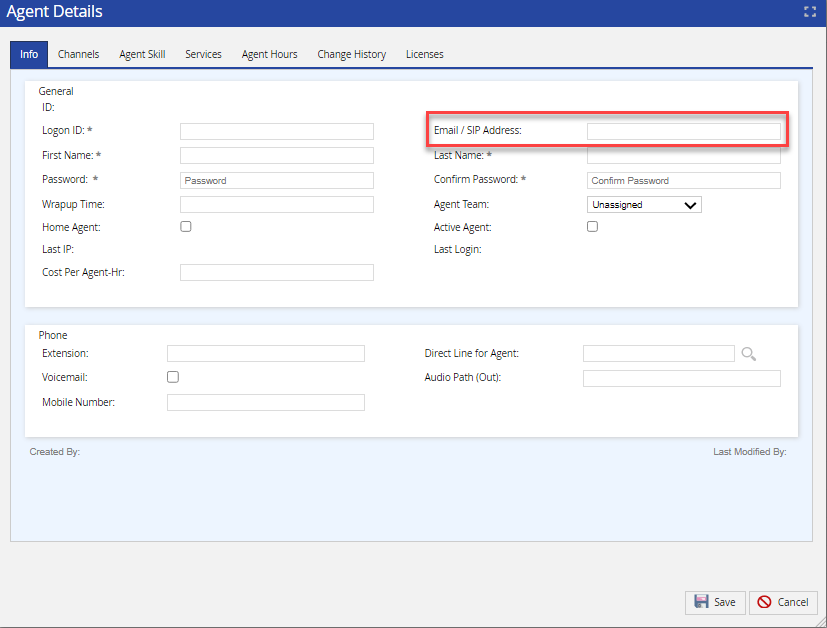
- ur agents with a valid matching email. See Creating Agent Profile for more information.
Enabling SSO
After you have configured your user/agent set up with valid emails, you can enable SSO. Navigate to LVP> Configure > Client >Security tab and enable the Single Sign On switch.
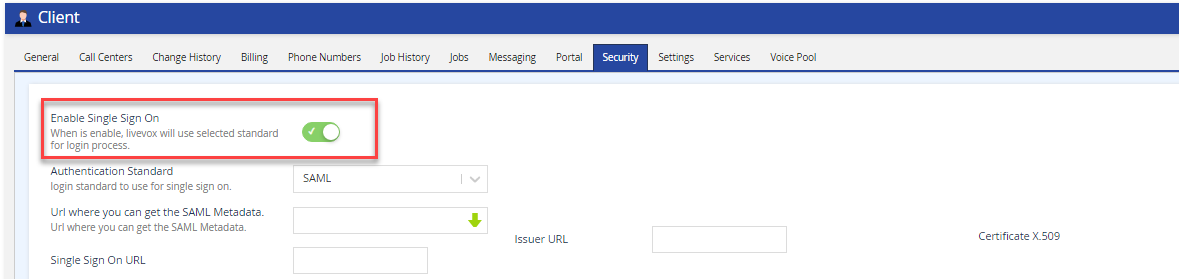
Enable SSO only when the setup is complete on your IdP and the Livevox platform. The login application uses this flag to identify when the authentication process must be handled by an external IdP. If you enable SSO before the configuration is complete, you block all your users/agents from logging into the platform. |
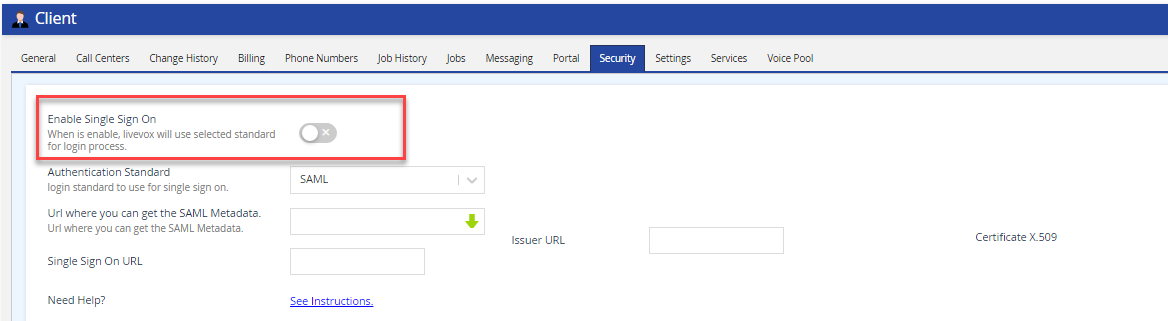
To disable SSO. on LVP, navigate to Configure > Client > Security tab, and disable the Single Sign On switch.
Using SSO on Wallboards
If you are using the Wallboards feature on the platform:
- You must add the Wallboards URLs initially provided by LiveVox as redirect URIs for the IdP. For example, the URLs can be https://client.livevox.com/qcsportal and https://client.livevox.com/dashboard.
Redirect URIs are the endpoints to which the authentication response is sent after the identity provider successfully authenticates a user. |
- You must provide LiveVox with the set of credentials (user email and password) registered in your IdP and authorized to use the LiveVox applications. This is required for the Wallboards back-end services to have access to the APIs. After your portal is set up with SSO, LiveVox can configure the Wallboards feature to use the SSO capability.