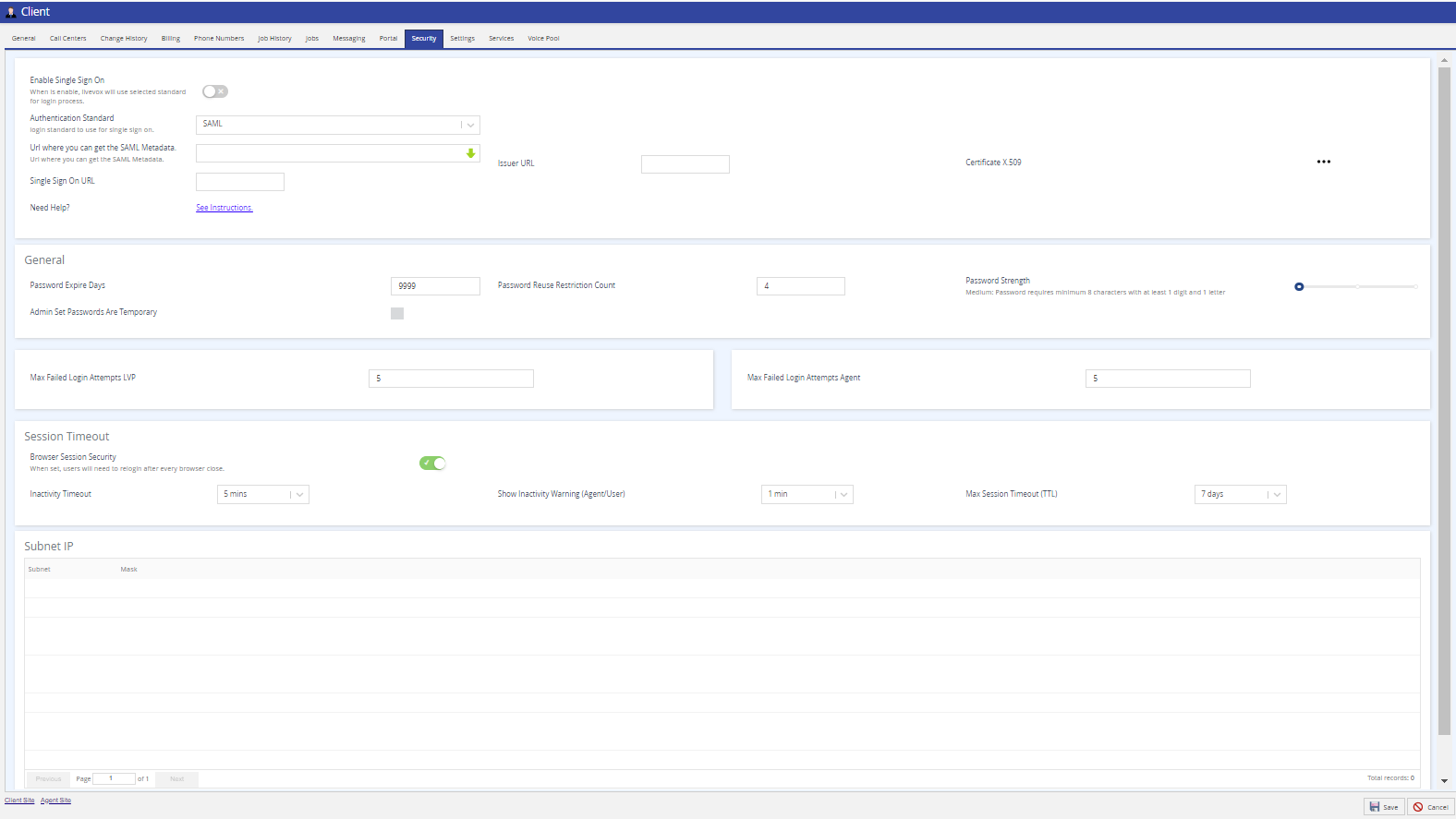
The Security tab of the Client editor has centralized control over security configuration options for both users and agents.
| Contact the LiveVox Customer Care Team to enable Single Sign On (SSO) functionality on your site. For more information about SSO configuration, see Configuring the Single Sign On Capability. |
When implementing a password expiry period for the first time, or reducing the number of days in the current period, it is recommended that all agents be logged out to prevent any call interruption due to password expiration. In addition, if your portal uses any LiveVox custom applications (Scripter, for example) or you are unsure if you have integrated these types of apps, please reach out to your Account Management team before adding, removing, or making any changes to the Password Expire Period as this may interrupt any active LiveVox Custom Applications. |
Very Strong: The password must be a minimum of 12 characters in length containing at least one digit, one letter, one special character, and different than the last four passwords.
Hover the mouse over the password strength slider to get the description of the password strength requirements. |
If you change your password strength policy, for example, if you update your policy so that all passwords must meet the Strong Password level rather than the Medium Password level, the policy applies to all newly created users and agents immediately. However, this policy will only apply to existing users and agents when the system indicates that they must reset their passwords. |
If the permitted LiveVox Portal users change the password for their user account, they are not prompted to change the password. |
Session timeout is the time during which you do not perform any action on LVP and remain idle. If you have not performed any activity in the portal, such as not clicking any buttons, navigating pages, and so on, the session is considered inactive. If you have multiple tabs open, and you are working in one tab, the session remains active for all the tabs. If all the tabs are inactive, the session ends after it reaches the time duration set in the Inactivity Timeout field.
|